
Cosy
Cosy elevates your Slack community by automating member onboarding and fostering meaningful connections effortlessly.
VisitPublished on:
November 13, 2025
Pricing:
About Cosy
Cosy is a sophisticated Slack-native platform meticulously crafted to elevate static workspaces into thriving, self-sustaining communities. This innovative tool automates the foundational yet labor-intensive tasks of community management, empowering leaders to concentrate on strategic initiatives and fostering human connections rather than getting bogged down by administrative duties. By integrating seamlessly within the familiar Slack environment, Cosy significantly reduces the friction often associated with external tools, thus enhancing engagement and simplifying the onboarding process. Designed for community builders, managers, and leaders across various domains—from professional associations to customer communities and internal corporate groups—Cosy’s primary value proposition lies in its ability to cultivate meaningful interactions among members. The platform automates personalized welcome sequences, establishes a dynamic member directory, and provides intelligent moderation, all while liberating users from hours of manual effort each week. With Cosy, every member is assured of a welcoming, connected, and valued experience from the moment they join, nurturing a vibrant ecosystem of engagement and collaboration.
Features of Cosy
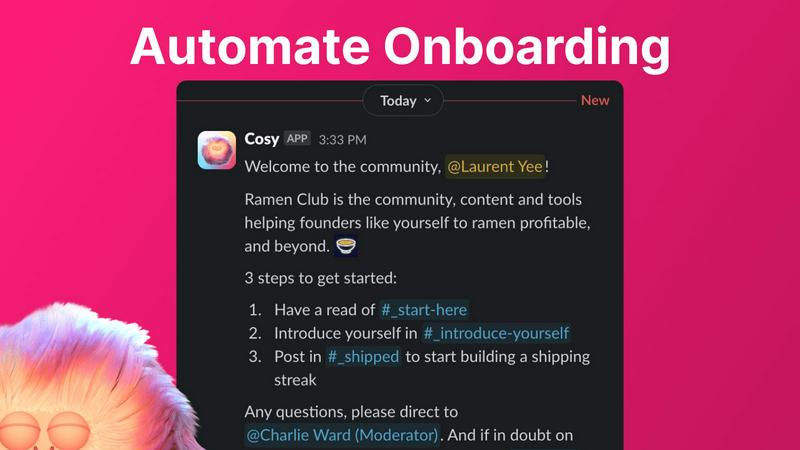
Automate Onboarding
Cosy allows community leaders to create and automate up to 10 distinct onboarding welcome DM sequences. These sequences can be personalized and configured to be sent immediately or after a set delay. The automation ensures that every new member, regardless of when they join, receives a warm welcome, saving leaders invaluable time and ensuring no one is left behind.
Connect Your Members
This feature enhances community engagement by automatically introducing opted-in members to each other via direct messages. Leaders can customize the frequency and timing of these introductions, fostering serendipitous connections and enriching the community experience without requiring manual oversight.
Member Directory
Cosy provides a straightforward, searchable directory of community members, all within Slack. This directory allows customization of fields for members to fill in, enabling easy searching and filtering. It not only helps members find one another but also promotes a deeper understanding of the community’s diverse talents and interests.
Content Highlights
With just a quick slash command, community managers can surface the top 10 most engaging posts or identify unreplied messages. This feature keeps members informed about valuable discussions and ensures that no significant contributions go unnoticed, ultimately enhancing the overall quality of community interactions.
Use Cases of Cosy
Professional Associations
Cosy is ideal for professional associations looking to bolster member engagement. By automating introductions and providing a searchable member directory, associations can foster networking opportunities and professional development, enriching the overall member experience.
Customer Communities
For businesses looking to enhance customer relationships, Cosy transforms customer communities into vibrant ecosystems. By automating onboarding and content highlights, brands can ensure customers feel supported and engaged, driving loyalty and satisfaction.
Internal Company Groups
Cosy serves internal corporate groups by streamlining onboarding for new employees and encouraging cross-departmental connections. This promotes a cohesive workplace culture, where employees can easily collaborate and share knowledge.
Event-based Communities
Cosy can be leveraged for event-specific communities, facilitating networking among attendees and helping them connect before, during, and after events. The platform's automation features ensure that members are continuously engaged, maximizing the event's impact.
Frequently Asked Questions
How does Cosy integrate with Slack?
Cosy operates natively within Slack, meaning there is no need for external tools or complicated setups. This integration allows community managers to utilize Cosy's features directly in their existing Slack workspaces.
What types of communities benefit from using Cosy?
Cosy is designed for a wide range of communities, including professional associations, customer communities, and internal company groups. Essentially, any organization that utilizes Slack for communication can leverage Cosy to enhance engagement.
Can I customize the onboarding sequences?
Yes, Cosy allows for extensive customization of onboarding sequences. Community leaders can personalize messages, set time delays, and choose how many distinct sequences to create, tailoring the experience to their community’s needs.
Is there a limit to the number of members I can have?
Cosy offers a free plan for up to 250 members, with a 30-day trial available for unlimited members. This allows organizations to explore Cosy's full capabilities before committing to a paid plan.
Explore more in this category:
Similar to Cosy
Kody Tools
Free collection of online developer utilities, code formatters, and digital converters designed to streamline your daily workflow.
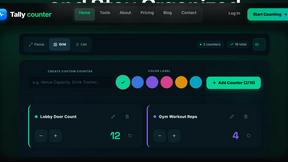
Tally Counter
Online tally counter for tracking attendance, workouts, inventory, visitors, sports scores, habits, and everyday counting tasks.
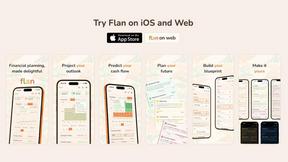
Flan
Visual financial timelines for couples and young professionals: model cash flow, life events, and shared goals.
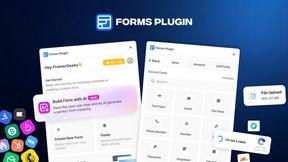
Forms Plugin
The #1 Native Form Builder Plugin for Framer - No Code, No Embeds, No External Platforms.

Product Launch Checklist
A free launch checklist for SaaS, apps, AI tools and more. Every step says why it matters and when you can skip it.

HomeAnswerBook
Practical, independent guides to home repairs, maintenance, costs, troubleshooting, and everyday fixes.

BlazePDF
Highlight faster. Study in flow with custom shortcuts and a workflow built around you. Print smarter, or turn any page into a tiled poster.