
ConvertBankToExcel
Effortlessly convert PDF bank statements to Excel, CSV, and more in under 30 seconds with 99% accuracy and total.
VisitPublished on:
February 5, 2026
Pricing:

About ConvertBankToExcel
ConvertBankToExcel is a sophisticated AI-driven platform meticulously designed to transform the often tedious process of bank statement conversion into a seamless experience for accounting professionals. By utilizing cutting-edge technology, ConvertBankToExcel eliminates the need for laborious manual data entry, thereby allowing accountants, bookkeepers, and financial analysts to focus on more strategic tasks. The platform automatically extracts transaction data from both digital and scanned PDF bank statements, converting them into a variety of readily usable formats including Excel, CSV, and QuickBooks. With a remarkable accuracy rate of over 99 percent as verified by CPAs, ConvertBankToExcel supports more than 20 major banks across the US and Canada. This powerful tool has garnered the trust of over 50,000 accounting professionals, who have collectively processed more than 1 million bank statements. Additionally, ConvertBankToExcel offers a free tier for users to convert up to 7 pages daily, making it an invaluable resource for those seeking efficiency, accuracy, and ease in financial data management.
Features of ConvertBankToExcel
99%+ Accuracy Rate
ConvertBankToExcel boasts a stunning accuracy rate exceeding 99 percent, verified by CPAs. This ensures that the extracted data from bank statements is reliable and precise, significantly reducing errors often associated with manual data entry and enhancing trust in financial reports.
Instant Processing
The platform is designed for speed, processing bank statements in under 30 seconds on average. This rapid turnaround allows accounting professionals to work efficiently, enabling them to meet tight deadlines without compromising on quality or accuracy.
Extensive Bank Support
With support for over 20 major banks in the US and Canada, ConvertBankToExcel ensures that users can convert statements from a wide array of financial institutions. This feature enhances convenience, as users can seamlessly process statements from their respective banks without the hassle of switching platforms.
Multiple Export Formats
ConvertBankToExcel offers an impressive selection of nine export formats, including QuickBooks (QBO/QFX/OFX/IIF), Excel, CSV, JSON, and XML. This versatility allows users to easily integrate the converted data into various accounting software applications, facilitating a smoother workflow in financial management.
Use Cases of ConvertBankToExcel
Mortgage Applications
For individuals and businesses preparing mortgage applications, ConvertBankToExcel simplifies the process by providing organized and accurate bank statements. This is essential for lenders who require clear financial documentation during the approval process.
Tax Preparation
ConvertBankToExcel is an indispensable tool for tax professionals, enabling them to efficiently organize and convert financial statements necessary for tax filing. This organization helps ensure compliance with IRS requirements and facilitates a smoother filing experience.
Visa Applications
When applying for a visa, applicants often need to submit financial statements to demonstrate their economic stability. ConvertBankToExcel assists in this process by converting bank statements into the required formats, ensuring that applicants can meet embassy financial requirements without delay.
Financial Audits
During financial audits, the accuracy and organization of bank statements are paramount. ConvertBankToExcel enables auditors to quickly convert and review bank statements, ensuring that all financial documents are prepared accurately and are readily available for examination.
Frequently Asked Questions
How does ConvertBankToExcel ensure data security?
ConvertBankToExcel employs bank-grade encryption to protect user data. Additionally, all files are automatically deleted after 24 hours, ensuring that sensitive financial information is not stored longer than necessary.
Can I use ConvertBankToExcel for scanned bank statements?
Yes, ConvertBankToExcel's AI-powered OCR technology can handle both digital and scanned PDF bank statements. This feature enables users to convert a wide range of statement types without compromising on accuracy.
Is there a limit to how many statements I can convert daily?
With the free tier, users can convert up to 7 pages daily without any credit card required. For users needing more extensive capabilities, professional plans are available starting at just $15 per month.
What types of banks are supported by ConvertBankToExcel?
ConvertBankToExcel supports over 20 major banks in the US and Canada, ensuring that users can easily convert statements from institutions such as Chase, Wells Fargo, and Bank of America, among others.
Similar to ConvertBankToExcel

Product Launch Checklist
A free launch checklist for SaaS, apps, AI tools and more. Every step says why it matters and when you can skip it.

HomeAnswerBook
Practical, independent guides to home repairs, maintenance, costs, troubleshooting, and everyday fixes.
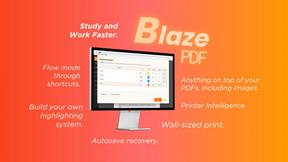
BlazePDF
Highlight faster. Study in flow with custom shortcuts and a workflow built around you. Print smarter, or turn any page into a tiled poster.



IZIPAY
IZIPAY is a virtual and physical crypto card service that lets users top up with digital assets and pay online like with a regular card.

Build Mode for Mac
Build Mode is a Mac app that turns focused sessions into visible progress, so you can see the work adding up before the results arrive.
LiteralKit
Free, no-signup Unicode text tools: superscript, fancy fonts, case converter, symbols. Fast and private.