
FilexHost vs Quickfix AI
Side-by-side comparison to help you choose the right product.

FilexHost
Effortlessly host and share your files with instant URLs and secure access, all through a simple drag and drop.
Last updated: February 26, 2026

Quickfix AI
Quickfix AI provides instant, plain-English diagnostics for your system's health and performance.
Last updated: February 28, 2026
Visual Comparison
FilexHost

Quickfix AI
Feature Comparison
FilexHost
Universal File Support
FilexHost accommodates a vast array of file types, including PDFs, Excel sheets, images, audio, video, ZIP archives, and HTML projects. Its smart rendering engine ensures that each file is displayed optimally, with HTML files rendering as live websites, spreadsheets appearing as interactive tables, and media playing directly in the browser for immediate accessibility.
Instant Subdomains
Upon uploading a file, users are granted instant subdomains (your-file.filex.host) with zero setup required. This feature allows for immediate sharing, eliminating cumbersome configurations and enabling users to focus on their content rather than the complexities of managing web hosts.
Free SSL Encryption
Every link generated through FilexHost is secured with free SSL encryption, ensuring that all shared files are protected during transmission. This commitment to security reassures users that their data is safe, fostering trust with both the file owner and the recipients.
Smart View Modes
FilexHost offers versatile viewing options, allowing users to choose between direct rendering or a dedicated download page. This flexibility ensures that recipients can interact with files in the manner that suits them best, whether they wish to view a document or download it for offline use.
Quickfix AI
Comprehensive One-Click System Scan
Quickfix AI delivers immediate, holistic insight into your computer's health through a single, effortless scan. It analyzes all critical subsystems simultaneously, including real-time CPU load, memory pressure, GPU utilization, storage integrity and capacity, battery health metrics, security posture, and network connection status. This consolidated dashboard provides a complete snapshot of your system's performance and well-being, eliminating the need to consult multiple, disparate system tools.
Plain-English AI Diagnostics Assistant
Beyond presenting data, Quickfix AI features an intelligent conversational assistant. This AI reads your full diagnostic report and allows you to ask questions about your system in natural language. It explains complex technical situations—like high CPU usage or slow performance—in clear, jargon-free English, identifying specific culprits (e.g., "Chrome using 45%") and providing tailored, actionable recommendations for resolution.
Secure Remote Diagnostics via Sharing Code
Designed for collaborative troubleshooting, Quickfix AI includes a secure, privacy-conscious sharing mechanism. IT support teams or helpful individuals can generate a unique sharing code. The recipient simply enters this code to run a scan, granting the helper instant, read-only access to the diagnostic report. This enables rapid remote support without requiring invasive screen-sharing or physical access to the device.
Cross-Platform Performance Monitoring
Quickfix AI provides a consistent, powerful diagnostic experience across major operating systems. It offers native applications for both Windows and macOS, ensuring that users on either platform can benefit from deep hardware and software insights tailored to their specific environment, from checking FileVault status on Mac to analyzing detailed drive health on Windows.
Use Cases
FilexHost
Professional Report Sharing
Professionals can leverage FilexHost to share client reports seamlessly. The instant URL generation and simple sharing mechanism eliminate the need for complicated email attachments, allowing for efficient communication and collaboration.
Developer Project Hosting
Developers can utilize FilexHost to host landing pages or mock APIs with ease. The platform's ability to render HTML files as live websites makes it an ideal solution for showcasing projects without the hassle of traditional web hosting setups.
Digital Product Distribution
Creators and entrepreneurs can distribute digital products via FilexHost, ensuring that their content reaches customers without unnecessary barriers. The platform's password protection and expiry settings allow for secure and controlled access to digital goods.
Educational Resource Sharing
Educators and students can use FilexHost to share educational materials, such as presentations or research papers. The user-friendly interface and universal file support facilitate the distribution of diverse learning resources in a frictionless manner.
Quickfix AI
Proactive System Health Auditing
For individuals who value peak device performance, Quickfix AI serves as a regular health check. Users can run periodic scans to monitor battery degradation over time, ensure storage isn't nearing capacity, verify that security settings are active, and identify background processes that may be sapping resources, allowing for maintenance before issues impact productivity or experience.
Troubleshooting Unexplained Performance Issues
When a computer is suddenly slow, noisy, or unresponsive, Quickfix AI is the first responder. Instead of guessing, users can run a scan and immediately ask the AI, "Why is my Mac running slow?" The assistant pinpoints the exact cause, such as specific applications consuming excessive CPU or memory, providing clear, immediate steps to remediate the problem.
Streamlining IT and Help Desk Support
IT support teams can dramatically reduce resolution times by using Quickfix AI's sharing code feature. Instead of lengthy diagnostic questionnaires, they send a link to an end-user, receive a code, and instantly view a comprehensive system report. This allows for accurate, first-contact diagnosis of issues ranging from malware scans to hardware failures.
Empowering Non-Technical Users with Knowledge
Quickfix AI democratizes system understanding. Users unfamiliar with terms like "memory pressure" or "disk health" can use the AI assistant to learn about their own device. They can ask, "Is my battery healthy?" or "What does this firewall status mean?" and receive educational, reassuring explanations, fostering confidence and digital literacy.
Overview
About FilexHost
FilexHost is a premier file hosting and sharing service designed to provide users with a seamless experience for storing and distributing files of any type. Whether you are dealing with documents, media, spreadsheets, or entire websites, FilexHost streamlines the process through its intuitive "Drop & Share" workflow. Users can effortlessly drag and drop their files, receiving an instant, secure URL for sharing, without the need for server management, DNS configurations, or user logins for recipients. This service caters to a wide range of users, including professionals sharing reports, developers hosting projects, and anyone seeking a hassle-free file delivery mechanism that bypasses traditional restrictions such as attachment limits and access requests. With a focus on optimizing the viewer experience, FilexHost ensures that recipients see files exactly as intended, beautifully presented and readily accessible without the need for downloads or plugins.
About Quickfix AI
Quickfix AI represents a paradigm shift in personal and professional digital empowerment, offering a sophisticated, AI-driven lens into the inner workings of your computer. It is a comprehensive system diagnostics platform designed to demystify complex technical data for everyone. With a single click, Quickfix AI performs a deep scan of your system's vital components—CPU, memory, storage, battery, security, and network—transforming raw metrics into a clear, actionable report. Its true genius lies in an integrated AI assistant that interprets this data in plain English, allowing you to ask questions and receive specific, understandable recommendations. This product elegantly bridges the gap between advanced system telemetry and practical user insight. It is crafted for the discerning individual who values performance and clarity, from IT professionals and tech enthusiasts who require granular data, to everyday users and executives who simply wish to understand their system's health and resolve issues without needing a technical background. Quickfix AI delivers immediate clarity, turning opaque system mysteries into solvable tasks.
Frequently Asked Questions
FilexHost FAQ
What is FilexHost?
FilexHost is an advanced file hosting and sharing service that allows users to upload and share various file types instantly. With a focus on simplicity and security, it provides a unique "Drop & Share" workflow for effortless file distribution.
Is it really free?
Yes, FilexHost offers a free plan that allows users to host up to 1,000 files with a maximum size of 25MB each. The free plan includes ads and has a 7-day expiry for hosted files, making it ideal for quick sharing.
What file types are supported?
FilexHost supports a wide range of file types, including PDFs, images, audio files, video files, and more. The platform's intelligent rendering engine ensures that each file type is displayed in the most suitable format for the recipient.
How do I update my site?
To update your hosted content, simply upload a new version of the file or project. FilexHost will automatically generate a new link for the updated file, ensuring that your recipients always have access to the latest version.
Quickfix AI FAQ
Is Quickfix AI free?
Yes, Quickfix AI offers a free version that includes the core system diagnostics scan and access to the AI assistant for explaining your report and providing basic recommendations. This allows anyone to download, scan, and gain immediate insights into their system's health at no cost.
Is my data secure?
Absolutely. Privacy and security are foundational to Quickfix AI. The diagnostic scan runs locally on your machine. Your system data is not uploaded to our servers unless you explicitly choose to generate a sharing code for remote help, and even then, access is strictly controlled and limited to the diagnostic report for troubleshooting purposes.
Do I need technical knowledge to use it?
Not at all. Quickfix AI is specifically designed for users of all technical backgrounds. The interface presents information clearly, and the integrated AI assistant is there to explain anything in plain English. You simply need to click "Start Scan" and then ask questions as you would a knowledgeable friend.
What platforms are supported?
Quickfix AI provides dedicated, native applications for both Windows and macOS operating systems. You can download the appropriate version directly from the Quickfix AI website, ensuring full compatibility and deep system integration for a comprehensive diagnostic experience on your preferred platform.
Alternatives
FilexHost Alternatives
FilexHost is a sophisticated file hosting and sharing platform designed for effortless file management. It allows users to upload various file types—including documents, images, and media—through a seamless drag-and-drop interface, generating secure shareable URLs in seconds. As part of the productivity and management category, it caters to professionals, developers, and creators who require a convenient way to distribute files without the hindrance of complex setups or access requests. Users often seek alternatives to FilexHost for several reasons, including pricing structures, feature sets, and specific platform requirements. Depending on their unique needs, they may prioritize aspects such as storage capacity, file size limits, security options, or enhanced analytics. When searching for an alternative, it is essential to assess not only the core functionalities but also the overall user experience, ease of use, and how well the solution aligns with personal or organizational workflows.
Quickfix AI Alternatives
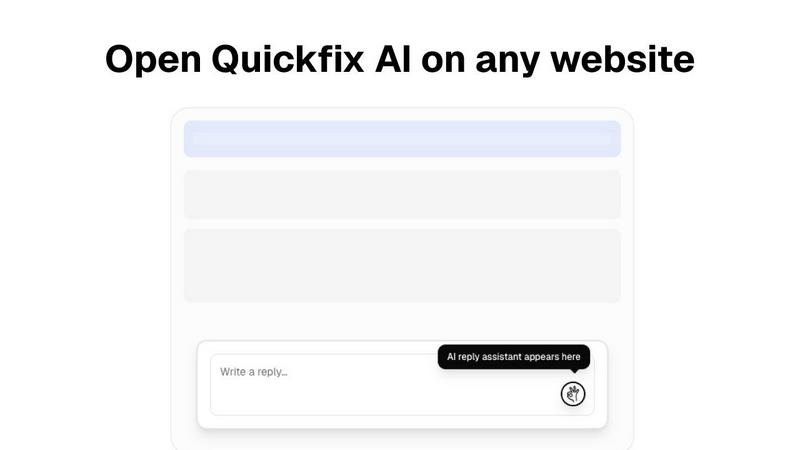
Quickfix AI is a sophisticated productivity tool that elegantly combines AI-powered communication assistance with comprehensive system diagnostics. It belongs to the category of intelligent productivity suites designed to streamline workflows and provide deep operational insights. Users often explore alternatives for various reasons, including budget considerations, the need for specific feature sets not covered by a single solution, or platform compatibility requirements that extend beyond a browser extension. When evaluating other options, discerning users should prioritize a solution's core intelligence—its ability to understand context and deliver actionable clarity. The ideal alternative should not only match the functional depth but also embody the same principle of seamless integration, removing friction rather than adding to it. It is about finding a tool that respects your time and intellect, transforming complex data or communication tasks into simple, elegant actions. ---
FAQ_SEPARATOR---
[{"question": "What is Quickfix AI?", "answer": "Quickfix AI is a dual-purpose productivity tool featuring an AI browser extension for context-aware communication and a sophisticated platform for plain-English system diagnostics and health analysis."}, {"question": "Who is Quickfix AI for?", "answer": "It is crafted for professionals demanding efficiency, including executives, support teams, IT professionals, and tech-savvy users who seek to streamline correspondence and understand their system's health without technical expertise."}, {"question": "What are the main features of Quickfix AI?", "answer": "Its core features are Universal Browser Integration for seamless AI replies across websites and Context-Aware AI Composition that generates semantically relevant, tonally appropriate responses."}, {"question": "Why choose Quickfix AI?", "answer": "It offers a unique synthesis of effortless communication and profound system intelligence, delivering clarity and efficiency through sophisticated, context-aware AI directly within your workflow."}]