
LuxSign vs Quickfix AI
Side-by-side comparison to help you choose the right product.

LuxSign offers a secure, legally compliant platform for effortlessly signing and managing documents online in minutes.
Last updated: February 26, 2026

Quickfix AI
Quickfix AI provides instant, plain-English diagnostics for your system's health and performance.
Last updated: February 28, 2026
Visual Comparison
LuxSign

Quickfix AI
Feature Comparison
LuxSign
Multiple Signature Methods
LuxSign provides versatile signing options, allowing users to draw their signature using a mouse, type their name, or upload an image. This feature includes support for custom initials, facilitating quick and efficient document signing for all users.
Advanced Security
The platform prioritizes security with industry-standard encryption protocols during the upload, storage, and transmission of documents. This ensures that sensitive information remains confidential and protected against unauthorized access throughout the signing process.
Complete Audit Trail
LuxSign maintains a detailed audit trail for every document signed. This includes comprehensive logs with timestamps, IP addresses, and signer information, ensuring full transparency and compliance for both businesses and regulatory bodies.
Collaboration Workspaces
With LuxSign, teams can create shared workspaces that enhance collaboration. This feature allows users to organize documents into folders, manage member access, and work together seamlessly on signing workflows, streamlining processes for teams of all sizes.
Quickfix AI
Comprehensive One-Click System Scan
Quickfix AI delivers immediate, holistic insight into your computer's health through a single, effortless scan. It analyzes all critical subsystems simultaneously, including real-time CPU load, memory pressure, GPU utilization, storage integrity and capacity, battery health metrics, security posture, and network connection status. This consolidated dashboard provides a complete snapshot of your system's performance and well-being, eliminating the need to consult multiple, disparate system tools.
Plain-English AI Diagnostics Assistant
Beyond presenting data, Quickfix AI features an intelligent conversational assistant. This AI reads your full diagnostic report and allows you to ask questions about your system in natural language. It explains complex technical situations—like high CPU usage or slow performance—in clear, jargon-free English, identifying specific culprits (e.g., "Chrome using 45%") and providing tailored, actionable recommendations for resolution.
Secure Remote Diagnostics via Sharing Code
Designed for collaborative troubleshooting, Quickfix AI includes a secure, privacy-conscious sharing mechanism. IT support teams or helpful individuals can generate a unique sharing code. The recipient simply enters this code to run a scan, granting the helper instant, read-only access to the diagnostic report. This enables rapid remote support without requiring invasive screen-sharing or physical access to the device.
Cross-Platform Performance Monitoring
Quickfix AI provides a consistent, powerful diagnostic experience across major operating systems. It offers native applications for both Windows and macOS, ensuring that users on either platform can benefit from deep hardware and software insights tailored to their specific environment, from checking FileVault status on Mac to analyzing detailed drive health on Windows.
Use Cases
LuxSign
Contract Management for Small Businesses
Small businesses can leverage LuxSign to manage their contracts efficiently. By using the platform, they can ensure that all agreements are signed promptly and securely, reducing turnaround times and enhancing client satisfaction.
Remote Team Collaboration
For organizations with remote teams, LuxSign offers a robust solution for signing documents from any location. Team members can collaborate in real-time, ensuring that important documents are signed without the constraints of geographical barriers.
Compliance-Focused Industries
Industries that require stringent compliance, such as finance and healthcare, can utilize LuxSign to ensure that all documents meet legal standards. The platform’s audit trails and GDPR compliance make it an ideal choice for maintaining regulatory adherence.
Streamlined Onboarding Processes
Businesses can simplify their onboarding procedures by using LuxSign to send employment contracts and other necessary documents to new hires. This allows for swift processing and ensures that all paperwork is completed securely and efficiently.
Quickfix AI
Proactive System Health Auditing
For individuals who value peak device performance, Quickfix AI serves as a regular health check. Users can run periodic scans to monitor battery degradation over time, ensure storage isn't nearing capacity, verify that security settings are active, and identify background processes that may be sapping resources, allowing for maintenance before issues impact productivity or experience.
Troubleshooting Unexplained Performance Issues
When a computer is suddenly slow, noisy, or unresponsive, Quickfix AI is the first responder. Instead of guessing, users can run a scan and immediately ask the AI, "Why is my Mac running slow?" The assistant pinpoints the exact cause, such as specific applications consuming excessive CPU or memory, providing clear, immediate steps to remediate the problem.
Streamlining IT and Help Desk Support
IT support teams can dramatically reduce resolution times by using Quickfix AI's sharing code feature. Instead of lengthy diagnostic questionnaires, they send a link to an end-user, receive a code, and instantly view a comprehensive system report. This allows for accurate, first-contact diagnosis of issues ranging from malware scans to hardware failures.
Empowering Non-Technical Users with Knowledge
Quickfix AI democratizes system understanding. Users unfamiliar with terms like "memory pressure" or "disk health" can use the AI assistant to learn about their own device. They can ask, "Is my battery healthy?" or "What does this firewall status mean?" and receive educational, reassuring explanations, fostering confidence and digital literacy.
Overview
About LuxSign
LuxSign is an innovative, secure, cloud-based electronic signature platform meticulously designed for businesses that demand rigorous compliance and data protection. Originating from Luxembourg, LuxSign is built to provide unparalleled security, ensuring that all documents are encrypted end-to-end and stored exclusively within the country’s borders. This guarantees strict adherence to GDPR regulations, making it a prime choice for organizations operating within the European Union. LuxSign supports the eIDAS SES standards, thereby offering legal validity for contracts throughout the EU. With its user-friendly interface, businesses can effortlessly manage their documentation processes, utilizing features such as parallel or sequential signing workflows, drag-and-drop signature field placement, and automated email notifications. Advanced tiers of the platform unlock additional capabilities, including document templates, comprehensive audit trails, bulk signing options, collaboration workspaces, bespoke branding solutions, and a complete REST API with an embeddable SDK for seamless system integrations. LuxSign truly embodies the intersection of security, compliance, and efficiency in digital signatures.
About Quickfix AI
Quickfix AI represents a paradigm shift in personal and professional digital empowerment, offering a sophisticated, AI-driven lens into the inner workings of your computer. It is a comprehensive system diagnostics platform designed to demystify complex technical data for everyone. With a single click, Quickfix AI performs a deep scan of your system's vital components—CPU, memory, storage, battery, security, and network—transforming raw metrics into a clear, actionable report. Its true genius lies in an integrated AI assistant that interprets this data in plain English, allowing you to ask questions and receive specific, understandable recommendations. This product elegantly bridges the gap between advanced system telemetry and practical user insight. It is crafted for the discerning individual who values performance and clarity, from IT professionals and tech enthusiasts who require granular data, to everyday users and executives who simply wish to understand their system's health and resolve issues without needing a technical background. Quickfix AI delivers immediate clarity, turning opaque system mysteries into solvable tasks.
Frequently Asked Questions
LuxSign FAQ
How secure is the LuxSign platform?
LuxSign employs industry-standard encryption methods to protect documents during upload, storage, and transmission. All data is stored securely in Luxembourg, ensuring compliance with GDPR and local data protection laws.
What types of documents can be signed using LuxSign?
Users can upload various document formats, including PDF, DOC, and DOCX files. The platform supports automatic conversion, allowing for seamless signing of documents up to 10MB in size.
Can multiple signers be added to a single document?
Yes, LuxSign allows users to add up to four signers per document. You can choose between parallel signing or sequential signing workflows, providing flexibility to meet different signing requirements.
Is there a free trial available for LuxSign?
LuxSign offers a free plan that allows users to sign their own files and documents sent to them. This plan includes essential features such as end-to-end encryption and email support, enabling users to explore the platform without any financial commitment.
Quickfix AI FAQ
Is Quickfix AI free?
Yes, Quickfix AI offers a free version that includes the core system diagnostics scan and access to the AI assistant for explaining your report and providing basic recommendations. This allows anyone to download, scan, and gain immediate insights into their system's health at no cost.
Is my data secure?
Absolutely. Privacy and security are foundational to Quickfix AI. The diagnostic scan runs locally on your machine. Your system data is not uploaded to our servers unless you explicitly choose to generate a sharing code for remote help, and even then, access is strictly controlled and limited to the diagnostic report for troubleshooting purposes.
Do I need technical knowledge to use it?
Not at all. Quickfix AI is specifically designed for users of all technical backgrounds. The interface presents information clearly, and the integrated AI assistant is there to explain anything in plain English. You simply need to click "Start Scan" and then ask questions as you would a knowledgeable friend.
What platforms are supported?
Quickfix AI provides dedicated, native applications for both Windows and macOS operating systems. You can download the appropriate version directly from the Quickfix AI website, ensuring full compatibility and deep system integration for a comprehensive diagnostic experience on your preferred platform.
Alternatives
LuxSign Alternatives
LuxSign is a sophisticated electronic signature platform hailing from Luxembourg, designed to meet the needs of businesses that require stringent compliance with legal standards. As an eIDAS SES compliant service, it ensures that electronic signatures are recognized and enforceable across all EU member states. Users often seek alternatives to LuxSign for a variety of reasons, including pricing concerns, specific feature requirements, or the need for integration with existing systems. When selecting an alternative to LuxSign, it is essential to evaluate the platform’s security measures, compliance with relevant regulations, user experience, and the breadth of features offered. Additionally, consider the ease of implementation and whether the platform can adapt to your unique business workflow needs, ensuring a seamless transition and continued operational efficiency.
Quickfix AI Alternatives
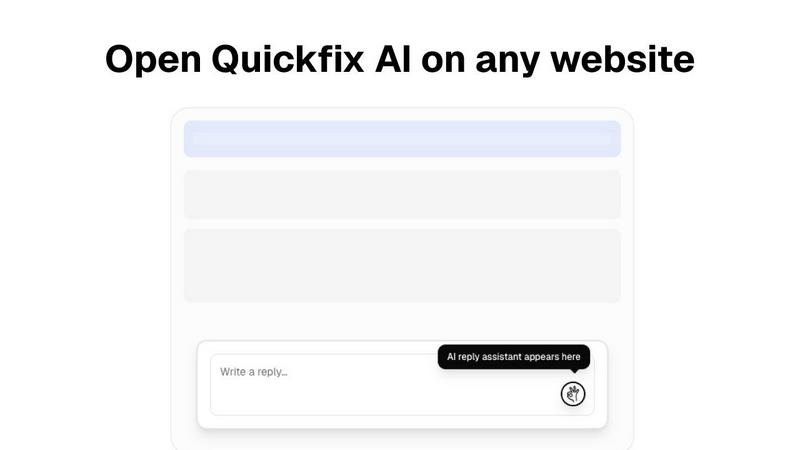
Quickfix AI is a sophisticated productivity tool that elegantly combines AI-powered communication assistance with comprehensive system diagnostics. It belongs to the category of intelligent productivity suites designed to streamline workflows and provide deep operational insights. Users often explore alternatives for various reasons, including budget considerations, the need for specific feature sets not covered by a single solution, or platform compatibility requirements that extend beyond a browser extension. When evaluating other options, discerning users should prioritize a solution's core intelligence—its ability to understand context and deliver actionable clarity. The ideal alternative should not only match the functional depth but also embody the same principle of seamless integration, removing friction rather than adding to it. It is about finding a tool that respects your time and intellect, transforming complex data or communication tasks into simple, elegant actions. ---
FAQ_SEPARATOR---
[{"question": "What is Quickfix AI?", "answer": "Quickfix AI is a dual-purpose productivity tool featuring an AI browser extension for context-aware communication and a sophisticated platform for plain-English system diagnostics and health analysis."}, {"question": "Who is Quickfix AI for?", "answer": "It is crafted for professionals demanding efficiency, including executives, support teams, IT professionals, and tech-savvy users who seek to streamline correspondence and understand their system's health without technical expertise."}, {"question": "What are the main features of Quickfix AI?", "answer": "Its core features are Universal Browser Integration for seamless AI replies across websites and Context-Aware AI Composition that generates semantically relevant, tonally appropriate responses."}, {"question": "Why choose Quickfix AI?", "answer": "It offers a unique synthesis of effortless communication and profound system intelligence, delivering clarity and efficiency through sophisticated, context-aware AI directly within your workflow."}]