OpenMark AI vs Quickfix AI
Side-by-side comparison to help you choose the right product.

OpenMark AI instantly benchmarks over one hundred LLMs on your specific task for cost, speed, and quality without requiring API keys.
Last updated: March 26, 2026

Quickfix AI
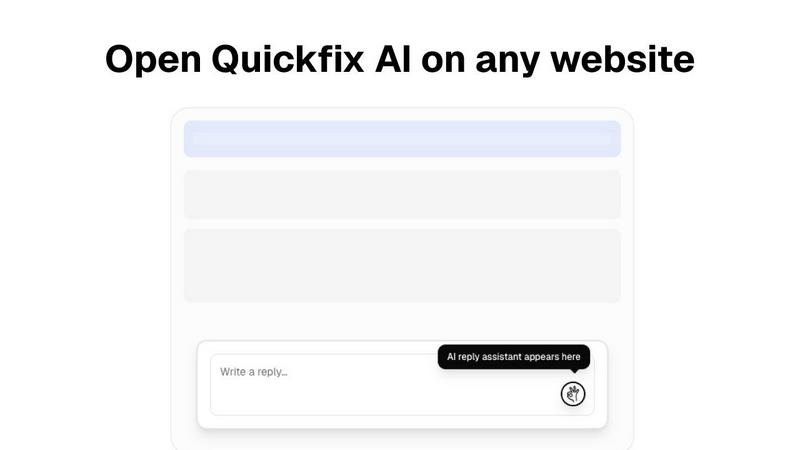
Quickfix AI provides instant, plain-English diagnostics for your system's health and performance.
Last updated: February 28, 2026
Visual Comparison
OpenMark AI
Quickfix AI
Feature Comparison
OpenMark AI
Plain Language Task Configuration
Describe the exact task you need an AI model to perform—be it classification, data extraction, creative writing, or complex reasoning—using simple, natural language instructions. OpenMark's intelligent system interprets your intent and constructs the appropriate benchmarking prompts, removing the need for manual, error-prone prompt engineering. This allows you to focus on defining the problem domain rather than the technical intricacies of interfacing with each model's unique API and expected input format.
Multi-Model, Real-API Benchmarking
Execute your defined task against a meticulously curated catalog of over 100 leading models from providers like OpenAI, Anthropic, Google, and open-source communities in one coordinated session. Crucially, every test makes a live API call, ensuring you compare real latency, real costs, and real, current model performance—not cached or idealized marketing numbers. This delivers an authentic, apples-to-apples comparison under identical conditions.
Comprehensive Performance Analytics
Gain insights beyond simple pass/fail metrics with a detailed analytics dashboard. View side-by-side comparisons of each model's quality score (as defined by your task), the actual cost per request, response latency, and token usage. This holistic view enables you to evaluate the true cost-efficiency of a model: the quality it delivers relative to the price you pay for each API call.
Variance and Stability Testing
Understand not just if a model can complete a task, but if it will do so reliably every time. OpenMark runs your prompts multiple times for each model, analyzing the variance in outputs. This reveals consistency—or a lack thereof—highlighting models that may produce a stellar result once but fail unpredictably, a critical factor for production systems where stability is non-negotiable.
Quickfix AI
Comprehensive One-Click System Scan
Quickfix AI delivers immediate, holistic insight into your computer's health through a single, effortless scan. It analyzes all critical subsystems simultaneously, including real-time CPU load, memory pressure, GPU utilization, storage integrity and capacity, battery health metrics, security posture, and network connection status. This consolidated dashboard provides a complete snapshot of your system's performance and well-being, eliminating the need to consult multiple, disparate system tools.
Plain-English AI Diagnostics Assistant
Beyond presenting data, Quickfix AI features an intelligent conversational assistant. This AI reads your full diagnostic report and allows you to ask questions about your system in natural language. It explains complex technical situations—like high CPU usage or slow performance—in clear, jargon-free English, identifying specific culprits (e.g., "Chrome using 45%") and providing tailored, actionable recommendations for resolution.
Secure Remote Diagnostics via Sharing Code
Designed for collaborative troubleshooting, Quickfix AI includes a secure, privacy-conscious sharing mechanism. IT support teams or helpful individuals can generate a unique sharing code. The recipient simply enters this code to run a scan, granting the helper instant, read-only access to the diagnostic report. This enables rapid remote support without requiring invasive screen-sharing or physical access to the device.
Cross-Platform Performance Monitoring
Quickfix AI provides a consistent, powerful diagnostic experience across major operating systems. It offers native applications for both Windows and macOS, ensuring that users on either platform can benefit from deep hardware and software insights tailored to their specific environment, from checking FileVault status on Mac to analyzing detailed drive health on Windows.
Use Cases
OpenMark AI
Pre-Deployment Model Validation
Before integrating an AI model into a live application or feature, product teams can use OpenMark to validate its performance on the exact tasks it will handle. This mitigates the risk of post-launch failures, unexpected costs, or poor user experience by providing empirical evidence that the chosen model meets the specific requirements for quality, speed, and budget.
Cost-Efficiency Optimization for Scaling Applications
For applications already using AI, OpenMark is instrumental in optimizing operational costs at scale. Developers can benchmark alternative, potentially more cost-effective models against their current solution to identify opportunities for reducing per-request expenses without sacrificing output quality, ensuring sustainable growth as user volume increases.
Building Reliable RAG and Agentic Systems
When constructing Retrieval-Augmented Generation pipelines or multi-agent workflows, the choice of LLM for routing, synthesis, or final answer generation is paramount. OpenMark allows architects to test candidate models on representative chunks of their actual logic, ensuring selected models provide consistent, accurate, and contextually appropriate outputs that maintain the integrity of the entire system.
Comparative Research and Academic Study
Researchers and analysts can leverage OpenMark's structured environment to conduct controlled, reproducible studies on model capabilities across different providers and model families. The platform's ability to run identical prompts across many models and measure multiple dimensions of performance makes it an invaluable tool for generating unbiased, comparative insights into the evolving AI landscape.
Quickfix AI
Proactive System Health Auditing
For individuals who value peak device performance, Quickfix AI serves as a regular health check. Users can run periodic scans to monitor battery degradation over time, ensure storage isn't nearing capacity, verify that security settings are active, and identify background processes that may be sapping resources, allowing for maintenance before issues impact productivity or experience.
Troubleshooting Unexplained Performance Issues
When a computer is suddenly slow, noisy, or unresponsive, Quickfix AI is the first responder. Instead of guessing, users can run a scan and immediately ask the AI, "Why is my Mac running slow?" The assistant pinpoints the exact cause, such as specific applications consuming excessive CPU or memory, providing clear, immediate steps to remediate the problem.
Streamlining IT and Help Desk Support
IT support teams can dramatically reduce resolution times by using Quickfix AI's sharing code feature. Instead of lengthy diagnostic questionnaires, they send a link to an end-user, receive a code, and instantly view a comprehensive system report. This allows for accurate, first-contact diagnosis of issues ranging from malware scans to hardware failures.
Empowering Non-Technical Users with Knowledge
Quickfix AI democratizes system understanding. Users unfamiliar with terms like "memory pressure" or "disk health" can use the AI assistant to learn about their own device. They can ask, "Is my battery healthy?" or "What does this firewall status mean?" and receive educational, reassuring explanations, fostering confidence and digital literacy.
Overview
About OpenMark AI
OpenMark AI is the definitive platform for empirical, task-level benchmarking of large language models. It transforms the complex, often speculative process of model selection into a precise, data-driven science. Designed for developers, product teams, and AI engineers, it eliminates the guesswork from deploying AI features by providing side-by-side comparisons grounded in real-world performance. The core value proposition is elegant in its simplicity: describe your specific task in plain language, and OpenMark executes it against a vast catalog of over 100 models in a single, unified session. You receive comprehensive metrics on scored quality, actual API cost per request, latency, and—critically—output stability across multiple runs. This last dimension reveals variance and consistency, ensuring decisions are based on reliable performance, not a single fortunate output. By operating on a hosted credit system, it removes the administrative burden of managing multiple API keys, offering a seamless gateway to objective truth in a landscape often clouded by marketing claims and fragmented testing.
About Quickfix AI
Quickfix AI represents a paradigm shift in personal and professional digital empowerment, offering a sophisticated, AI-driven lens into the inner workings of your computer. It is a comprehensive system diagnostics platform designed to demystify complex technical data for everyone. With a single click, Quickfix AI performs a deep scan of your system's vital components—CPU, memory, storage, battery, security, and network—transforming raw metrics into a clear, actionable report. Its true genius lies in an integrated AI assistant that interprets this data in plain English, allowing you to ask questions and receive specific, understandable recommendations. This product elegantly bridges the gap between advanced system telemetry and practical user insight. It is crafted for the discerning individual who values performance and clarity, from IT professionals and tech enthusiasts who require granular data, to everyday users and executives who simply wish to understand their system's health and resolve issues without needing a technical background. Quickfix AI delivers immediate clarity, turning opaque system mysteries into solvable tasks.
Frequently Asked Questions
OpenMark AI FAQ
How does OpenMark AI calculate the quality score for a model's output?
OpenMark employs a sophisticated, task-aware evaluation system. For many standard tasks, it can use automated metrics or LLM-as-a-judge scoring against your defined success criteria. For highly custom evaluations, you can implement manual scoring or rubric-based checks within the platform. The score reflects how well the output meets the specific objectives of your described task, not a generic capability.
Do I need API keys for the models I want to test?
No, one of OpenMark's primary advantages is that it abstracts away API key management. You operate using OpenMark credits. The platform handles all the underlying API calls to the various model providers on your behalf. This simplifies setup dramatically and allows for instantaneous testing across competitors without configuring multiple accounts.
What is meant by testing "stability" or "variance"?
Stability testing refers to running the same prompt against the same model multiple times (in parallel or sequentially) and analyzing the differences in the outputs. A model with low variance produces very similar, high-quality results each time, which is crucial for production. High variance indicates unpredictability, where a model might give a perfect answer once but a poor or irrelevant one the next, representing a significant operational risk.
Can I benchmark private or fine-tuned models?
The current public catalog focuses on widely available, hosted foundation and proprietary models from major providers. For benchmarking private, fine-tuned, or self-hosted models, you would typically need to integrate them via a compatible API endpoint, which may be available through enterprise or custom plans. The platform's architecture is designed to accommodate a wide range of model sources.
Quickfix AI FAQ
Is Quickfix AI free?
Yes, Quickfix AI offers a free version that includes the core system diagnostics scan and access to the AI assistant for explaining your report and providing basic recommendations. This allows anyone to download, scan, and gain immediate insights into their system's health at no cost.
Is my data secure?
Absolutely. Privacy and security are foundational to Quickfix AI. The diagnostic scan runs locally on your machine. Your system data is not uploaded to our servers unless you explicitly choose to generate a sharing code for remote help, and even then, access is strictly controlled and limited to the diagnostic report for troubleshooting purposes.
Do I need technical knowledge to use it?
Not at all. Quickfix AI is specifically designed for users of all technical backgrounds. The interface presents information clearly, and the integrated AI assistant is there to explain anything in plain English. You simply need to click "Start Scan" and then ask questions as you would a knowledgeable friend.
What platforms are supported?
Quickfix AI provides dedicated, native applications for both Windows and macOS operating systems. You can download the appropriate version directly from the Quickfix AI website, ensuring full compatibility and deep system integration for a comprehensive diagnostic experience on your preferred platform.
Alternatives
OpenMark AI Alternatives
OpenMark AI is a sophisticated, browser-based benchmarking platform within the developer tools category. It enables teams to empirically evaluate over one hundred large language models on their specific tasks, comparing critical metrics like cost, latency, quality, and output stability through real API calls. Users may explore alternatives for various reasons, such as differing budgetary constraints, a need for deeper integration into existing CI/CD pipelines, or a preference for self-hosted solutions that offer greater data control. The search often stems from a desire to find a tool that aligns precisely with their technical architecture and operational philosophy. When considering other solutions, discerning teams should prioritize platforms that deliver genuine, uncached performance data across a broad model catalog. The ideal tool should provide transparent insights into cost-for-quality trade-offs and consistency, moving beyond simplistic token pricing to inform truly strategic deployment decisions.
Quickfix AI Alternatives
Quickfix AI is a sophisticated productivity tool that elegantly combines AI-powered communication assistance with comprehensive system diagnostics. It belongs to the category of intelligent productivity suites designed to streamline workflows and provide deep operational insights. Users often explore alternatives for various reasons, including budget considerations, the need for specific feature sets not covered by a single solution, or platform compatibility requirements that extend beyond a browser extension. When evaluating other options, discerning users should prioritize a solution's core intelligence—its ability to understand context and deliver actionable clarity. The ideal alternative should not only match the functional depth but also embody the same principle of seamless integration, removing friction rather than adding to it. It is about finding a tool that respects your time and intellect, transforming complex data or communication tasks into simple, elegant actions. ---
FAQ_SEPARATOR---
[{"question": "What is Quickfix AI?", "answer": "Quickfix AI is a dual-purpose productivity tool featuring an AI browser extension for context-aware communication and a sophisticated platform for plain-English system diagnostics and health analysis."}, {"question": "Who is Quickfix AI for?", "answer": "It is crafted for professionals demanding efficiency, including executives, support teams, IT professionals, and tech-savvy users who seek to streamline correspondence and understand their system's health without technical expertise."}, {"question": "What are the main features of Quickfix AI?", "answer": "Its core features are Universal Browser Integration for seamless AI replies across websites and Context-Aware AI Composition that generates semantically relevant, tonally appropriate responses."}, {"question": "Why choose Quickfix AI?", "answer": "It offers a unique synthesis of effortless communication and profound system intelligence, delivering clarity and efficiency through sophisticated, context-aware AI directly within your workflow."}]