BRCKS vs Updaytr
Side-by-side comparison to help you choose the right product.

BRCKS seamlessly connects your construction team on WhatsApp, automating project updates and ensuring effortless collaboration without disruption.
Last updated: April 4, 2026
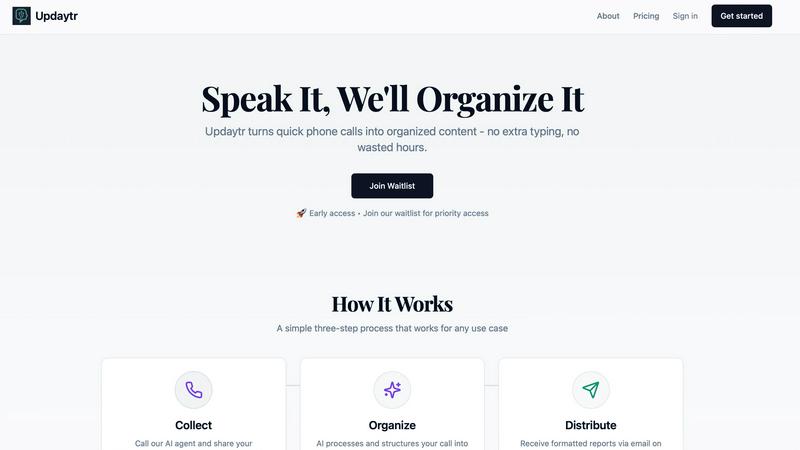
Updaytr transforms team phone calls into organized, automated reports effortlessly.
Last updated: March 1, 2026
Visual Comparison
BRCKS

Updaytr
Feature Comparison
BRCKS
Centralized Communication Hub
BRCKS serves as a centralized communication hub, where all project meetings, updates, tasks, checklists, files, and conversations are stored in one location. This feature eliminates the confusion of multiple communication channels, enhancing clarity and efficiency across the project.
Free Subcontractors Access
BRCKS introduces the innovative concept of free subcontractor access. Invite every trade involved in the project without incurring additional costs. Subcontractors gain complete visibility into their tasks, calendars, and project files while the core team pays only for their access.
Client Portal
The client portal feature offers homeowners and clients a beautifully designed, read-only view of their project's progression. This ensures clients remain informed about milestones, photos, and updates without being overwhelmed by internal project management tools.
BRCKS Bot Integration
BRCKS Bot allows users to interact with the platform through WhatsApp, enabling them to update projects, check tasks, and receive instant answers without switching applications. This integration streamlines communication and provides immediate access to project information.
Updaytr
Voice-First AI Agents
Updaytr provides immediate access to specialized AI agents via a simple phone call, requiring no app installation or complex login. Whether using a smartphone or a traditional landline, users can call in at any time to dictate updates. The AI listens with advanced speech recognition, comprehends context, and begins the intelligent structuring process, making reporting as natural as speaking.
Automated Report Generation
The platform's intelligence transforms raw, spoken updates into polished, professional reports. It automatically formats information, applies consistent styling, and organizes content into a clear, digestible structure. This feature ensures that every piece of communication is presentation-ready, saving hours of manual compilation and writing effort for managers and team leads.
Intelligent Tagging & Routing
Updaytr's AI doesn't just transcribe; it understands. It automatically tags updates by relevant categories such as project name, client, team, or job type. Based on these tags and pre-configured rules, the system intelligently routes the consolidated information to the correct stakeholders via email, ensuring the right people receive the right updates at the right time.
Scheduled Distribution
Eliminate the chaos of constant notifications. Managers can define precise schedules for report delivery—whether daily, weekly, or at custom intervals. This ensures stakeholders receive a consolidated, organized summary of all team activity on their chosen timetable, promoting focus and informed decision-making without information overload.
Use Cases
BRCKS
Streamlined Project Management
BRCKS is ideal for project managers who require a seamless way to organize multiple projects. By consolidating all communication and documentation in one platform, project managers can significantly reduce time spent on administrative tasks.
Enhanced Team Collaboration
Construction teams can utilize BRCKS to improve collaboration among team members. With easy access to checklists, calendars, and files, everyone is on the same page, reducing miscommunication and enhancing productivity.
Efficient Client Communication
Homeowners benefit from BRCKS by having a transparent view of their project status. The client portal allows them to stay updated on project milestones and progress without complicating the communication channel for the core team.
Task Management Optimization
With the checklist feature in BRCKS, teams can efficiently assign tasks and monitor progress. This ensures accountability and helps in preventing project overruns by keeping everyone aligned on daily objectives.
Updaytr
Construction & Field Services
Ideal for construction supervisors, remodeling contractors, and field service technicians. Crews can call in to report project progress, job completions, equipment status, or material needs. Updaytr organizes these updates by site or job number and delivers a clear progress report to project managers and clients, replacing cumbersome handwritten logs or disjointed text messages.
Sales & Client Visit Reporting
Perfect for outside sales representatives and insurance adjusters who are constantly on the road. After each client visit or site inspection, the professional calls in to detail the interaction, next steps, and feedback. Updaytr structures this into a professional visit report, automatically files it under the correct client, and ensures the sales manager is instantly informed.
Healthcare & Personal Care Updates
Serves mobile healthcare providers, home health aides, and nurses needing to document patient visits and care status efficiently. They can verbally report on vital signs, care provided, and patient condition after each visit. The AI generates organized notes for records, streamlining administrative duty. (Note: Updaytr is not HIPAA compliant and should not be used for protected health information.)
Logistics & Delivery Coordination
Essential for delivery drivers, truck drivers, and logistics coordinators. Drivers can call in to report route status, delivery confirmations, delays, or cargo issues. Updaytr compiles these updates, tags them by route or vehicle, and provides dispatchers and managers with a real-time operational overview, enhancing route planning and customer communication.
Overview
About BRCKS
BRCKS is a cutting-edge construction project management and communication software meticulously designed to cater to the dynamic needs of residential builders, trades, and homeowners. This innovative platform consolidates project conversations, checklists, tasks, files, photos, and meeting notes into a single, intuitive space, ensuring that no vital information gets lost amidst the chaos of WhatsApp messages, emails, or scattered documents. BRCKS empowers construction teams to efficiently organize day-to-day site communication, track actions, share timely updates with clients, and maintain a clear record of decisions made throughout the project lifecycle. Its user-centric design emphasizes simplicity and practicality, making it accessible and easy to use for all members of real construction teams. By seamlessly integrating with WhatsApp, BRCKS allows teams to stay connected without disruption, ensuring that every update flows automatically into one centralized project management platform.
About Updaytr
Updaytr redefines the art of communication and documentation, transforming the simple, universal act of a phone call into a powerful engine for organized content creation. Designed for professionals and teams who operate beyond the confines of a desk, it elegantly eliminates the friction of manual reporting, note-taking, and time-consuming status meetings. At its core, Updaytr is a sophisticated suite of specialized AI agents accessible from any telephone. These agents listen, understand, and structure spoken updates into beautifully formatted, professional reports delivered automatically. It serves as the essential bridge between real-time activity and structured documentation for field teams, mobile professionals, and individuals who need to capture critical information on the go. The primary value proposition lies in its elegant simplicity and profound intelligence: by making content creation as effortless as a conversation, Updaytr liberates users from administrative burdens, ensures stakeholders stay perfectly informed with zero extra effort, and preserves vital operational knowledge with unprecedented ease.
Frequently Asked Questions
BRCKS FAQ
How does BRCKS integrate with WhatsApp?
BRCKS allows for seamless communication by integrating with WhatsApp. Users can send messages to the BRCKS Bot to update projects, check tasks, and receive instant responses, ensuring they remain connected without switching apps.
What benefits do subcontractors receive with BRCKS?
Subcontractors can access project details such as schedules, checklists, and files completely free of charge. This feature allows them to stay informed and engaged without any additional costs for the core project team.
Is BRCKS easy to implement for new users?
Yes, BRCKS is designed to be user-friendly and requires no extensive training for new users. Its intuitive interface ensures that construction teams can start using the platform effectively with minimal disruption.
Can clients view project updates without accessing internal tools?
Absolutely. The client portal feature provides homeowners and clients with a read-only view of their project's progress, including photos and milestones, allowing them to stay informed without interfering with internal project management activities.
Updaytr FAQ
How does Updaytr handle different team members' voices?
Updaytr's AI is trained on diverse speech patterns and accents, providing robust and accurate transcription for all users. There is no need for individual voice training. The system focuses on the content of the speech, effectively understanding and processing updates from any team member who calls the dedicated number.
What kind of reports does Updaytr generate?
The platform generates elegantly formatted, text-based reports delivered via email. These reports consolidate individual updates, organizing them intelligently by tags like date, project, or team member. The output is a clean, professional document suitable for direct sharing with stakeholders, clients, or for internal record-keeping.
Is there a limit to how many updates my team can submit?
Updaytr offers a free tier to get started, with no credit card required. For growing teams with higher volume needs, scalable paid plans are available. You can estimate your team's usage on the website to determine the most suitable plan, ensuring you only pay for the capacity you require.
Can I customize where and when reports are sent?
Absolutely. A core feature of Updaytr is its flexible distribution system. You can fully customize the recipient list for different types of updates and set precise delivery schedules (e.g., daily digest at 5 PM, weekly summary every Monday morning). This puts you in complete control of the information flow.
Alternatives
BRCKS Alternatives
BRCKS is an innovative construction project management and communication software tailored specifically for residential builders, trades, and homeowners. It serves as a centralized hub for organizing project conversations, checklists, tasks, files, photos, and meeting notes, ensuring that vital information does not become lost amidst the chaos of emails and messaging platforms. This tool is categorized under productivity and management, aiming to streamline day-to-day site communication and maintain a clear record of decisions throughout the project lifecycle. Users often seek alternatives to BRCKS for various reasons, including pricing considerations, specific feature requirements, or compatibility with existing platforms. When choosing an alternative, it is essential to evaluate aspects such as user interface simplicity, integration capabilities, customer support, and the overall efficiency of the solution in meeting the unique needs of construction teams. A thoughtful examination of these factors will guide users in finding a tool that aligns with their project management goals.
Updaytr Alternatives
Updaytr is a sophisticated productivity platform that transforms team phone calls into structured, automated reports. It belongs to the category of intelligent communication and documentation tools, designed to liberate mobile professionals and field teams from the administrative burden of manual note-taking and status updates. Users may explore alternatives for various reasons, including specific budget constraints, the need for different integration capabilities, or a preference for alternative input methods beyond universal phone access. The landscape offers solutions with varying focuses on transcription accuracy, collaboration features, or platform compatibility. When evaluating other options, consider the core need: effortless capture of verbal updates from any location. Key criteria should include the method of input accessibility, the intelligence of the processing—such as contextual understanding and automated formatting—and how seamlessly the generated insights integrate into your existing workflow and reporting structures.