claude-ide
Claude IDE seamlessly integrates AI coding assistance into your terminal and IDE, transforming development with.
Visit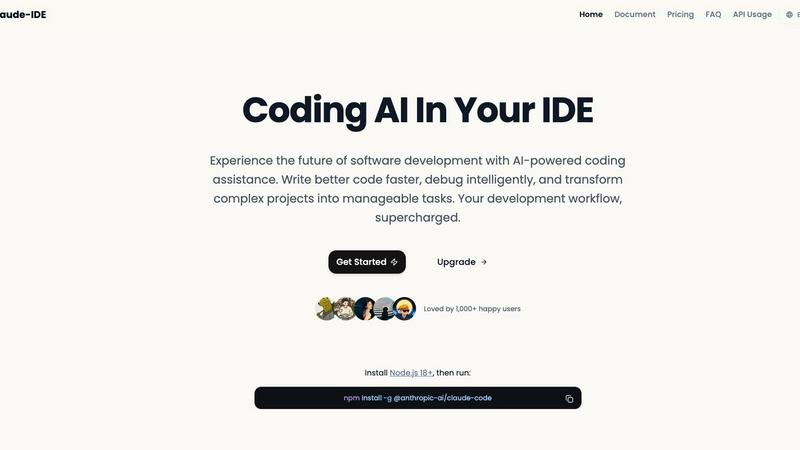
About claude-ide
Claude IDE epitomizes the future of intelligent software development, seamlessly integrating the advanced reasoning capabilities of Claude Sonnet 4.5 within your development environment. This tool is far more than a mere code suggestion assistant; it serves as a holistic AI coding companion that comprehensively understands the architecture, dependencies, and context of your entire project. By embedding itself natively within popular IDEs such as VS Code and JetBrains, as well as your terminal, Claude IDE eliminates disruptive context switching, empowering developers to harness the full potential of AI without interrupting their workflow. Perfectly tailored for a broad spectrum of users—from seasoned professionals to ambitious students—Claude IDE democratizes access to top-tier AI assistance. Its core value proposition is profound: to accelerate development cycles, enhance code quality, and transform complex project management into an intuitive, conversational experience. All of this is delivered through a transparent and accessible pricing model that prioritizes value without compromise.
Features of claude-ide
Intelligent Code Understanding
Claude IDE possesses a remarkable ability to comprehend your entire codebase, allowing it to make coordinated changes across multiple files. It offers suggestions that truly align with your project's context, ensuring that the assistance you receive is relevant and effective.
Works Where You Work
Claude IDE is deeply integrated into your terminal and popular IDEs like VS Code and JetBrains. This seamless integration facilitates a productive environment where developers can engage with AI assistance without the hassle of context switching.
Quick Code Familiarization
With the capacity to analyze and explain complete codebases in mere seconds, Claude IDE significantly reduces the learning curve for new projects. Its intelligent search capabilities automatically identify project architecture and dependencies, streamlining the onboarding process for developers.
Execute Powerful Edits
Equipped with a profound understanding of your codebase and its dependencies, Claude IDE enables the execution of powerful multi-file edits. This ensures that changes are not only accurate but also maintain the functionality of your project, thus enhancing overall code quality.
Use Cases of claude-ide
Efficient Project Onboarding
When starting a new project, developers can leverage Claude IDE to quickly familiarize themselves with the codebase. Its ability to provide high-level overviews and detailed explanations makes onboarding smoother and more efficient.
Streamlined Issue Management
Claude IDE integrates seamlessly with GitHub and GitLab, allowing developers to manage their entire workflow directly from the terminal. This includes reading issues, writing code, running tests, and submitting pull requests, thereby enhancing productivity.
Complex Code Refactoring
For developers needing to refactor code across multiple files, Claude IDE can execute powerful edits while ensuring accuracy. This not only saves time but also minimizes the risk of introducing errors during the refactoring process.
Enhanced Collaboration
Claude IDE's integration with popular version control systems facilitates real-time collaboration among team members. Developers can work together more effectively, streamlining communication and enhancing the overall development experience.
Frequently Asked Questions
What programming languages does Claude IDE support?
Claude IDE is designed to support a wide array of programming languages, making it versatile for developers working in diverse environments and projects.
How does Claude IDE improve code quality?
By offering intelligent suggestions and understanding the complete context of your codebase, Claude IDE helps ensure that the code produced is both high-quality and functional, reducing bugs and improving maintainability.
Can Claude IDE integrate with other tools?
Yes, Claude IDE integrates seamlessly with popular tools such as GitHub, GitLab, and various command-line tools, facilitating a cohesive development workflow without constant tool switching.
Is there a trial version available for Claude IDE?
Yes, potential users can explore a trial version of Claude IDE to experience its capabilities firsthand, allowing them to assess its fit for their development needs before committing to a purchase.
Similar to claude-ide

Speechyou
AI transcription for voice notes, meetings, and audio files in 1,700 languages, with AI summaries and subtitle export and unlimited chat ai usage.

ProspectHalo
AI sales agent that finds qualified leads, runs outreach, follows up automatically, creates content, and helps book more meetings.

benchmark.directory
AI tools written up by the people who paid for them. Pricing, integrations, data policy and the limit we hit in a week of use.

Explainer Video
AI Explainer Video Generator turning topics, scripts, URLs, or PDFs into clear animated stories.

saasgrow.ai
saasgrow.ai is a curated directory of SaaS growth tools. Every tool is screened before it appears, so the list stays short and the quality stays high.


Built2Win AI Indexing
Custom PHP websites, AI Indexing Pack ($599 one‑time), and WebAgentScan SaaS ($9/mo). MCP, A2A, llms.txt, full ownership.