Blueberry vs ToolPortal
Side-by-side comparison to help you choose the right product.

Blueberry
Blueberry is a unified Mac app that seamlessly integrates your editor, terminal, and browser for streamlined product.
Last updated: February 26, 2026

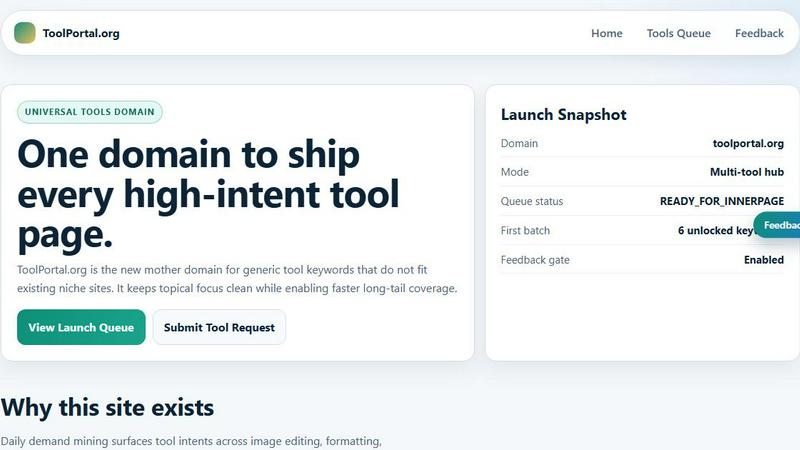
ToolPortal offers a suite of browser-based tools for effortless formatting, validation, conversion, and image management tasks.
Last updated: March 18, 2026
Visual Comparison
Blueberry

ToolPortal
Feature Comparison
Blueberry
Integrated Workspace
Blueberry offers a streamlined workspace that combines an editor, terminal, and live preview browser, eliminating the need for constant app switching. This integration allows developers to focus on building and shipping applications effectively, creating a cohesive environment that enhances productivity.
AI Contextual Awareness
With the built-in MCP server, Blueberry empowers AI models to interact with your entire workspace. This means that your AI can access open files, terminal output, and the live preview browser simultaneously, providing a depth of context that most traditional editors cannot match.
Pinned Applications
Enhance your workflow with the ability to pin essential applications like GitHub, Linear, Figma, and PostHog directly within Blueberry. These pinned apps load with your project, ensuring seamless integration and live context-sharing with your AI, streamlining the development process.
Multi-Device Preview
Blueberry includes built-in support for multi-device previews, allowing developers to see how their applications will appear across desktops, tablets, and mobile devices. This feature enables you to ensure a flawless user experience without leaving the Blueberry workspace.
ToolPortal
Comprehensive Tool Index
ToolPortal boasts an extensive collection of 228 live tools, encompassing generators, checkers, converters, and formatters. This dense index is designed for quick selection and efficient execution, allowing users to find the right tool for their tasks in mere seconds.
Task Lane Navigation
The platform simplifies the user experience by offering seven distinct task lanes, enabling users to filter tools by intent. This feature ensures that users can swiftly locate the best-fit tool tailored to their specific needs, enhancing productivity and satisfaction.
Updated and Fresh Tools
ToolPortal prides itself on a daily refresh cycle, continuously rolling out new pages and user interface upgrades. This commitment to innovation guarantees that users always have access to the latest tools and functionalities, keeping their workflows efficient and effective.
No Login Required
In a world where account creation often deters productivity, ToolPortal offers a seamless experience with no login flow. Users can immediately open a tool and execute their tasks without the hassle of account gating, making it an incredibly user-friendly option.
Use Cases
Blueberry
Web Application Development
Developers can utilize Blueberry to create web applications from start to finish within a single environment. The integrated tools facilitate coding, debugging, and live previews, allowing for rapid iteration and enhancement of features.
Collaborative Projects
For teams working on collaborative projects, Blueberry serves as a central hub where team members can share context and insights through pinned applications. This connectivity enhances communication and reduces misalignment, ensuring everyone is on the same page.
Learning and Prototyping
Aspiring developers and designers can leverage Blueberry as a learning tool to prototype their ideas. The ease of accessing AI models for real-time feedback allows learners to experiment and iterate on their designs efficiently.
Maintenance and Updates
Blueberry simplifies the process of maintaining and updating existing applications. Developers can easily access project files and see real-time changes in their live previews, making it easier to roll out improvements and fixes swiftly.
ToolPortal
Social Media Content Creation
For marketers and creators, ToolPortal serves as an invaluable asset in crafting engaging social media content. With its array of text styling tools, such as the Glitch Text and Gothic Font Generators, users can effortlessly produce eye-catching text that stands out on various platforms.
Data Validation for Developers
Developers can leverage ToolPortal's validation tools to ensure the integrity and accuracy of their data configurations. Tools like the DMARC Checker and Rich Results Test Helper allow for swift checks before deployment, minimizing errors and enhancing project quality.
Image Preparation for Projects
ToolPortal simplifies the process of preparing images for various projects through its robust image tools. Users can crop, remove backgrounds, and optimize images for web use, streamlining the workflow for graphic design and content creation.
Quick File Conversions
Whether it is converting units, time formats, or structured data, ToolPortal's conversion workbench provides a comprehensive solution for quick file conversions. This feature is particularly beneficial for students and professionals who need reliable and immediate results for their conversion tasks.
Overview
About Blueberry
Blueberry is an innovative macOS application meticulously designed for modern product builders, seamlessly integrating the functionalities of an editor, terminal, and browser into a single focused workspace. With Blueberry, developers can transcend the traditional chaos of juggling multiple tools and windows, instead fostering an environment where creativity and productivity flourish. This AI-native product development platform is tailored for those who aspire to ship web applications that not only meet but exceed user expectations. By connecting advanced AI models such as Claude, Gemini, and Codex through its proprietary MCP (Multi-Channel Protocol), Blueberry offers unparalleled context awareness, allowing AI to comprehend your entire project landscape in real-time. Thus, developers can bid farewell to cumbersome copy-pasting of context, making way for a more fluid and intuitive development process. As part of its commitment to accessibility, Blueberry is currently available for free during its beta phase, inviting pioneers and innovators to explore its transformative capabilities.
About ToolPortal
ToolPortal is a sophisticated, browser-based hub meticulously crafted for the diverse needs of developers, marketers, creators, students, and everyday users. This versatile platform streamlines daily tasks such as text formatting, data validation, image resizing, and file conversions, all without the cumbersome requirement of software installation. With an intuitive interface that emphasizes speed and efficiency, ToolPortal allows users to access a wealth of practical utilities that can be executed in a single session. Whether you seek to generate captivating text styles, validate essential data configurations, or swiftly convert file formats, ToolPortal stands as your reliable companion. Its commitment to low-friction execution and immediate results empowers users to accomplish a myriad of tasks with ease, making it an indispensable resource in the digital toolkit.
Frequently Asked Questions
Blueberry FAQ
What operating system is Blueberry compatible with?
Blueberry is exclusively designed for macOS, ensuring that users on this platform benefit from its integrated workspace features.
How does the AI integration work?
Blueberry connects with AI models through its Multi-Channel Protocol (MCP), allowing the AI to access your entire workspace, including files, terminal output, and live previews, for enhanced contextual assistance.
Is there a learning curve to using Blueberry?
While Blueberry is designed to be user-friendly, users may experience a brief learning curve as they familiarize themselves with the integrated features. However, the streamlined interface and powerful capabilities ultimately lead to increased productivity.
Will Blueberry remain free after the beta phase?
At this time, Blueberry is offered for free during its beta phase. Future pricing plans have not been disclosed, so users are encouraged to take advantage of this opportunity while it lasts.
ToolPortal FAQ
What types of tools can I find on ToolPortal?
ToolPortal offers a diverse range of tools categorized into generators, checkers, converters, formatters, and image utilities. Users can easily navigate to find exactly what they need for their specific tasks.
Is there a cost associated with using ToolPortal?
ToolPortal is entirely free to use. Users can access all tools without any charges or subscription fees, making it an accessible resource for everyone.
Do I need to create an account to use ToolPortal?
No, ToolPortal does not require users to create an account. This allows for a seamless experience where users can access tools instantly without the distractions of account management.
How often are new tools added to ToolPortal?
ToolPortal undergoes a daily refresh cycle, ensuring that users continuously benefit from new tools and interface upgrades. This commitment to innovation keeps the platform fresh and relevant for all users.
Alternatives
Blueberry Alternatives
Blueberry is a sophisticated Mac application that seamlessly integrates your editor, terminal, and browser into a singular, focused workspace. This unique combination allows developers and creators to streamline their workflow by eliminating the need to juggle multiple windows, enhancing productivity and fostering a more cohesive working environment. By connecting advanced models through its innovative MCP, Blueberry empowers users to access files, terminal output, and live previews simultaneously. Users often seek alternatives to Blueberry for various reasons, including pricing considerations, specific feature requirements, or compatibility with different operating systems. When exploring alternatives, it is essential to assess the core functionalities that align with your workflow, as well as the ease of integration with other tools. Consideration of user experience, adaptability, and support for diverse programming languages will also play a pivotal role in selecting the right solution for your development needs.
ToolPortal Alternatives
ToolPortal is an innovative browser-based tool hub designed to streamline daily tasks such as text formatting, file validation, image resizing, and quick conversions. Catering to a diverse audience that includes developers, marketers, creators, and students, ToolPortal offers a suite of utilities that are readily accessible, efficient, and user-friendly. It occupies a niche in the broader category of development tools, where speed and simplicity are paramount. Users often seek alternatives to ToolPortal for various reasons, such as pricing, additional features, or specific platform compatibility. When exploring alternatives, it is essential to consider the range of functionalities offered, the user interface's clarity, and the overall performance of the tool. A thorough assessment of these factors ensures that users find a solution that meets their unique needs and enhances their productivity.