
FilexHost vs SupaSidebar
Side-by-side comparison to help you choose the right product.

FilexHost
Effortlessly host and share your files with instant URLs and secure access, all through a simple drag and drop.
Last updated: February 26, 2026

SupaSidebar
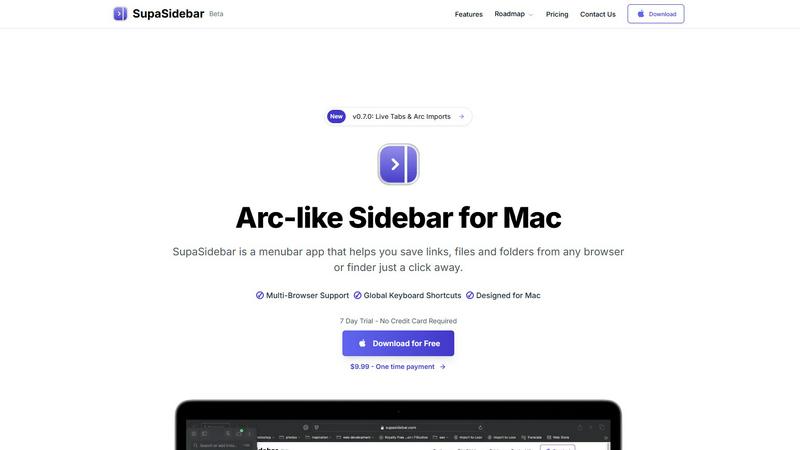
SupaSidebar elegantly organizes your links, files, and folders on Mac, ensuring instant access with effortless.
Last updated: February 28, 2026
Visual Comparison
FilexHost

SupaSidebar
Feature Comparison
FilexHost
Universal File Support
FilexHost accommodates a vast array of file types, including PDFs, Excel sheets, images, audio, video, ZIP archives, and HTML projects. Its smart rendering engine ensures that each file is displayed optimally, with HTML files rendering as live websites, spreadsheets appearing as interactive tables, and media playing directly in the browser for immediate accessibility.
Instant Subdomains
Upon uploading a file, users are granted instant subdomains (your-file.filex.host) with zero setup required. This feature allows for immediate sharing, eliminating cumbersome configurations and enabling users to focus on their content rather than the complexities of managing web hosts.
Free SSL Encryption
Every link generated through FilexHost is secured with free SSL encryption, ensuring that all shared files are protected during transmission. This commitment to security reassures users that their data is safe, fostering trust with both the file owner and the recipients.
Smart View Modes
FilexHost offers versatile viewing options, allowing users to choose between direct rendering or a dedicated download page. This flexibility ensures that recipients can interact with files in the manner that suits them best, whether they wish to view a document or download it for offline use.
SupaSidebar
Instant Access
SupaSidebar provides immediate access to all your essential links, files, and applications with just a click. This feature allows you to save or copy URLs using simple keyboard shortcuts, streamlining your workflow and minimizing time spent on repetitive tasks.
Recents Tracking
With the Recents feature, SupaSidebar automatically tracks every website you have used in the last 48 hours. This function ensures that you can find your work instantly, eliminating the stress of searching through numerous tabs or browsing history.
Pinned Items
SupaSidebar allows you to keep your most important items at your fingertips by pinning them at the top of the list. This feature provides quick access to frequently used resources, ensuring that your favorites are always within easy reach.
Fast Search Functionality
The fast search feature enables users to locate any file, folder, website, or application instantly. By simply pressing CMD CTRL K and entering the desired term, you can navigate your digital workspace without delays, greatly enhancing your overall efficiency.
Use Cases
FilexHost
Professional Report Sharing
Professionals can leverage FilexHost to share client reports seamlessly. The instant URL generation and simple sharing mechanism eliminate the need for complicated email attachments, allowing for efficient communication and collaboration.
Developer Project Hosting
Developers can utilize FilexHost to host landing pages or mock APIs with ease. The platform's ability to render HTML files as live websites makes it an ideal solution for showcasing projects without the hassle of traditional web hosting setups.
Digital Product Distribution
Creators and entrepreneurs can distribute digital products via FilexHost, ensuring that their content reaches customers without unnecessary barriers. The platform's password protection and expiry settings allow for secure and controlled access to digital goods.
Educational Resource Sharing
Educators and students can use FilexHost to share educational materials, such as presentations or research papers. The user-friendly interface and universal file support facilitate the distribution of diverse learning resources in a frictionless manner.
SupaSidebar
For Busy Professionals
Busy professionals can utilize SupaSidebar to manage their crucial links and files efficiently. By organizing their digital assets in one accessible location, they can focus on their primary tasks without the distractions of numerous browser tabs.
For Creative Projects
Creators can benefit from SupaSidebar by storing inspiration links, files, and applications in a dedicated sidebar. This allows for easy access to resources while working on projects, enhancing creativity and workflow continuity.
For Researchers
Researchers can use SupaSidebar to keep track of multiple sources and articles. By saving links and documents in the sidebar, they can quickly reference their materials during writing or analysis, thereby improving their research efficiency.
For Students
Students can streamline their study habits with SupaSidebar by organizing lecture notes, research articles, and useful links. This centralized access fosters better study routines and reduces the time spent searching for materials.
Overview
About FilexHost
FilexHost is a premier file hosting and sharing service designed to provide users with a seamless experience for storing and distributing files of any type. Whether you are dealing with documents, media, spreadsheets, or entire websites, FilexHost streamlines the process through its intuitive "Drop & Share" workflow. Users can effortlessly drag and drop their files, receiving an instant, secure URL for sharing, without the need for server management, DNS configurations, or user logins for recipients. This service caters to a wide range of users, including professionals sharing reports, developers hosting projects, and anyone seeking a hassle-free file delivery mechanism that bypasses traditional restrictions such as attachment limits and access requests. With a focus on optimizing the viewer experience, FilexHost ensures that recipients see files exactly as intended, beautifully presented and readily accessible without the need for downloads or plugins.
About SupaSidebar
SupaSidebar is an elegantly designed, universal sidebar application for macOS, meticulously crafted to elevate your digital workflow and organization. This innovative tool is inspired by the intuitive design of the Arc browser, fundamentally transforming the way you interact with your most essential digital assets, including links, files, folders, and applications. With SupaSidebar, all of these resources are instantly accessible in a sleek, distraction-free panel, designed specifically for professionals, creators, researchers, and anyone who values efficiency. It addresses common frustrations such as tab overload and scattered resources, ensuring your digital workspace remains unified across all major browsers and Finder. With a strong emphasis on privacy, native macOS integration, and seamless operation, SupaSidebar serves as a sophisticated command center for your Mac. It is engineered to help you stay organized, browse faster, and maintain an uninterrupted flow, making it an indispensable tool for anyone seeking to optimize their productivity.
Frequently Asked Questions
FilexHost FAQ
What is FilexHost?
FilexHost is an advanced file hosting and sharing service that allows users to upload and share various file types instantly. With a focus on simplicity and security, it provides a unique "Drop & Share" workflow for effortless file distribution.
Is it really free?
Yes, FilexHost offers a free plan that allows users to host up to 1,000 files with a maximum size of 25MB each. The free plan includes ads and has a 7-day expiry for hosted files, making it ideal for quick sharing.
What file types are supported?
FilexHost supports a wide range of file types, including PDFs, images, audio files, video files, and more. The platform's intelligent rendering engine ensures that each file type is displayed in the most suitable format for the recipient.
How do I update my site?
To update your hosted content, simply upload a new version of the file or project. FilexHost will automatically generate a new link for the updated file, ensuring that your recipients always have access to the latest version.
SupaSidebar FAQ
Is SupaSidebar a browser extension?
No, SupaSidebar is a standalone menubar application designed specifically for macOS. It works seamlessly across all major browsers and Finder, offering a unified workspace.
Which browsers does SupaSidebar work with?
SupaSidebar supports all major browsers including Safari, Chrome, Firefox, and Arc. This compatibility ensures that you can access your essential resources regardless of your preferred browser.
What macOS version do I need?
To run SupaSidebar, you will need macOS version 13 or higher. This requirement ensures optimal performance and compatibility with the latest features.
Where is my data stored?
SupaSidebar prioritizes user privacy, meaning that no data leaves your Mac. Your links, files, and settings are stored locally, ensuring your information remains secure and private.
Alternatives
FilexHost Alternatives
FilexHost is a sophisticated file hosting and sharing platform designed for effortless file management. It allows users to upload various file types—including documents, images, and media—through a seamless drag-and-drop interface, generating secure shareable URLs in seconds. As part of the productivity and management category, it caters to professionals, developers, and creators who require a convenient way to distribute files without the hindrance of complex setups or access requests. Users often seek alternatives to FilexHost for several reasons, including pricing structures, feature sets, and specific platform requirements. Depending on their unique needs, they may prioritize aspects such as storage capacity, file size limits, security options, or enhanced analytics. When searching for an alternative, it is essential to assess not only the core functionalities but also the overall user experience, ease of use, and how well the solution aligns with personal or organizational workflows.
SupaSidebar Alternatives
SupaSidebar is an elegantly designed universal sidebar application specifically crafted for macOS users seeking to enhance their digital productivity and organization. By offering a seamless way to access links, files, folders, and applications, it addresses the pressing need for streamlined workflows in an increasingly complex digital landscape. Users often find themselves in search of alternatives due to various factors including pricing, specific feature requirements, or compatibility with different operating systems, as well as personal preference for user interface design. When evaluating alternatives to SupaSidebar, it is essential to consider a few key aspects. Look for features that enhance organization and accessibility, such as unified search capabilities, real-time tab management, and user-friendly interfaces. Additionally, compatibility with your preferred browsers and operating systems, as well as pricing structures that align with your budget, should also inform your decision.