
Image3D AI vs SimpleDraw
Side-by-side comparison to help you choose the right product.

Image3D AI
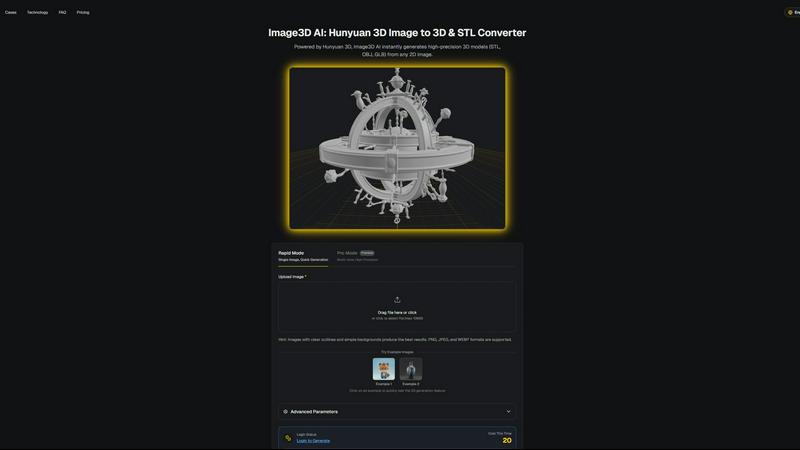
Image3D AI instantly transforms any 2D image into a high-precision 3D model for printing and digital creation.
Last updated: March 1, 2026

SimpleDraw
Create precise floor plans and scale drawings effortlessly online with SimpleDraw’s elegant, user-friendly tools.
Last updated: March 1, 2026
Visual Comparison
Image3D AI
SimpleDraw
Feature Comparison
Image3D AI
Hunyuan 3D-Powered Engine
At the heart of Image3D AI lies the formidable Hunyuan 3D engine from Tencent, a cutting-edge AI technology that provides the computational intelligence for rapid and high-precision 3D reconstruction. This advanced engine analyzes the geometry, depth, and material properties within a 2D image to infer and construct a fully-realized three-dimensional model, ensuring professional-grade results that balance intricate detail with computational efficiency.
Dual Generation Modes
The platform offers two distinct operational modes tailored for different needs and input types. Rapid Mode is designed for speed and convenience, generating a 3D model from a single uploaded image in approximately 60 seconds. For superior accuracy and detail, Pro Mode utilizes multi-view images, allowing the AI to perform a physically accurate reconstruction from multiple angles, yielding a higher-fidelity asset ideal for professional applications.
Multi-Format Export Flexibility
Understanding the diverse needs of modern creative pipelines, Image3D AI provides exports in all standard 3D file formats. Users can download their creations as STL files for 3D printing, OBJ files for traditional 3D editing software, or GLB files—the modern standard for web, AR, and real-time applications that packages model, textures, and materials into a single, efficient file.
Advanced Parameter Controls
Beyond automated generation, the tool offers users a degree of creative control through advanced parameters. These settings allow for the fine-tuning of the generation process, enabling adjustments to suit specific downstream needs, such as optimizing mesh density for 3D printing or simplifying geometry for game engine performance, ensuring the output is perfectly tailored to its intended use.
SimpleDraw
Accurate Measurements & Scale Drawing
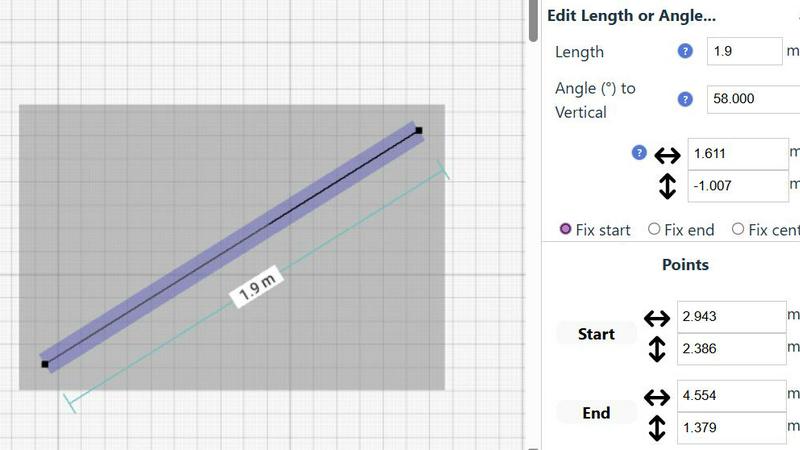
SimpleDraw provides precise measurements and smart alignment features that ensure every drawing is accurate and to scale. Users can trust that their dimensions will reflect reality, which is crucial for effective planning and design.
Specialized Floor Plan Creator
The dedicated Floor Plan Mode allows users to create detailed floor plans effortlessly. With the ability to draw walls, place windows and doors, and visualize layouts in real time, this feature simplifies the design process for any project.
Smart Alignment System
The Smart Alignment System assists users in placing elements exactly where they want them. This intuitive feature offers visual guidance, ensuring that lines and points are positioned accurately, enhancing the overall precision of the drawings.
Comprehensive Measurement System
SimpleDraw boasts a robust measurement system that displays contextual measurements dynamically as users work. The option to choose between metric and standard US units empowers users to create drawings that are tailored to their needs.
Use Cases
Image3D AI
3D Printing & Prototyping
Enthusiasts and professionals can instantly convert product photos, sketches, or concept art into ready-to-print STL files. This streamlines the prototyping process, allowing for rapid iteration and physical realization of ideas without the need for complex manual CAD modeling, making custom fabrication more accessible than ever before.
Game Development & Real-Time Assets
Game developers and digital artists can rapidly generate game-ready 3D models from character concept art, prop sketches, or reference images. With support for PBR materials and export formats compatible with engines like Unity and Unreal Engine, it accelerates asset creation pipelines, turning visual concepts into in-game objects with remarkable speed.
E-Commerce & AR Visualization
Online retailers can transform flat product catalog images into interactive 3D models and AR-ready assets. This enhances customer engagement by allowing interactive product previews from every angle, providing a superior shopping experience that can reduce returns and increase conversion rates through better visual communication.
Architectural Visualization & Design
Architects and interior designers can quickly generate basic 3D forms from sketches, floor plans, or inspiration images. This facilitates early-stage conceptualization and client presentations, saving valuable time that would otherwise be spent on manual base modeling from scratch.
SimpleDraw
Kitchen & Bathroom Floor Plans
Users can effectively plan renovations for kitchens and bathrooms by visualizing layouts with accurate measurements. SimpleDraw allows for the exploration of different configurations before any physical work begins.
Room Layouts & Furniture Planning
Designing room layouts becomes effortless with SimpleDraw. Users can experiment with furniture placement to ensure that items fit perfectly within their spaces, ultimately saving time and eliminating costly purchasing mistakes.
House & Apartment Plans
SimpleDraw is ideal for creating complete floor plans for various living spaces. Whether for home projects or rental listings, users can develop comprehensive designs that meet their specific requirements and preferences.
Community-Driven Development
Engaging with the SimpleDraw community enables users to influence product evolution. By providing feedback and suggestions, users can help shape future features, ensuring that the platform continues to meet the needs of its diverse audience.
Overview
About Image3D AI
Image3D AI represents the pinnacle of accessible three-dimensional creation, elegantly dissolving the formidable barriers traditionally associated with professional 3D modeling. This sophisticated platform harnesses the formidable computational prowess of Tencent's Hunyuan 3D engine to perform a remarkable alchemy: transforming ordinary two-dimensional images into intricate, production-ready 3D assets within mere seconds. It addresses a profound and time-intensive challenge, democratizing high-fidelity 3D generation for a vast spectrum of creators, from novices to seasoned professionals. The core value proposition is an unprecedented acceleration and simplification of creative workflows. By simply uploading a single photograph or a curated series of multi-view images, users can instantly unlock detailed three-dimensional models, complete with realistic textures and materials, ready for immediate application. This tool is meticulously engineered for a diverse audience, including 3D printing enthusiasts requiring watertight, print-ready STL files, game developers in need of rapid asset generation, digital artists expanding their visual vocabulary, and e-commerce professionals seeking interactive product showcases. Image3D AI stands not merely as a tool, but as a gateway to a new frontier of digital expression, where imagination is the sole prerequisite.
About SimpleDraw
SimpleDraw redefines the landscape of technical sketching, presenting a sophisticated yet accessible online platform tailored for the modern creator. It caters to a diverse audience, from the DIY enthusiast embarking on a home renovation to the professional seeking a quick, reliable floor plan. SimpleDraw empowers users to craft precise, scale-accurate drawings with remarkable ease, eliminating the steep learning curve associated with traditional CAD software. The platform’s core value proposition lies in its ability to merge professional-grade precision with effortless usability, entirely free of charge. Users can transform their browsers into dynamic drafting tables, utilizing intuitive tools that translate abstract ideas into meticulously measured realities. Each line, angle, and dimension can be crafted with confidence, ensuring that every detail reflects the user’s intent. With no downloads, installations, or mandatory registrations, SimpleDraw invites creativity without barriers, making it an essential tool for anyone looking to visualize their space accurately.
Frequently Asked Questions
Image3D AI FAQ
What image types work best for 3D conversion?
For optimal results, use high-contrast source images with clear, well-defined outlines and simple, uncluttered backgrounds. Avoid blurry, poorly lit, or occluded subjects. For technical workflows like 3D printing, images with strong, clean silhouettes yield the best geometry for conversion into a printable STL file.
What is the difference between Rapid Mode and Pro Mode?
Rapid Mode is designed for speed, generating a model from a single image in about a minute—ideal for logos or sketches. Pro Mode requires multiple images of a subject from different angles (multi-view) to perform a more accurate, high-precision 3D reconstruction, which is recommended for capturing real-world objects with complex geometry.
Which file format should I download for my project?
The choice depends on your intended use. Select .STL for 3D printing, as it is the industry standard for slicer software. The .OBJ format is excellent for further editing in traditional 3D modeling applications. For web, AR, or real-time applications, the .GLB format is the modern, efficient choice as it contains the model, textures, and materials in one file.
Is technical 3D modeling knowledge required to use Image3D AI?
No specialized 3D skills are required. The platform is designed to be intuitive and accessible. The core process involves simply uploading an image and initiating the AI-powered conversion. Guidance is provided on image selection and mode choice to help users achieve the best possible results effortlessly.
SimpleDraw FAQ
How do I get started with SimpleDraw?
Getting started is simple; just visit the SimpleDraw website, and you can begin drawing immediately. There is no need for downloads or account creation.
Is SimpleDraw really free to use?
Yes, SimpleDraw is completely free to use. It offers professional-grade tools without any hidden costs, allowing users to access all features without financial barriers.
Can I save my drawings in SimpleDraw?
Currently, SimpleDraw offers a seamless online experience without the need for saving files on your device. Users can always return to their drawings as long as they are in the same session.
What types of projects can I create with SimpleDraw?
With SimpleDraw, users can create various projects, including detailed floor plans, room layouts, and furniture arrangements, making it suitable for both personal and professional design needs.
Alternatives
Image3D AI Alternatives
Image3D AI stands at the forefront of AI-powered 3D generation, a sophisticated tool that elegantly transforms two-dimensional images into detailed, textured 3D models. It belongs to the innovative category of design tools that are redefining accessibility in digital creation, making professional-grade asset generation available to a broader audience. Users may explore alternatives for various reasons, including specific budgetary considerations, the need for different feature sets such as animation capabilities or specialized export formats, or compatibility with particular operating systems and creative ecosystems. The landscape of 3D generation tools is diverse, catering to nuanced technical requirements and project scopes. When evaluating other solutions, discerning creators should consider the fidelity and print-readiness of the output geometry, the intelligence behind automated texture and material generation, and the flexibility of export options to ensure seamless integration into their existing workflow. The core objective remains finding a platform that balances raw computational power with an intuitive user experience.
SimpleDraw Alternatives
SimpleDraw is an elegant, free online tool designed for creating precise scale drawings and floor plans, catering to the needs of both amateurs and professionals alike. As a sophisticated design tool, it serves a diverse audience, including DIY enthusiasts and professionals involved in architectural projects. Users often seek alternatives to SimpleDraw for various reasons, such as a desire for enhanced features, specific platform compatibility, or different pricing structures. When exploring alternatives, it is crucial to consider factors such as usability, advanced functionalities, customer support, and overall value to ensure the chosen tool meets your particular design needs.