
Image3D AI
Image3D AI instantly transforms any 2D image into a high-precision 3D model for printing and digital creation.
Visit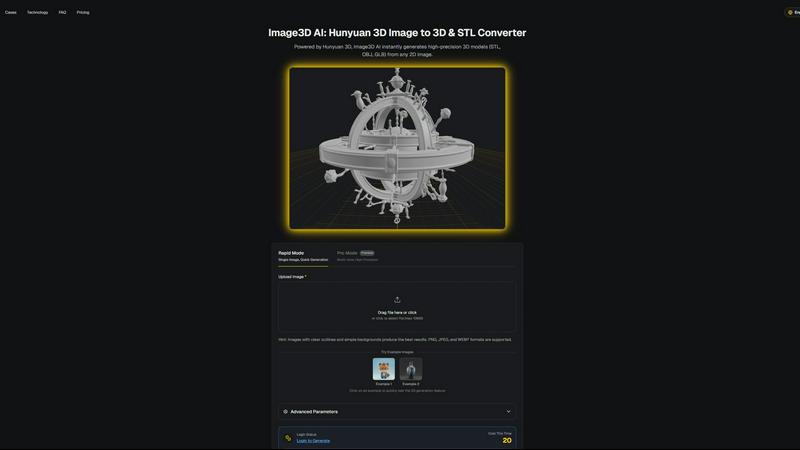
About Image3D AI
Image3D AI represents the pinnacle of accessible three-dimensional creation, elegantly dissolving the formidable barriers traditionally associated with professional 3D modeling. This sophisticated platform harnesses the formidable computational prowess of Tencent's Hunyuan 3D engine to perform a remarkable alchemy: transforming ordinary two-dimensional images into intricate, production-ready 3D assets within mere seconds. It addresses a profound and time-intensive challenge, democratizing high-fidelity 3D generation for a vast spectrum of creators, from novices to seasoned professionals. The core value proposition is an unprecedented acceleration and simplification of creative workflows. By simply uploading a single photograph or a curated series of multi-view images, users can instantly unlock detailed three-dimensional models, complete with realistic textures and materials, ready for immediate application. This tool is meticulously engineered for a diverse audience, including 3D printing enthusiasts requiring watertight, print-ready STL files, game developers in need of rapid asset generation, digital artists expanding their visual vocabulary, and e-commerce professionals seeking interactive product showcases. Image3D AI stands not merely as a tool, but as a gateway to a new frontier of digital expression, where imagination is the sole prerequisite.
Features of Image3D AI
Hunyuan 3D-Powered Engine
At the heart of Image3D AI lies the formidable Hunyuan 3D engine from Tencent, a cutting-edge AI technology that provides the computational intelligence for rapid and high-precision 3D reconstruction. This advanced engine analyzes the geometry, depth, and material properties within a 2D image to infer and construct a fully-realized three-dimensional model, ensuring professional-grade results that balance intricate detail with computational efficiency.
Dual Generation Modes
The platform offers two distinct operational modes tailored for different needs and input types. Rapid Mode is designed for speed and convenience, generating a 3D model from a single uploaded image in approximately 60 seconds. For superior accuracy and detail, Pro Mode utilizes multi-view images, allowing the AI to perform a physically accurate reconstruction from multiple angles, yielding a higher-fidelity asset ideal for professional applications.
Multi-Format Export Flexibility
Understanding the diverse needs of modern creative pipelines, Image3D AI provides exports in all standard 3D file formats. Users can download their creations as STL files for 3D printing, OBJ files for traditional 3D editing software, or GLB files—the modern standard for web, AR, and real-time applications that packages model, textures, and materials into a single, efficient file.
Advanced Parameter Controls
Beyond automated generation, the tool offers users a degree of creative control through advanced parameters. These settings allow for the fine-tuning of the generation process, enabling adjustments to suit specific downstream needs, such as optimizing mesh density for 3D printing or simplifying geometry for game engine performance, ensuring the output is perfectly tailored to its intended use.
Use Cases of Image3D AI
3D Printing & Prototyping
Enthusiasts and professionals can instantly convert product photos, sketches, or concept art into ready-to-print STL files. This streamlines the prototyping process, allowing for rapid iteration and physical realization of ideas without the need for complex manual CAD modeling, making custom fabrication more accessible than ever before.
Game Development & Real-Time Assets
Game developers and digital artists can rapidly generate game-ready 3D models from character concept art, prop sketches, or reference images. With support for PBR materials and export formats compatible with engines like Unity and Unreal Engine, it accelerates asset creation pipelines, turning visual concepts into in-game objects with remarkable speed.
E-Commerce & AR Visualization
Online retailers can transform flat product catalog images into interactive 3D models and AR-ready assets. This enhances customer engagement by allowing interactive product previews from every angle, providing a superior shopping experience that can reduce returns and increase conversion rates through better visual communication.
Architectural Visualization & Design
Architects and interior designers can quickly generate basic 3D forms from sketches, floor plans, or inspiration images. This facilitates early-stage conceptualization and client presentations, saving valuable time that would otherwise be spent on manual base modeling from scratch.
Frequently Asked Questions
What image types work best for 3D conversion?
For optimal results, use high-contrast source images with clear, well-defined outlines and simple, uncluttered backgrounds. Avoid blurry, poorly lit, or occluded subjects. For technical workflows like 3D printing, images with strong, clean silhouettes yield the best geometry for conversion into a printable STL file.
What is the difference between Rapid Mode and Pro Mode?
Rapid Mode is designed for speed, generating a model from a single image in about a minute—ideal for logos or sketches. Pro Mode requires multiple images of a subject from different angles (multi-view) to perform a more accurate, high-precision 3D reconstruction, which is recommended for capturing real-world objects with complex geometry.
Which file format should I download for my project?
The choice depends on your intended use. Select .STL for 3D printing, as it is the industry standard for slicer software. The .OBJ format is excellent for further editing in traditional 3D modeling applications. For web, AR, or real-time applications, the .GLB format is the modern, efficient choice as it contains the model, textures, and materials in one file.
Is technical 3D modeling knowledge required to use Image3D AI?
No specialized 3D skills are required. The platform is designed to be intuitive and accessible. The core process involves simply uploading an image and initiating the AI-powered conversion. Guidance is provided on image selection and mode choice to help users achieve the best possible results effortlessly.
Similar to Image3D AI
Sprite Sheet Maker
Create pixel-art sprite sheets from text with AI, preview animations, and export PNG assets for game prototypes.
Qwen Image Edit
Edit and generate visuals online with Qwen Image Edit using natural-language prompts for backgrounds, text, product images, posters, outpainting, and
Seedance 2.5 Free
Create polished AI videos from text or images online with Seedance 2.5 Free.
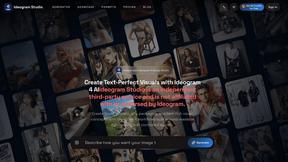
Ideogram Studio
Ideogram 4 AI workflows for creating text-rich images, logos, posters, ads, and packaging.
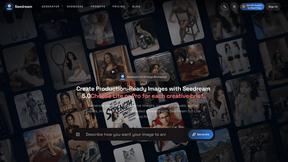
Seedream 5.0
Seedream 5.0 Pro and Lite for production-ready AI image generation and editing.
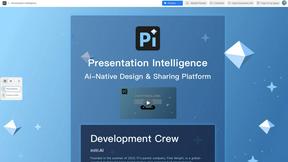
Presentation Intelligence
AI-native presentation and visual content platform that turns prompts, documents, images, videos, and data into polished, shareable decks.
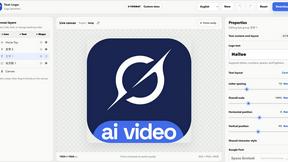
Text Logo
Create custom text logos, wordmarks, and typography logos online with flexible export options.

Try This Skill
One-click AI photo stylization for e-commerce & portraits