
LuxSign vs Updaytr
Side-by-side comparison to help you choose the right product.

LuxSign offers a secure, legally compliant platform for effortlessly signing and managing documents online in minutes.
Last updated: February 26, 2026
Updaytr
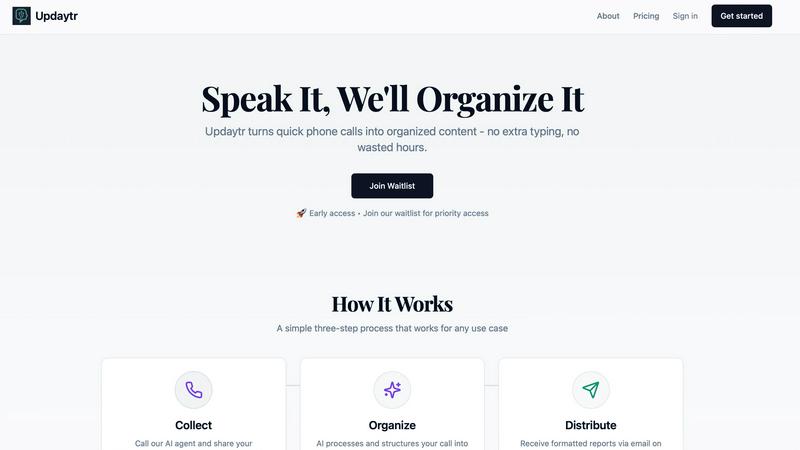
Updaytr transforms team phone calls into organized, automated reports effortlessly.
Last updated: March 1, 2026
Visual Comparison
LuxSign

Updaytr
Feature Comparison
LuxSign
Multiple Signature Methods
LuxSign provides versatile signing options, allowing users to draw their signature using a mouse, type their name, or upload an image. This feature includes support for custom initials, facilitating quick and efficient document signing for all users.
Advanced Security
The platform prioritizes security with industry-standard encryption protocols during the upload, storage, and transmission of documents. This ensures that sensitive information remains confidential and protected against unauthorized access throughout the signing process.
Complete Audit Trail
LuxSign maintains a detailed audit trail for every document signed. This includes comprehensive logs with timestamps, IP addresses, and signer information, ensuring full transparency and compliance for both businesses and regulatory bodies.
Collaboration Workspaces
With LuxSign, teams can create shared workspaces that enhance collaboration. This feature allows users to organize documents into folders, manage member access, and work together seamlessly on signing workflows, streamlining processes for teams of all sizes.
Updaytr
Voice-First AI Agents
Updaytr provides immediate access to specialized AI agents via a simple phone call, requiring no app installation or complex login. Whether using a smartphone or a traditional landline, users can call in at any time to dictate updates. The AI listens with advanced speech recognition, comprehends context, and begins the intelligent structuring process, making reporting as natural as speaking.
Automated Report Generation
The platform's intelligence transforms raw, spoken updates into polished, professional reports. It automatically formats information, applies consistent styling, and organizes content into a clear, digestible structure. This feature ensures that every piece of communication is presentation-ready, saving hours of manual compilation and writing effort for managers and team leads.
Intelligent Tagging & Routing
Updaytr's AI doesn't just transcribe; it understands. It automatically tags updates by relevant categories such as project name, client, team, or job type. Based on these tags and pre-configured rules, the system intelligently routes the consolidated information to the correct stakeholders via email, ensuring the right people receive the right updates at the right time.
Scheduled Distribution
Eliminate the chaos of constant notifications. Managers can define precise schedules for report delivery—whether daily, weekly, or at custom intervals. This ensures stakeholders receive a consolidated, organized summary of all team activity on their chosen timetable, promoting focus and informed decision-making without information overload.
Use Cases
LuxSign
Contract Management for Small Businesses
Small businesses can leverage LuxSign to manage their contracts efficiently. By using the platform, they can ensure that all agreements are signed promptly and securely, reducing turnaround times and enhancing client satisfaction.
Remote Team Collaboration
For organizations with remote teams, LuxSign offers a robust solution for signing documents from any location. Team members can collaborate in real-time, ensuring that important documents are signed without the constraints of geographical barriers.
Compliance-Focused Industries
Industries that require stringent compliance, such as finance and healthcare, can utilize LuxSign to ensure that all documents meet legal standards. The platform’s audit trails and GDPR compliance make it an ideal choice for maintaining regulatory adherence.
Streamlined Onboarding Processes
Businesses can simplify their onboarding procedures by using LuxSign to send employment contracts and other necessary documents to new hires. This allows for swift processing and ensures that all paperwork is completed securely and efficiently.
Updaytr
Construction & Field Services
Ideal for construction supervisors, remodeling contractors, and field service technicians. Crews can call in to report project progress, job completions, equipment status, or material needs. Updaytr organizes these updates by site or job number and delivers a clear progress report to project managers and clients, replacing cumbersome handwritten logs or disjointed text messages.
Sales & Client Visit Reporting
Perfect for outside sales representatives and insurance adjusters who are constantly on the road. After each client visit or site inspection, the professional calls in to detail the interaction, next steps, and feedback. Updaytr structures this into a professional visit report, automatically files it under the correct client, and ensures the sales manager is instantly informed.
Healthcare & Personal Care Updates
Serves mobile healthcare providers, home health aides, and nurses needing to document patient visits and care status efficiently. They can verbally report on vital signs, care provided, and patient condition after each visit. The AI generates organized notes for records, streamlining administrative duty. (Note: Updaytr is not HIPAA compliant and should not be used for protected health information.)
Logistics & Delivery Coordination
Essential for delivery drivers, truck drivers, and logistics coordinators. Drivers can call in to report route status, delivery confirmations, delays, or cargo issues. Updaytr compiles these updates, tags them by route or vehicle, and provides dispatchers and managers with a real-time operational overview, enhancing route planning and customer communication.
Overview
About LuxSign
LuxSign is an innovative, secure, cloud-based electronic signature platform meticulously designed for businesses that demand rigorous compliance and data protection. Originating from Luxembourg, LuxSign is built to provide unparalleled security, ensuring that all documents are encrypted end-to-end and stored exclusively within the country’s borders. This guarantees strict adherence to GDPR regulations, making it a prime choice for organizations operating within the European Union. LuxSign supports the eIDAS SES standards, thereby offering legal validity for contracts throughout the EU. With its user-friendly interface, businesses can effortlessly manage their documentation processes, utilizing features such as parallel or sequential signing workflows, drag-and-drop signature field placement, and automated email notifications. Advanced tiers of the platform unlock additional capabilities, including document templates, comprehensive audit trails, bulk signing options, collaboration workspaces, bespoke branding solutions, and a complete REST API with an embeddable SDK for seamless system integrations. LuxSign truly embodies the intersection of security, compliance, and efficiency in digital signatures.
About Updaytr
Updaytr redefines the art of communication and documentation, transforming the simple, universal act of a phone call into a powerful engine for organized content creation. Designed for professionals and teams who operate beyond the confines of a desk, it elegantly eliminates the friction of manual reporting, note-taking, and time-consuming status meetings. At its core, Updaytr is a sophisticated suite of specialized AI agents accessible from any telephone. These agents listen, understand, and structure spoken updates into beautifully formatted, professional reports delivered automatically. It serves as the essential bridge between real-time activity and structured documentation for field teams, mobile professionals, and individuals who need to capture critical information on the go. The primary value proposition lies in its elegant simplicity and profound intelligence: by making content creation as effortless as a conversation, Updaytr liberates users from administrative burdens, ensures stakeholders stay perfectly informed with zero extra effort, and preserves vital operational knowledge with unprecedented ease.
Frequently Asked Questions
LuxSign FAQ
How secure is the LuxSign platform?
LuxSign employs industry-standard encryption methods to protect documents during upload, storage, and transmission. All data is stored securely in Luxembourg, ensuring compliance with GDPR and local data protection laws.
What types of documents can be signed using LuxSign?
Users can upload various document formats, including PDF, DOC, and DOCX files. The platform supports automatic conversion, allowing for seamless signing of documents up to 10MB in size.
Can multiple signers be added to a single document?
Yes, LuxSign allows users to add up to four signers per document. You can choose between parallel signing or sequential signing workflows, providing flexibility to meet different signing requirements.
Is there a free trial available for LuxSign?
LuxSign offers a free plan that allows users to sign their own files and documents sent to them. This plan includes essential features such as end-to-end encryption and email support, enabling users to explore the platform without any financial commitment.
Updaytr FAQ
How does Updaytr handle different team members' voices?
Updaytr's AI is trained on diverse speech patterns and accents, providing robust and accurate transcription for all users. There is no need for individual voice training. The system focuses on the content of the speech, effectively understanding and processing updates from any team member who calls the dedicated number.
What kind of reports does Updaytr generate?
The platform generates elegantly formatted, text-based reports delivered via email. These reports consolidate individual updates, organizing them intelligently by tags like date, project, or team member. The output is a clean, professional document suitable for direct sharing with stakeholders, clients, or for internal record-keeping.
Is there a limit to how many updates my team can submit?
Updaytr offers a free tier to get started, with no credit card required. For growing teams with higher volume needs, scalable paid plans are available. You can estimate your team's usage on the website to determine the most suitable plan, ensuring you only pay for the capacity you require.
Can I customize where and when reports are sent?
Absolutely. A core feature of Updaytr is its flexible distribution system. You can fully customize the recipient list for different types of updates and set precise delivery schedules (e.g., daily digest at 5 PM, weekly summary every Monday morning). This puts you in complete control of the information flow.
Alternatives
LuxSign Alternatives
LuxSign is a sophisticated electronic signature platform hailing from Luxembourg, designed to meet the needs of businesses that require stringent compliance with legal standards. As an eIDAS SES compliant service, it ensures that electronic signatures are recognized and enforceable across all EU member states. Users often seek alternatives to LuxSign for a variety of reasons, including pricing concerns, specific feature requirements, or the need for integration with existing systems. When selecting an alternative to LuxSign, it is essential to evaluate the platform’s security measures, compliance with relevant regulations, user experience, and the breadth of features offered. Additionally, consider the ease of implementation and whether the platform can adapt to your unique business workflow needs, ensuring a seamless transition and continued operational efficiency.
Updaytr Alternatives
Updaytr is a sophisticated productivity platform that transforms team phone calls into structured, automated reports. It belongs to the category of intelligent communication and documentation tools, designed to liberate mobile professionals and field teams from the administrative burden of manual note-taking and status updates. Users may explore alternatives for various reasons, including specific budget constraints, the need for different integration capabilities, or a preference for alternative input methods beyond universal phone access. The landscape offers solutions with varying focuses on transcription accuracy, collaboration features, or platform compatibility. When evaluating other options, consider the core need: effortless capture of verbal updates from any location. Key criteria should include the method of input accessibility, the intelligence of the processing—such as contextual understanding and automated formatting—and how seamlessly the generated insights integrate into your existing workflow and reporting structures.