OGimagen vs ToolPortal
Side-by-side comparison to help you choose the right product.

OGimagen effortlessly creates stunning Open Graph images and meta tags, enhancing your online presence with just a few clicks.
Last updated: March 11, 2026

ToolPortal offers a suite of browser-based tools for effortless formatting, validation, conversion, and image management tasks.
Last updated: March 18, 2026
Visual Comparison
OGimagen
ToolPortal
Feature Comparison
OGimagen
Effortless Image Generation
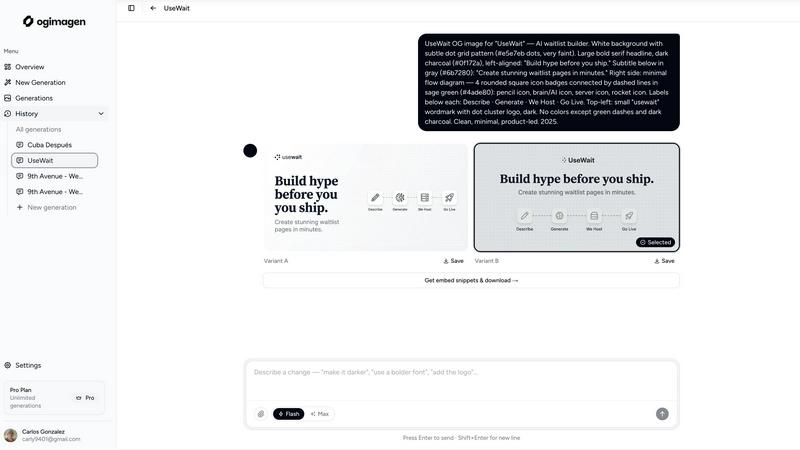
OGimagen simplifies the process of creating Open Graph images by allowing users to input their title and description, after which the AI generates two pixel-perfect variants tailored for different social media platforms. This streamlined approach minimizes the time spent on design and maximizes productivity.
Multi-Format Output
Understanding that different social media platforms have unique specifications, OGimagen provides three optimized formats for each image generated: OG images for Facebook, Twitter Cards for X (formerly Twitter), and LinkedIn Cards. This ensures that each visual is perfectly suited for its intended destination.
Ready-to-Paste Meta Tags
Upon generation, users receive framework-specific snippets of meta tags that can be effortlessly pasted into their web applications. Free users enjoy HTML snippets, while Pro users unlock a broader range of integrations, including Next.js, Astro, and Svelte, enhancing their development workflow.
MCP Integration
The Pro plan offers seamless integration with MCP-compatible tools such as Claude Code and Cursor. This feature allows users to generate images and retrieve embed snippets directly within their coding environments, fostering a more efficient and cohesive workflow without needing to switch applications.
ToolPortal
Comprehensive Tool Index
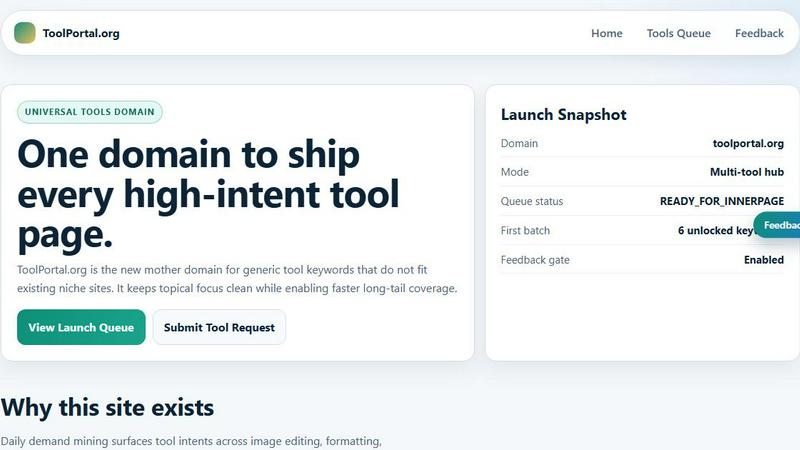
ToolPortal boasts an extensive collection of 228 live tools, encompassing generators, checkers, converters, and formatters. This dense index is designed for quick selection and efficient execution, allowing users to find the right tool for their tasks in mere seconds.
Task Lane Navigation
The platform simplifies the user experience by offering seven distinct task lanes, enabling users to filter tools by intent. This feature ensures that users can swiftly locate the best-fit tool tailored to their specific needs, enhancing productivity and satisfaction.
Updated and Fresh Tools
ToolPortal prides itself on a daily refresh cycle, continuously rolling out new pages and user interface upgrades. This commitment to innovation guarantees that users always have access to the latest tools and functionalities, keeping their workflows efficient and effective.
No Login Required
In a world where account creation often deters productivity, ToolPortal offers a seamless experience with no login flow. Users can immediately open a tool and execute their tasks without the hassle of account gating, making it an incredibly user-friendly option.
Use Cases
OGimagen
Enhancing Social Media Presence
Marketers can leverage OGimagen to create eye-catching Open Graph images for their social media campaigns. By generating professional visuals that align with their brand identity, they can significantly improve engagement rates and attract more clicks on shared links.
Streamlining Content Creation
Content creators can use OGimagen to quickly generate preview images for blog posts, articles, or any web content. With the ability to create and download images in seconds, they can focus more on crafting compelling narratives rather than spending time on design.
Facilitating Developer Workflows
Web developers can integrate OGimagen into their coding environments to maintain a consistent branding strategy across platforms. By utilizing the ready-to-paste meta tags, developers can ensure that their applications are equipped with the appropriate visuals, enhancing user experience.
Boosting Brand Recognition
Businesses looking to establish a strong online presence can utilize OGimagen to create cohesive and visually appealing social cards that reflect their brand colors and logos. This consistency helps to reinforce brand identity and recognition across various social media channels.
ToolPortal
Social Media Content Creation
For marketers and creators, ToolPortal serves as an invaluable asset in crafting engaging social media content. With its array of text styling tools, such as the Glitch Text and Gothic Font Generators, users can effortlessly produce eye-catching text that stands out on various platforms.
Data Validation for Developers
Developers can leverage ToolPortal's validation tools to ensure the integrity and accuracy of their data configurations. Tools like the DMARC Checker and Rich Results Test Helper allow for swift checks before deployment, minimizing errors and enhancing project quality.
Image Preparation for Projects
ToolPortal simplifies the process of preparing images for various projects through its robust image tools. Users can crop, remove backgrounds, and optimize images for web use, streamlining the workflow for graphic design and content creation.
Quick File Conversions
Whether it is converting units, time formats, or structured data, ToolPortal's conversion workbench provides a comprehensive solution for quick file conversions. This feature is particularly beneficial for students and professionals who need reliable and immediate results for their conversion tasks.
Overview
About OGimagen
OGimagen is a cutting-edge tool designed to facilitate the effortless creation of Open Graph images, a vital component for enhancing the visibility and appeal of shared web content across social media platforms. By harnessing the power of artificial intelligence, OGimagen enables users to generate stunning social cards in mere seconds, ensuring that links shared on platforms like Facebook, Twitter, and LinkedIn maintain a professional appearance. This tool is particularly beneficial for web developers, marketers, and content creators who wish to improve their click-through rates and engagement without investing excessive time or effort in design. With OGimagen, users can quickly produce production-ready images that are compatible with various frameworks, complete with meta tags ready for immediate integration. The seamless user experience, coupled with the ability to generate high-quality visuals, positions OGimagen as an indispensable asset for anyone looking to elevate their online presence.
About ToolPortal
ToolPortal is a sophisticated, browser-based hub meticulously crafted for the diverse needs of developers, marketers, creators, students, and everyday users. This versatile platform streamlines daily tasks such as text formatting, data validation, image resizing, and file conversions, all without the cumbersome requirement of software installation. With an intuitive interface that emphasizes speed and efficiency, ToolPortal allows users to access a wealth of practical utilities that can be executed in a single session. Whether you seek to generate captivating text styles, validate essential data configurations, or swiftly convert file formats, ToolPortal stands as your reliable companion. Its commitment to low-friction execution and immediate results empowers users to accomplish a myriad of tasks with ease, making it an indispensable resource in the digital toolkit.
Frequently Asked Questions
OGimagen FAQ
What exactly is an OG image?
An OG image, or Open Graph image, is a visual representation used in the metadata of a webpage that enhances its appearance when shared on social media platforms. These images help to capture attention and improve click-through rates.
How does AI generation work?
OGimagen employs sophisticated artificial intelligence algorithms to analyze input from users and generate visually appealing images based on the provided title and description. This allows for quick and efficient production of high-quality visuals.
What's the difference between Starter, Growth, and Pro?
The Starter plan allows for one-time use with limited generations, while the Growth plan offers more generations and a longer CDN hosting duration. The Pro plan provides ongoing monthly access, MCP integrations, and priority support, catering to professionals with greater needs.
Can I extend CDN hosting without upgrading to Pro?
Yes, users can choose to extend their CDN hosting by opting for additional hosting options when purchasing any of the one-time packs, without needing to upgrade to the Pro plan.
ToolPortal FAQ
What types of tools can I find on ToolPortal?
ToolPortal offers a diverse range of tools categorized into generators, checkers, converters, formatters, and image utilities. Users can easily navigate to find exactly what they need for their specific tasks.
Is there a cost associated with using ToolPortal?
ToolPortal is entirely free to use. Users can access all tools without any charges or subscription fees, making it an accessible resource for everyone.
Do I need to create an account to use ToolPortal?
No, ToolPortal does not require users to create an account. This allows for a seamless experience where users can access tools instantly without the distractions of account management.
How often are new tools added to ToolPortal?
ToolPortal undergoes a daily refresh cycle, ensuring that users continuously benefit from new tools and interface upgrades. This commitment to innovation keeps the platform fresh and relevant for all users.
Alternatives
OGimagen Alternatives
OGimagen is a sophisticated AI-powered tool designed to generate exquisite Open Graph images in mere seconds. As a member of the Dev Tools category, OGimagen stands out by allowing users to create production-ready social cards that seamlessly integrate with any framework, ensuring that shared links maintain a polished and professional appearance. This innovative solution not only streamlines the creation of captivating preview images for websites and applications but also enhances click-through rates on various social media platforms with minimal effort. Despite its many strengths, users often seek alternatives to OGimagen for various reasons, including pricing structures, feature sets, or specific platform compatibility needs. When exploring alternatives, it is essential to consider several factors: the quality and customization options of the generated images, ease of use, integration capabilities, and overall value for money. By ensuring that an alternative meets these criteria, users can find a solution that aligns perfectly with their unique requirements.
ToolPortal Alternatives
ToolPortal is an innovative browser-based tool hub designed to streamline daily tasks such as text formatting, file validation, image resizing, and quick conversions. Catering to a diverse audience that includes developers, marketers, creators, and students, ToolPortal offers a suite of utilities that are readily accessible, efficient, and user-friendly. It occupies a niche in the broader category of development tools, where speed and simplicity are paramount. Users often seek alternatives to ToolPortal for various reasons, such as pricing, additional features, or specific platform compatibility. When exploring alternatives, it is essential to consider the range of functionalities offered, the user interface's clarity, and the overall performance of the tool. A thorough assessment of these factors ensures that users find a solution that meets their unique needs and enhances their productivity.