qtrl.ai vs ToolPortal
Side-by-side comparison to help you choose the right product.

qtrl.ai
qtrl.ai empowers QA teams to scale testing efficiently with AI-driven agents while maintaining complete control and.
Last updated: March 4, 2026

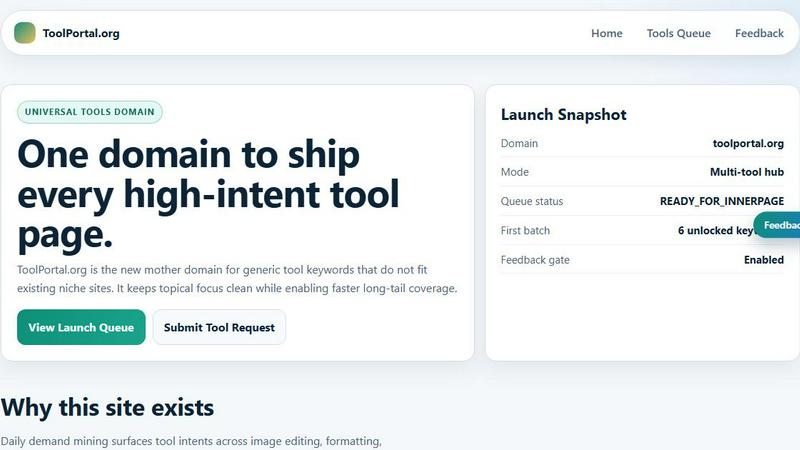
ToolPortal offers a suite of browser-based tools for effortless formatting, validation, conversion, and image management tasks.
Last updated: March 18, 2026
Visual Comparison
qtrl.ai

ToolPortal
Feature Comparison
qtrl.ai
Autonomous QA Agents
qtrl.ai’s autonomous QA agents are designed to execute instructions on demand or continuously, operating seamlessly across various environments. These agents provide real browser execution rather than mere simulations, ensuring accurate and reliable testing outcomes. Teams can define rules and parameters, allowing the agents to operate within a controlled framework while delivering scalable testing solutions.
Enterprise-Grade Test Management
The platform offers centralized management for test cases, plans, and runs, enabling full traceability and audit trails. This feature supports both manual and automated workflows, making it an essential tool for organizations that prioritize compliance and need to maintain meticulous records of their quality assurance processes. With qtrl.ai, teams can efficiently organize their testing efforts while ensuring adherence to regulatory standards.
Progressive Automation
qtrl.ai allows teams to start with human-written testing instructions, gradually transitioning to AI-generated tests as they become more comfortable with automation. The platform intelligently suggests new tests based on coverage gaps, fostering a collaborative environment where QA professionals can review, approve, and refine tests at every step. This progressive approach to automation enhances both control and efficiency.
Adaptive Memory
Equipped with adaptive memory, qtrl.ai builds a living knowledge base of the application being tested. It learns from various interactions, including exploration, test execution, and issue resolution, to power smarter, context-aware test generation. This feature ensures that the platform becomes progressively more effective with each interaction, resulting in more intelligent testing processes over time.
ToolPortal
Comprehensive Tool Index
ToolPortal boasts an extensive collection of 228 live tools, encompassing generators, checkers, converters, and formatters. This dense index is designed for quick selection and efficient execution, allowing users to find the right tool for their tasks in mere seconds.
Task Lane Navigation
The platform simplifies the user experience by offering seven distinct task lanes, enabling users to filter tools by intent. This feature ensures that users can swiftly locate the best-fit tool tailored to their specific needs, enhancing productivity and satisfaction.
Updated and Fresh Tools
ToolPortal prides itself on a daily refresh cycle, continuously rolling out new pages and user interface upgrades. This commitment to innovation guarantees that users always have access to the latest tools and functionalities, keeping their workflows efficient and effective.
No Login Required
In a world where account creation often deters productivity, ToolPortal offers a seamless experience with no login flow. Users can immediately open a tool and execute their tasks without the hassle of account gating, making it an incredibly user-friendly option.
Use Cases
qtrl.ai
Product-Led Engineering Teams
For product-led engineering teams, qtrl.ai streamlines the testing process, enabling faster releases without sacrificing quality. By providing a robust framework for managing test cases and automating execution, teams can focus on innovation while ensuring their products meet the highest standards of quality assurance.
QA Teams Scaling Beyond Manual Testing
Quality assurance teams that are transitioning from manual testing to more automated processes will find qtrl.ai invaluable. The platform's gradual introduction to automation allows teams to maintain control as they scale their testing efforts, ensuring that they can manage increased workloads efficiently without losing oversight.
Companies Modernizing Legacy QA Workflows
Organizations seeking to modernize their legacy QA workflows can leverage qtrl.ai to bridge the gap between outdated practices and contemporary testing methodologies. With its powerful features and capabilities, qtrl.ai facilitates a smooth transition that enhances testing efficiency and effectiveness.
Enterprises Requiring Governance and Traceability
Enterprises that demand strict governance and traceability in their quality assurance processes benefit significantly from qtrl.ai’s comprehensive management and reporting features. The platform’s built-in audit trails and compliance-oriented design make it an ideal solution for organizations operating in regulated industries.
ToolPortal
Social Media Content Creation
For marketers and creators, ToolPortal serves as an invaluable asset in crafting engaging social media content. With its array of text styling tools, such as the Glitch Text and Gothic Font Generators, users can effortlessly produce eye-catching text that stands out on various platforms.
Data Validation for Developers
Developers can leverage ToolPortal's validation tools to ensure the integrity and accuracy of their data configurations. Tools like the DMARC Checker and Rich Results Test Helper allow for swift checks before deployment, minimizing errors and enhancing project quality.
Image Preparation for Projects
ToolPortal simplifies the process of preparing images for various projects through its robust image tools. Users can crop, remove backgrounds, and optimize images for web use, streamlining the workflow for graphic design and content creation.
Quick File Conversions
Whether it is converting units, time formats, or structured data, ToolPortal's conversion workbench provides a comprehensive solution for quick file conversions. This feature is particularly beneficial for students and professionals who need reliable and immediate results for their conversion tasks.
Overview
About qtrl.ai
qtrl.ai is an innovative quality assurance platform that redefines the paradigm of software testing by merging robust test management capabilities with the transformative power of artificial intelligence. Designed specifically for software teams, qtrl.ai empowers organizations to scale their quality assurance processes without compromising on control or governance. Its centralized hub facilitates the organization of test cases, meticulous planning of test runs, and comprehensive tracking of quality metrics through real-time dashboards. This ensures that engineering leads and QA managers maintain clear visibility over testing progress, outcomes, and potential risks.
What sets qtrl.ai apart is its thoughtfully integrated AI layer, which allows teams to gradually embrace automation. Rather than imposing a risky, opaque AI-first methodology, qtrl.ai encourages teams to start with manual test management and evolve towards intelligent automation at their own pace. The platform's autonomous agents can generate UI tests from simple English descriptions, adapt them as applications progress, and execute them at scale in diverse environments. With its mission to bridge the chasm between cumbersome manual testing and the fragility of traditional automation, qtrl.ai is perfectly suited for product-led engineering teams, QA groups transitioning from manual testing, organizations modernizing legacy workflows, and enterprises that demand stringent compliance and audit trails. Ultimately, qtrl.ai provides a trusted, intelligent pathway to accelerate quality assurance.
About ToolPortal
ToolPortal is a sophisticated, browser-based hub meticulously crafted for the diverse needs of developers, marketers, creators, students, and everyday users. This versatile platform streamlines daily tasks such as text formatting, data validation, image resizing, and file conversions, all without the cumbersome requirement of software installation. With an intuitive interface that emphasizes speed and efficiency, ToolPortal allows users to access a wealth of practical utilities that can be executed in a single session. Whether you seek to generate captivating text styles, validate essential data configurations, or swiftly convert file formats, ToolPortal stands as your reliable companion. Its commitment to low-friction execution and immediate results empowers users to accomplish a myriad of tasks with ease, making it an indispensable resource in the digital toolkit.
Frequently Asked Questions
qtrl.ai FAQ
How does qtrl.ai ensure control during automation?
qtrl.ai allows teams to maintain control by implementing permissioned autonomy levels. Teams can review, approve, and refine automated tests, ensuring that they only scale what they are comfortable with.
Can qtrl.ai integrate with existing tools?
Yes, qtrl.ai is designed to work seamlessly with existing tools, facilitating easy integration into your current workflows. This adaptability ensures that teams can leverage their existing investments while enhancing their QA capabilities.
What types of testing can qtrl.ai perform?
qtrl.ai supports a wide range of testing types, including manual testing, automated testing, and UI testing generated through its AI capabilities. This versatility makes it suitable for diverse testing needs across various environments.
Is qtrl.ai suitable for enterprises with compliance requirements?
Absolutely. qtrl.ai is built for enterprises that require strict compliance and traceability, featuring enterprise-grade test management capabilities that provide full audit trails and support for regulatory standards.
ToolPortal FAQ
What types of tools can I find on ToolPortal?
ToolPortal offers a diverse range of tools categorized into generators, checkers, converters, formatters, and image utilities. Users can easily navigate to find exactly what they need for their specific tasks.
Is there a cost associated with using ToolPortal?
ToolPortal is entirely free to use. Users can access all tools without any charges or subscription fees, making it an accessible resource for everyone.
Do I need to create an account to use ToolPortal?
No, ToolPortal does not require users to create an account. This allows for a seamless experience where users can access tools instantly without the distractions of account management.
How often are new tools added to ToolPortal?
ToolPortal undergoes a daily refresh cycle, ensuring that users continuously benefit from new tools and interface upgrades. This commitment to innovation keeps the platform fresh and relevant for all users.
Alternatives
qtrl.ai Alternatives
qtrl.ai is an advanced quality assurance platform that empowers software teams to enhance their testing efforts through the integration of AI-driven automation while preserving essential governance and control. This innovative solution is positioned within the realm of automation and development tools, catering to organizations that seek to streamline their QA processes without compromising on oversight. Users often explore alternatives to qtrl.ai for various reasons, including pricing structures, specific feature sets, or compatibility with their existing workflows and platforms. When selecting an alternative, it is crucial to consider factors such as the scalability of the solution, the comprehensiveness of its features, ease of integration, and the level of support provided. Ensuring that the alternative aligns with the unique needs of the team will ultimately contribute to a more effective testing process.
ToolPortal Alternatives
ToolPortal is an innovative browser-based tool hub designed to streamline daily tasks such as text formatting, file validation, image resizing, and quick conversions. Catering to a diverse audience that includes developers, marketers, creators, and students, ToolPortal offers a suite of utilities that are readily accessible, efficient, and user-friendly. It occupies a niche in the broader category of development tools, where speed and simplicity are paramount. Users often seek alternatives to ToolPortal for various reasons, such as pricing, additional features, or specific platform compatibility. When exploring alternatives, it is essential to consider the range of functionalities offered, the user interface's clarity, and the overall performance of the tool. A thorough assessment of these factors ensures that users find a solution that meets their unique needs and enhances their productivity.