
Gleem.AI Studio
Gleem.AI Studio is your seamless creative hub for effortlessly generating and editing stunning visuals in one intuitive.
Visit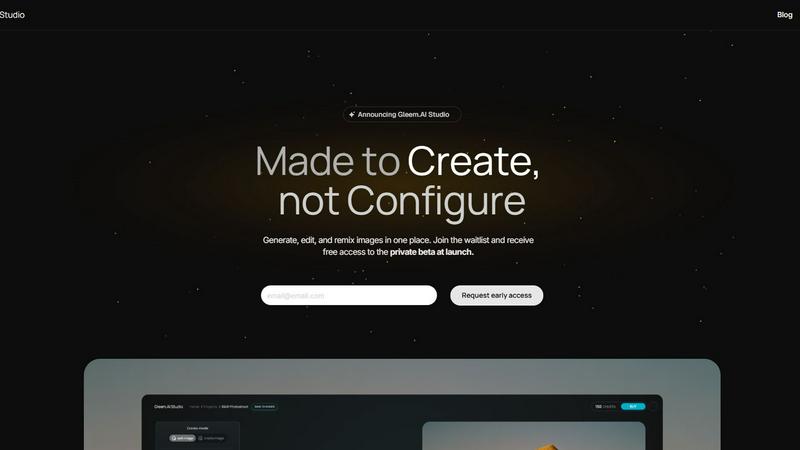
About Gleem.AI Studio
Gleem.AI Studio is a cutting-edge unified AI image workspace that empowers creators by providing an all-in-one platform for image generation and editing. Designed for marketers, visual artists, and small teams, Gleem.AI Studio eliminates the need to toggle between various tools, enabling users to focus on their creative vision instead of navigating complex technical settings. With a streamlined workflow that allows for seamless iteration, creators can effortlessly transform ideas into stunning visuals. The platform's innovative features, such as the text-to-image generator and intuitive AI editing capabilities, foster a creative environment where speed and quality coexist. Gleem.AI Studio is the quintessential toolkit for those seeking consistent, high-quality visuals without the hassle of fragmented processes, making it a perfect choice for anyone in need of rapid content creation, from social media graphics to marketing assets.
Features of Gleem.AI Studio
Text-to-Image Generator
Transform your concepts into captivating visuals with the sophisticated text-to-image generator. Users can specify dimensions, articulate their vision, and leverage the Prompt Enhance feature to refine their textual inputs, ensuring exceptional results.
AI Image Editing
Experience a robust image editing suite that operates within a single environment. The AI-driven editor allows users to add or remove objects, modify poses, apply filters, and restore older images, all through simple and natural prompts, making it accessible to creators of all skill levels.
AI Avatars
Create and customize your own AI avatars, seamlessly integrating them into various scenes. This feature allows users to personalize their avatars, adjust poses, or experiment with outfits without necessitating additional photoshoots, thus enhancing creative possibilities.
Project Organization
Gleem.AI Studio prioritizes your workflow efficiency by offering dedicated spaces for each project. Users can save prompts, edits, and version histories, ensuring that all elements of a project remain accessible for easy reuse and iterative development.
Use Cases of Gleem.AI Studio
Marketing Asset Creation
Marketers can utilize Gleem.AI Studio to generate high-quality visuals for campaigns, social media posts, and advertisements. The platform's capabilities enable rapid creation and iteration, ensuring that marketing teams meet tight deadlines without sacrificing quality.
Social Media Visuals
Content creators can craft visually striking graphics tailored for various social media platforms. With integrated image generation and editing tools, users can quickly develop engaging content that captures audience attention and drives interaction.
Product Image Development
E-commerce businesses can benefit from Gleem.AI Studio by creating compelling product images. The intuitive editing features allow for the enhancement of images, ensuring that product listings stand out in a competitive marketplace.
Creative Variations Testing
Designers can explore multiple creative concepts effortlessly by generating variations of their visuals. The platform's version history and project organization features allow for easy comparisons, enabling teams to refine their creative strategies based on data-driven insights.
Frequently Asked Questions
What is Gleem.AI Studio?
Gleem.AI Studio is a unified AI image workspace that integrates image generation and editing into a single platform, designed for creators seeking speed and simplicity in their workflow.
Who can benefit from using Gleem.AI Studio?
Marketers, content creators, and small teams can all benefit from Gleem.AI Studio, as it allows for the rapid creation of high-quality visuals without the need for extensive technical knowledge or multiple tools.
How does the text-to-image generator work?
The text-to-image generator allows users to input their ideas in plain language, and the platform converts those ideas into stunning visuals. The Prompt Enhance feature refines inputs for optimal results.
Is there a way to organize my projects in Gleem.AI Studio?
Yes, Gleem.AI Studio provides dedicated spaces for each project, allowing users to save prompts, edits, and version histories, making it easy to manage and reuse creative assets.
Explore more in this category:
Similar to Gleem.AI Studio
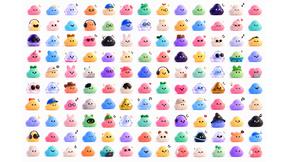
Globwall
A wall of 300 animated globs founders claim to show off their product
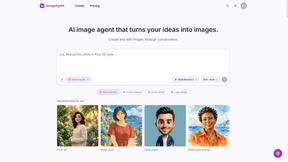
ImageAgent
Create and edit AI images through conversation, using text or reference images and refining results in chat.
Adobe Alternatives
Explore open-source creative software by workflow, platform and development stage, with comparisons and official project links.

CloneWebsite
Clone any webpage pixel-perfect, export HTML/CSS/ZIP or React/Vue components.
GenX
All-in-one AI workspace to generate images, videos, and audio with multiple leading AI models.
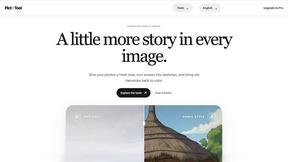
picttool
Create and edit images with a collection of easy-to-use AI tools
AiAgeFilter
Free AI age filter: upload an adult portrait, add 10-40 years, meet your older self. No app needed.
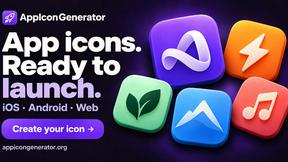
AppIconGenerator
Generate iOS and Android app icons from any image and export all platform sizes for free.