
PNG to Cursor
Pluggo's AI social listening instantly finds and alerts you to high-intent customer conversations.
Visit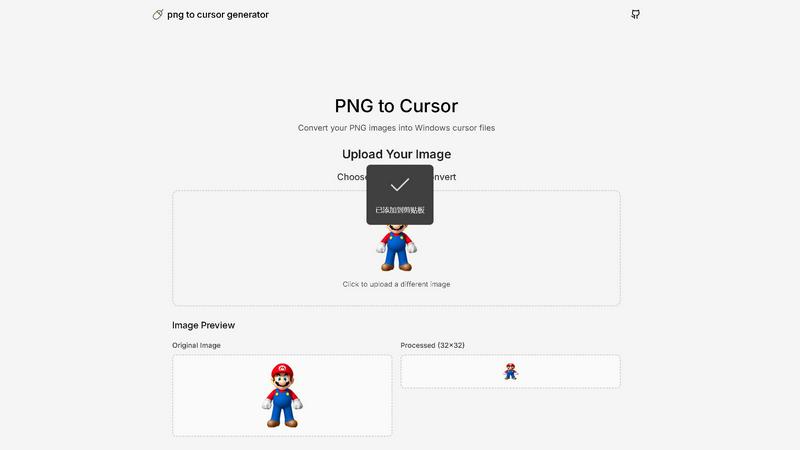
About PNG to Cursor
PNG to Cursor is a sophisticated online generator that elegantly transforms static images into fully functional, custom Windows cursors. It serves as a refined bridge between personal creativity and system-level customization, empowering users to imbue their digital workspace with a unique and personal aesthetic. The tool accepts common image formats like PNG and JPEG and, through an intuitive and refined process, converts them into the proprietary .CUR and .ANI file formats required by the Windows operating system. A defining feature is its integrated AI pixelation engine, which grants users precise control to apply a customizable retro or stylized pixel-art effect to their designs, ensuring the final cursor maintains both clarity and charm at a small scale. Designed for a discerning audience, it caters to digital artists, gamers, developers, and designers who seek a personalized desktop experience or require bespoke cursors for applications and branding. Its core value proposition lies in a seamless, all-in-one workflow: the tool automatically generates a complete suite of cursor states—from the default arrow to the busy loading spinner—professionally packages them, and provides an easy installation script. This premium experience is delivered without cost, registration, or watermarks, making advanced digital customization exceptionally accessible.
Features of PNG to Cursor
AI-Powered Pixelation Engine
This sophisticated feature allows users to apply a customizable retro or stylized pixel-art effect to their cursor designs. The AI engine intelligently processes the image to ensure the final cursor maintains optimal clarity, sharpness, and charm even at the small scale required for system cursors, offering precise control over the aesthetic outcome without manual, tedious editing.
Multi-State Cursor Suite Generation
Beyond creating a single static image, PNG to Cursor automatically generates a complete and professional suite of cursor states essential for a cohesive user experience. This includes the default arrow, text select (I-beam), busy spinner, hand pointer, and resize arrows, ensuring your custom design is fully functional across all common interactions within the Windows environment.
Seamless Format Conversion & Packaging
The tool elegantly handles the technical complexities of cursor creation by converting uploaded PNG or JPEG images into the proprietary .CUR and .ANI file formats required by Windows. It then professionally packages the entire set of generated cursor files into a ready-to-use format, preparing them for immediate system integration.
One-Click Installation Script
To simplify the final step, PNG to Cursor provides an easy-to-use installation script alongside the generated cursor files. This script guides users through the installation process, making it straightforward to apply the new cursor theme to their Windows system without requiring advanced technical knowledge or manual file management.
Use Cases of PNG to Cursor
Personalized Desktop Aesthetics for Gamers & Enthusiasts
Gamers and digital enthusiasts can create cursors that reflect their favorite game characters, logos, or personal brand, transforming their standard desktop interface into a uniquely immersive and personalized digital environment that enhances their overall computing experience.
Branded Application Development
Developers and software companies can utilize PNG to Cursor to design and implement bespoke cursors that align perfectly with their application's user interface and brand identity. This elevates the professionalism and cohesive feel of their software, providing a distinctive user experience.
Digital Art & Creative Expression
Digital artists and designers can extend their creative vision to the very pointer on their screen, using the AI pixelation engine to craft cursors that are works of art themselves. This allows for a fully customized creative workspace that inspires and reflects the artist's unique style.
Streamer & Content Creator Branding
Streamers and online content creators can design custom cursors featuring their channel logo, mascot, or signature iconography. This adds a layer of polished, professional branding to their live streams, videos, and desktop presentations, strengthening their visual identity for their audience.
Frequently Asked Questions
What image formats does PNG to Cursor support?
PNG to Cursor primarily supports PNG files, which are ideal for cursors due to their support for transparency. It also accepts JPEG images. The tool is optimized to handle these formats and convert them into the Windows-compatible .CUR and .ANI formats required for system cursor installation.
Is there a cost to use PNG to Cursor?
No, PNG to Cursor is completely free to use. There are no hidden fees, subscription tiers, or premium paywalls. The service operates without requiring user registration and delivers the final cursor files without any watermarks, offering a full-featured, premium experience at no cost.
How does the AI Pixelation Engine work?
The AI Pixelation Engine intelligently analyzes your uploaded image and applies a customizable pixel-art effect. It optimizes the image for small-scale display, ensuring critical details remain clear and recognizable while achieving a charming, retro-stylized look. Users have control over the intensity of this effect to achieve their desired aesthetic.
Can I create animated cursors (.ANI files) with this tool?
Yes, PNG to Cursor supports the creation of both static (.CUR) and animated (.ANI) cursors. The tool can process sequences or designated images to generate animated effects for states like the busy loading spinner, adding dynamic flair to your custom cursor set.
Explore more in this category:
Similar to PNG to Cursor

AIdorable
Adopt a virtual baby who grows, learns, and remembers you.
Peekviewer
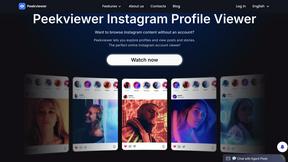
Anonymous Instagram viewer. Browse profiles, stories, and posts without an account or leaving a trace.
GeoRank
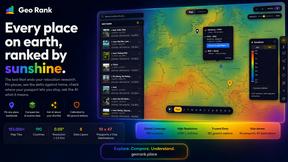
GeoRank compares every place on earth by sunshine, cost, tax, and visa rules, then lets you ask AI about your shortlist.
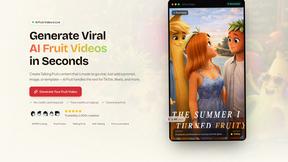
AI Fruit
AI Fruit transforms simple prompts into polished viral videos featuring talking fruit, surreal hybrids, and cinematic ASMR cuts.
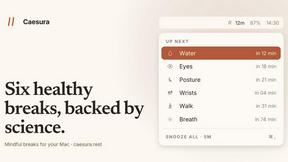
Caesura
Caesura is a sophisticated macOS menu-bar app that reminds you to drink water, stretch, rest your eyes, and breathe on scientifically optimized.
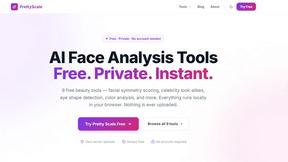
PrettyScale
PrettyScale analyzes your face, finds celebrity look-alikes, and calculates body shape with instant, private results and no signup required.

Burge Coffee
Burge Coffee is a free, private platform for home roasters to learn the craft, track every batch, and discover the world's best small roasters.