

Alternatives to SupaSidebar
SupaSidebar elegantly organizes your links, files, and folders on Mac, ensuring instant access with effortless.
20 alternatives found


GigUp
GigUp helps freelancers discover relevant Upwork jobs through AI matching, automated monitoring, and instant alerts.

Safe Outreach
AI-powered platform that evaluates the safety of LinkedIn automation tools and helps reduce the risk of account restrictions.

How Long How Many Tool
Timers and hourly checks to figure how out long until a certain time or how many days away.

Memorable Contact
AI-powered personal CRM that remembers where you met people and what you talked about. Save, scan, and recall contacts instantly.


ButterShare
Send files straight between two browsers with a 6-digit key. No signup, no install, nothing stored on a server.

Emailyy
Free email tools for signatures, subject lines, HTML previews, word counts, and email headers. Browser-based, simple to use, and no signup required.
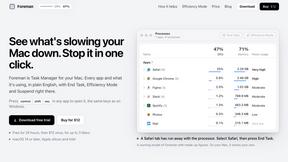
Foreman
See every app and what it's using in plain English, and end or slow down the one that's hogging your Mac.

Uniclip
Clip pages, take full-page screenshots and batch-capture list data to Notion, Feishu, Obsidian, Markdown, CSV or JSON.

TroveKey
Search tabs, Chrome bookmarks and history, run browser commands, and save webpages and social posts locally—no account.
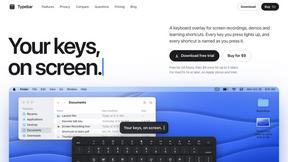
Typebar
Every key you press lights up on an on-screen keyboard, and each shortcut is named as you press it.

Notchpals
Little characters peek out of your Mac's notch to remind you to drink water, eat, sit up and get to bed. Quiet during calls. $4.99 once.

Screen Issues
Free Online Screen Test Tool - Instantly diagnose dead pixels, lines, color issues, and flickering. Multiple test modes, no download needed.



Todowing
Chrome extension that nests Todoist sub-tasks inline in Today, Upcoming, Filters and Labels. Free tier, $19.99 one-time unlock.

Everywhere
Fast file search for the Mac. Results as you type, files inside Mail and Photos, works with Wi-Fi off. $19 once.

About SupaSidebar Alternatives
SupaSidebar is an elegantly designed universal sidebar application specifically crafted for macOS users seeking to enhance their digital productivity and organization. By offering a seamless way to access links, files, folders, and applications, it addresses the pressing need for streamlined workflows in an increasingly complex digital landscape. Users often find themselves in search of alternatives due to various factors including pricing, specific feature requirements, or compatibility with different operating systems, as well as personal preference for user interface design. When evaluating alternatives to SupaSidebar, it is essential to consider a few key aspects. Look for features that enhance organization and accessibility, such as unified search capabilities, real-time tab management, and user-friendly interfaces. Additionally, compatibility with your preferred browsers and operating systems, as well as pricing structures that align with your budget, should also inform your decision.
FAQs about SupaSidebar Alternatives
What is SupaSidebar?
SupaSidebar is a universal sidebar application for macOS that organizes links, files, folders, and applications in a sleek, accessible manner.
Who is SupaSidebar for?
SupaSidebar is designed for professionals, creators, researchers, and anyone seeking to improve their digital organization and workflow efficiency.
Is SupaSidebar free?
No, SupaSidebar is a premium application that requires a purchase for full access to its features.
What are the main features of SupaSidebar?
Key features include the Command Panel for unified search, Live Tabs Overview for managing open tabs across browsers, and Intelligent Recents & Pins for quick access to frequently used items.