
AIVideoAgent
Turn text ideas or reference images into videos through conversation, with agent-assisted prompts and a choice of video models.
Visit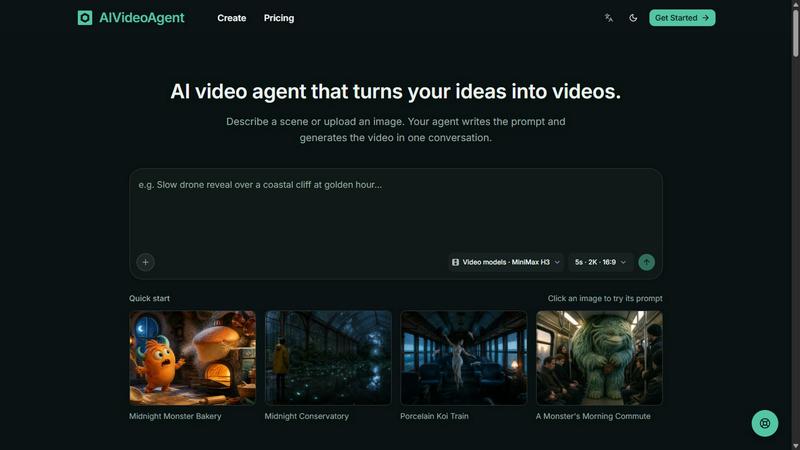
About AIVideoAgent
AIVideoAgent is a conversational AI video tool that turns text ideas or reference images into video clips. Describe your subject, setting, action, and camera movement in everyday language. The agent helps shape your instructions into a video prompt and generates the clip with your selected model. Review the result and adjust your description to create another version in the same conversation.
Choose from MiniMax H3 and Seedance 2.5, set the video duration and resolution, and check the credit cost before generating. Revisit conversations and generated videos, compare earlier shots, and download completed clips as MP4 files. Use it for social content, product presentations, visual storytelling, and creative experiments. Monthly and yearly subscriptions and one-time credit packs are available. Paid plans include commercial use, subject to applicable rights, service terms, and the terms of the selected model.
Explore more in this category:
Similar to AIVideoAgent

Crazy Frog AI
Turn 1–2 photos into the viral Crazy Frog invisible-moped chase video in seconds.
Angry Dance Filter
Upload one photo and get a 15-second angry dance video. Free watermarked preview, then optional one-time video packs.

Easemic
Open-source Android comic & manga reader with encrypted cloud streaming and AI ad-page stripping.

LaunchIntel
Your AI agent picks relevant directories, submits your product in your browser and tracks every step. One-time purchase.

nanobanana 2.1
Fast AI image generation and editing model for realistic visuals, consistent characters, readable text, and precise creative control.

Hotel Lobby AI
Hotel Lobby AI transforms two separate portraits into a stylish duet video inside an orange recording booth. Choose each performer's side, framing, an

GenX
All-in-one AI workspace to generate images, videos, and audio with multiple leading AI models.
Typebar
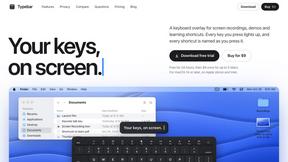
Every key you press lights up on an on-screen keyboard, and each shortcut is named as you press it.