
BoltShot
Capture stunning, high-quality screenshots effortlessly with BoltShot's ultra-fast API, designed for developers, marketers, and businesses alike.
Visit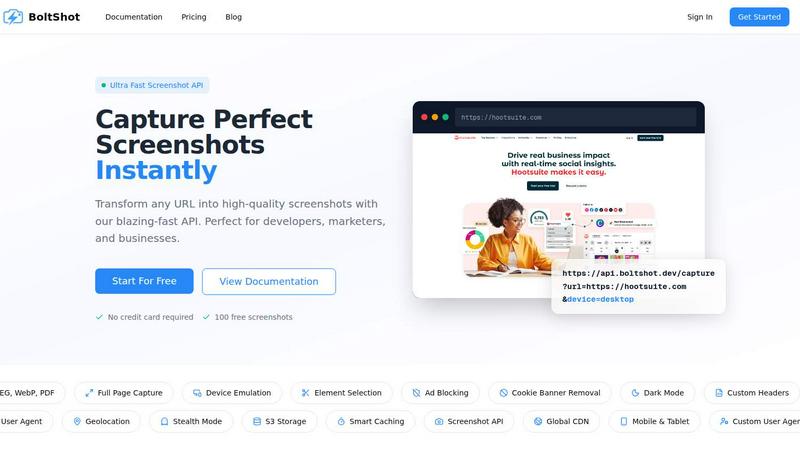
About BoltShot
BoltShot is an innovative website screenshot API designed to transform URLs into high-quality screenshots with remarkable speed and precision. Tailored for developers, marketers, and businesses alike, BoltShot simplifies the process of capturing web content by offering a seamless API experience. This powerful tool supports various image formats including PNG, JPEG, WebP, and PDF, ensuring that users can choose the optimal format for their needs. With features such as full-page capture and device emulation, BoltShot allows for flexible rendering across mobile, tablet, and desktop environments. Furthermore, users can specify custom viewport settings and capture specific page elements using CSS selectors, enhancing the tool's versatility. By eliminating distractions like ads and cookie banners, BoltShot delivers clean and efficient results, making it an essential asset for a range of applications from e-commerce previews to automated reporting and compliance monitoring.
Features of BoltShot
Full-Page Capture
The full-page capture feature allows users to obtain comprehensive screenshots of entire web pages, automatically scrolling and rendering content that extends beyond the visible viewport. This ensures that no detail is left unrecorded, making it ideal for archiving, documentation, and analysis.
Device Emulation
With device emulation capabilities, BoltShot enables users to simulate various devices such as mobile phones, tablets, and desktops. This feature allows for accurate previews of how web content appears across different platforms, ensuring that developers and designers can optimize their websites for all users.
Element Selection
Utilizing CSS selectors, the element selection feature empowers users to capture specific parts of a webpage without the need for full-page screenshots. This provides flexibility for projects that require focused content, such as design reviews, marketing materials, or specific data extraction.
Clean Capture
BoltShot's clean capture functionality automatically removes distractions such as advertisements, cookie consent popups, and modal dialogs from screenshots. This ensures that users receive pixel-perfect images, enhancing the professionalism and clarity of their captured content.
Use Cases of BoltShot
E-Commerce Previews
BoltShot serves e-commerce platforms by generating high-quality product previews that can be easily integrated into marketing materials or online catalogs. The ability to capture clean, distraction-free images enhances the visual appeal of product listings.
Automated Reporting
For businesses relying on data visualization, BoltShot automates the process of creating detailed reports by capturing screenshots of relevant web pages. This saves time and effort while ensuring that reports are both accurate and visually engaging.
Web Archiving
Preserving the integrity of web content is crucial for compliance and reference purposes. BoltShot allows organizations to create comprehensive archives of web pages, ensuring that historical records are both accessible and complete.
Testing and Compliance Monitoring
Developers and quality assurance teams can leverage BoltShot to capture screenshots during testing phases. This ensures that any discrepancies between intended design and actual output are documented, aiding in compliance monitoring and troubleshooting.
Frequently Asked Questions
How does BoltShot ensure the quality of the screenshots?
BoltShot employs advanced rendering techniques to capture high-quality images in various formats, ensuring pixel-perfect precision and clarity in every screenshot.
Can I customize the device settings when capturing screenshots?
Yes, BoltShot offers device emulation features that allow users to select from multiple device presets or customize viewports to match specific requirements for accurate previews.
Is it possible to remove unwanted elements from screenshots?
Absolutely. BoltShot includes built-in features for ad blocking, cookie banner removal, and eliminating overlays, ensuring that the final screenshots are clean and professional.
What kind of storage options does BoltShot provide?
BoltShot supports fast S3 uploads with CDN delivery, enabling users to securely store their screenshots and access them swiftly from anywhere in the world.
Similar to BoltShot
Egmatic
No-code 2D game editor: visual node logic, drag-and-drop scenes, live preview. Exports to Windows, macOS, Linux, Android, iOS, Web.
laya.tools
A free directory of 950+ projects built on Laya, the open-source decision model. Updated daily.
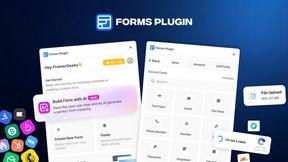
Forms Plugin
The #1 Native Form Builder Plugin for Framer - No Code, No Embeds, No External Platforms.
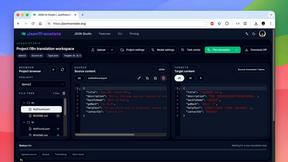
JsonTranslate
Translate JSON, Markdown, and TXT files while preserving keys, nested paths, and project structure.
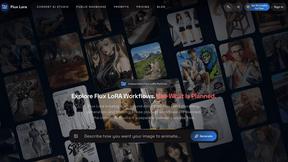
Flux Lora
Explore Flux LoRA online workflows and the roadmap for models, generation, and training

