
Browser Notes
A local-first workspace for notes, sticky boards, and mind maps, all saved directly in your browser without any signup or cloud.
Visit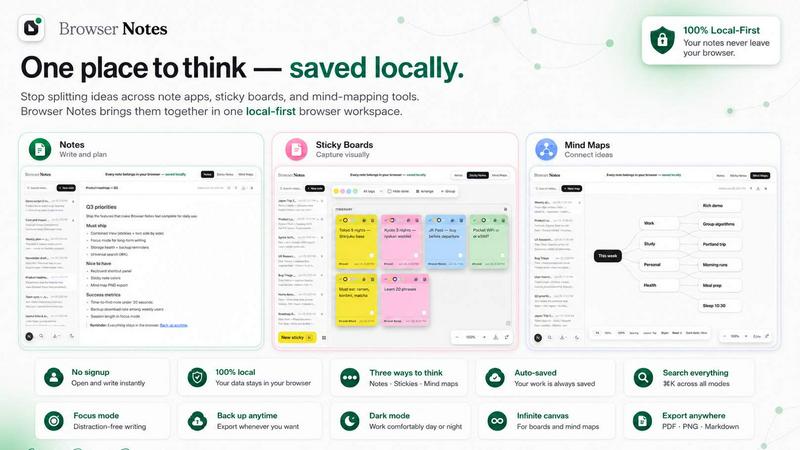
About Browser Notes
Browser Notes redefines the personal knowledge management landscape by offering a unified, local-first workspace that consolidates notes, sticky notes, and mind maps within the familiar environment of your browser. In a digital era where private ideas are frequently harvested by cloud services and scattered across disparate applications, Browser Notes provides a sanctuary of privacy and control. It is designed for the discerning individual who values autonomy over their intellectual property, from writers and project managers to students and creative thinkers. The product operates entirely without requiring an account, eliminating all forms of tracking and forced synchronization. Everything you create is stored locally in your browser, ensuring that your thoughts remain exclusively yours. Browser Notes functions seamlessly offline, granting uninterrupted access to your workspace regardless of internet connectivity. Furthermore, it empowers you with the ability to back up your data at any moment, providing a simple yet robust mechanism for data preservation. This is not merely a tool; it is a philosophy of digital sovereignty, elegantly packaged into a Chrome extension that respects your privacy as much as it enhances your productivity. By bringing three essential thinking modalities into one cohesive interface, Browser Notes eliminates the friction of context-switching and the anxiety of data leakage, allowing you to focus purely on the art and science of thought.
Features of Browser Notes
Local-First Storage and Complete Privacy
Browser Notes operates on a local-first architecture, meaning every character you type, every sticky note you place, and every branch on your mind map is stored directly within your browser's local storage. No account creation is required, and no data is transmitted to external servers. This guarantees absolute privacy, as there are no user profiles to track, no analytics to harvest, and no cloud sync to compromise. Your ideas remain entirely under your control, accessible only to you, and immune to corporate data mining or security breaches that plague cloud-based alternatives.
Three Distinct Thinking Modalities
The product elegantly integrates three core tools for thought: Notes for structured writing with full markdown support, Sticky Notes for freeform brainstorming on an infinite canvas, and Mind Maps for visually branching ideas from a central theme. This trinity of tools allows you to select the most appropriate medium for any cognitive task without leaving the workspace. You can start a detailed document, capture a fleeting insight on a digital sticky, or map out a complex project hierarchy, all within the same application, fostering a fluid and uninterrupted creative flow.
Seamless Offline Functionality
Browser Notes is engineered to function entirely offline, ensuring your productivity is never tethered to an internet connection. Whether you are in a remote cabin, on an airplane, or simply experiencing a network outage, your workspace remains fully accessible and editable. This feature is critical for professionals who require reliable access to their notes and ideas at all times. The offline capability is not a secondary mode but the primary operational state, with online connectivity only required for the initial extension download and for manual data backups.
Comprehensive Data Backup and Import
Recognizing the importance of data longevity, Browser Notes provides a straightforward mechanism for backing up your entire workspace. You can export your notes, sticky boards, and mind maps as a single file at any time, storing it on your local drive, a USB stick, or any preferred storage medium. Conversely, the import function allows you to restore your workspace from a previous backup, making migration between devices or recovery from data loss a simple, one-click process. This gives you complete ownership and portability of your digital thoughts.
Use Cases of Browser Notes
Academic Research and Note-Taking
For students and researchers, Browser Notes serves as a centralized repository for lecture notes, reading summaries, and research outlines. Using the Notes tool with markdown, you can format complex documents with headings, lists, and code blocks. The Mind Map feature is ideal for connecting disparate concepts from multiple sources, creating a visual representation of your thesis or research paper. Sticky Notes can capture quick citations or sudden insights while reading, ensuring no valuable thought is lost. All data remains on your local machine, protecting sensitive academic work.
Creative Brainstorming and Project Planning
Creative professionals, such as writers, designers, and product managers, can leverage the Sticky Notes tool on a free canvas to conduct rapid brainstorming sessions. Ideas can be scattered, grouped, and rearranged visually without constraints. The Mind Map feature then helps structure these raw ideas into coherent project plans or story arcs. For detailed documentation, the Notes tool provides a clean writing environment. This integrated workflow eliminates the need to switch between a whiteboard app, a mind-mapping tool, and a word processor, significantly accelerating the creative process.
Personal Knowledge Management and Journaling
Individuals seeking to build a personal knowledge base will find Browser Notes an indispensable companion. You can maintain a daily journal using the Notes tool, capture book highlights and personal reflections, and organize them by creating interconnected mind maps. The local-first nature ensures that your most private thoughts, from personal goals to sensitive reflections, are never exposed to the cloud. The backup feature provides peace of mind, allowing you to archive your entire journal periodically and preserve a lifetime of personal wisdom securely on your own terms.
Task Management and Daily Organization
For daily task management, Browser Notes offers a flexible alternative to rigid to-do list apps. Use a Sticky Notes board to create a visual Kanban-style workflow with columns for "To Do," "In Progress," and "Done." The Notes tool can house more detailed project briefs and checklists. A central Mind Map can serve as a high-level overview of weekly goals, with branches for each major project. This approach allows for a highly personalized and visual organization system that adapts to your workflow, all while remaining offline and private.
Frequently Asked Questions
Do I need to create an account to use Browser Notes?
No, absolutely not. Browser Notes is designed with a strict no-account policy. There is no registration process, no email verification, and no login screen. You simply install the Chrome extension, and the workspace is immediately ready for use. This ensures that no personal information is ever collected, stored, or transmitted, providing a truly anonymous and private experience.
How does Browser Notes ensure my data is private and secure?
Your data is stored entirely within your browser's local storage on your device. Browser Notes does not use any cloud servers, databases, or external services to store your notes, sticky notes, or mind maps. There is no tracking, no analytics, and no telemetry. Your data never leaves your computer unless you explicitly choose to export a backup file. This architecture makes your data inherently secure from online threats and corporate data collection.
Can I use Browser Notes without an internet connection?
Yes, Browser Notes is fully functional offline. Once the Chrome extension is installed, all features, including creating notes, editing sticky boards, and building mind maps, work without any internet connection. This makes it an ideal tool for use in areas with unreliable connectivity, during travel, or for anyone who prefers to work without the distractions of the online world.
How do I back up my data from Browser Notes?
Backing up your data is straightforward. Within the extension, there is a dedicated option to export your entire workspace as a single backup file. You can save this file to your computer, an external hard drive, or a cloud storage service of your choice. To restore your data, you simply use the "Import backup" option and select your saved file. This gives you full control over your data's portability and security.
Pricing of Browser Notes
Browser Notes is available as a free Chrome extension. There are no pricing tiers, subscription fees, or hidden costs. The product is offered completely free of charge, with no premium features locked behind a paywall. This commitment to free access aligns with the product's philosophy of providing a private, local-first tool for everyone.
Explore more in this category:
Similar to Browser Notes

Panzoe
Panzoe is an all-in-one AI platform for personal productivity, business automation, AI assistants, content creation, and custom AI solutions.
Filler
Free Chrome extension: save your details once, then fill Google Forms, job applications, surveys and signups in one click.
AI Email Filter
AI Email Filter sorts incoming mail into folders using plain-language prompts you write. Works with any IMAP mailbox; bring your own LLM if you want.
Egmatic
No-code 2D game editor: visual node logic, drag-and-drop scenes, live preview. Exports to Windows, macOS, Linux, Android, iOS, Web.
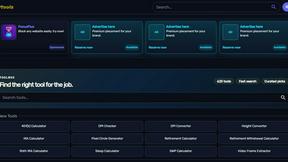
Kody Tools
Free collection of online developer utilities, code formatters, and digital converters designed to streamline your daily workflow.
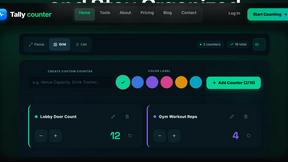
Tally Counter
Online tally counter for tracking attendance, workouts, inventory, visitors, sports scores, habits, and everyday counting tasks.
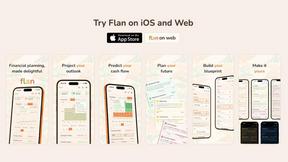
Flan
Visual financial timelines for couples and young professionals: model cash flow, life events, and shared goals.
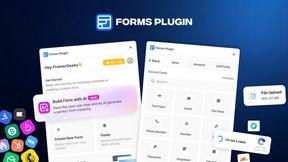
Forms Plugin
The #1 Native Form Builder Plugin for Framer - No Code, No Embeds, No External Platforms.