
Filler
Free Chrome extension: save your details once, then fill Google Forms, job applications, surveys and signups in one click.
Visit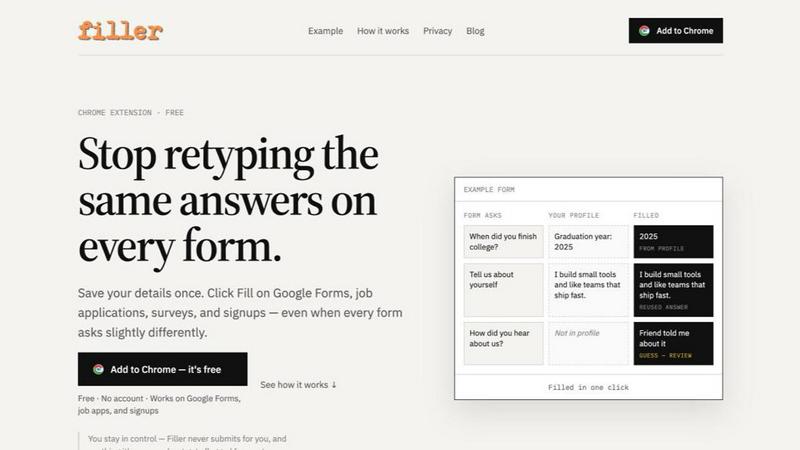
About Filler
Filler is a free Chrome extension for anyone tired of typing the same answers into web forms. Save your name, work, school, links and longer answers once, then click Fill on a Google Form, job application, survey or signup page.
Unlike browser autofill, which matches hidden field names, Filler reads each question, so "When did you finish college?" gets your graduation year. It reuses answers you've written before on similar questions and drafts a flagged guess for anything your profile doesn't cover, so you can review it before sending.
Works with text fields, dropdowns, radios and textareas on Google Forms, Ashby, Tally and most web forms. Filler never submits for you and skips password and payment fields. Free, no account.
Explore more in this category:
Similar to Filler

Safe Outreach
AI-powered platform that evaluates the safety of LinkedIn automation tools and helps reduce the risk of account restrictions.
How Long How Many Tool
Timers and hourly checks to figure how out long until a certain time or how many days away.

Memorable Contact
AI-powered personal CRM that remembers where you met people and what you talked about. Save, scan, and recall contacts instantly.

ButterShare
Send files straight between two browsers with a 6-digit key. No signup, no install, nothing stored on a server.
Emailyy
Free email tools for signatures, subject lines, HTML previews, word counts, and email headers. Browser-based, simple to use, and no signup required.

CloneWebsite
Clone any webpage pixel-perfect, export HTML/CSS/ZIP or React/Vue components.
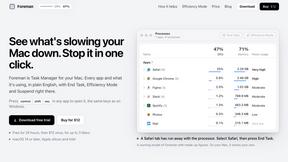
Foreman
See every app and what it's using in plain English, and end or slow down the one that's hogging your Mac.