
Caption.IM
Caption.IM transforms your Mac's audio into real-time captions, translations, and summaries, all processed locally for unparalleled privacy.
Visit
About Caption.IM
Caption.IM is a sophisticated, privacy-first AI captioning assistant meticulously designed for macOS. It transforms any audio emanating from your Mac into real-time captions, instant translations, structured recordings, and concise meeting notes, all processed locally on your device. Unlike conventional browser extensions or intrusive meeting bots, Caption.IM captures system audio directly, granting it unparalleled compatibility across virtually any application. Whether you are using Zoom, Google Meet, Microsoft Teams, YouTube, online courses, podcasts, livestreams, webinars, or pre-recorded videos, Caption.IM provides seamless, real-time subtitles. The product is built with local AI and Local LLMs at its core, ensuring that your conversations remain private and secure. It is optimized for Apple Silicon (M1, M2, M3, and later) to deliver ultra-fast speech recognition with minimal latency and efficient power usage. Caption.IM is the ideal solution for remote professionals, online learners, multilingual teams, content creators, researchers, and anyone who values accessibility and information equity. It elevates every conversation into searchable, translatable knowledge, enhancing productivity without compromising privacy. No bots join your meetings, no browser dependency exists, and no complicated setup is required. It is a turnkey, frictionless solution that works the moment you open it.
Features of Caption.IM
Real-Time Transcription
Caption.IM generates live captions for meetings, videos, podcasts, and calls with exceptional accuracy. The rebuilt audio pipeline converts source audio to 16 kHz mono Float32 for pristine clarity. This feature ensures you never miss a word, providing a continuous, readable transcript that appears as audio is played, making it invaluable for accessibility and comprehension.
Instant Translation
Understand content in multiple languages with real-time translated subtitles. This feature breaks down language barriers instantly, allowing you to follow conversations, lectures, or presentations in your preferred language. The translation appears alongside the original captions, enabling seamless comprehension for multilingual teams and global audiences without any delay.
Floating Subtitle Window
An elegant, transparent overlay that works seamlessly with macOS. This floating window can be positioned anywhere on your screen, providing a non-intrusive reading experience. It is designed to be visually refined, blending into your workflow while ensuring captions are always visible, whether you are in a full-screen presentation or multitasking across multiple applications.
AI Meeting Summaries
Automatically generate structured summaries and key insights after conversations. Caption.IM transforms lengthy discussions into clear summaries, key points, action items, and even mind maps. This feature saves hours of manual note-taking and ensures that critical information is captured, organized, and easily retrievable for future reference, enhancing team productivity.
Use Cases of Caption.IM
Remote Meetings and Video Conferencing
For professionals engaged in remote work, Caption.IM provides real-time captions for Zoom, Google Meet, and Microsoft Teams calls. It ensures that every participant, regardless of hearing ability or language proficiency, can follow the discussion. The AI meeting summaries capture action items and key decisions, making follow-ups efficient and reducing miscommunication in distributed teams.
Online Learning and Education
Students and researchers can use Caption.IM to generate live subtitles for online courses, webinars, and educational videos. This feature enhances comprehension, especially for complex subjects or non-native speakers. The ability to record and generate structured notes allows learners to focus on understanding rather than frantic note-taking, improving retention and academic performance.
Multilingual Team Collaboration
In global organizations, Caption.IM facilitates seamless communication across language barriers. Its instant translation feature enables team members speaking different languages to participate in meetings and understand content in real time. This promotes inclusivity, reduces friction, and accelerates decision-making in multinational projects without the need for external interpreters.
Content Creation and Accessibility
Content creators and podcasters can leverage Caption.IM to automatically generate accurate captions and transcripts for their videos and audio content. This not only improves accessibility for viewers with hearing impairments but also boosts SEO and engagement. The tool works with any audio source, from YouTube videos to recorded interviews, streamlining the post-production process.
Frequently Asked Questions
How does Caption.IM ensure privacy?
Caption.IM is built with a privacy-first architecture. All speech recognition and processing can run locally on your device, meaning your conversations never leave your Mac. Unlike cloud-based services, no audio data is transmitted to external servers. This ensures that sensitive meeting discussions, personal calls, and proprietary information remain completely secure and under your control.
Which applications are compatible with Caption.IM?
Caption.IM works with virtually any application that produces audio on your Mac. This includes video conferencing tools like Zoom, Google Meet, and Microsoft Teams, as well as media players, browsers, and streaming services. It captures system audio directly, so it functions with YouTube, podcasts, online courses, webinars, and recorded videos without requiring browser extensions or complex integrations.
Is Caption.IM optimized for Apple Silicon?
Yes, Caption.IM is specifically optimized for Apple Silicon (M1, M2, M3, and later chips). This optimization delivers ultra-fast speech recognition with minimal latency and efficient power usage. The application leverages the neural engine and hardware acceleration on these chips to provide real-time performance without draining your battery or slowing down your system.
What are the system requirements for Caption.IM?
Caption.IM requires macOS 15.6 or a later version. The application is designed exclusively for Mac and is optimized for Apple Silicon processors. It is available in English and has a file size of approximately 18.1 MB. The app is free with in-app purchases, and subscriptions automatically renew unless canceled at least 24 hours before the end of the current billing period.
Explore more in this category:
Similar to Caption.IM

Product Launch Checklist
A free launch checklist for SaaS, apps, AI tools and more. Every step says why it matters and when you can skip it.

HomeAnswerBook
Practical, independent guides to home repairs, maintenance, costs, troubleshooting, and everyday fixes.
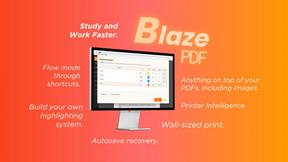
BlazePDF
Highlight faster. Study in flow with custom shortcuts and a workflow built around you. Print smarter, or turn any page into a tiled poster.
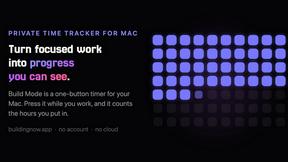
Build Mode for Mac
Build Mode is a Mac app that turns focused sessions into visible progress, so you can see the work adding up before the results arrive.

LiteralKit
Free, no-signup Unicode text tools: superscript, fancy fonts, case converter, symbols. Fast and private.


