
CloudBurn
CloudBurn provides automatic AWS cost estimates in pull requests, preventing costly infrastructure errors before.
Visit
About CloudBurn
CloudBurn is a groundbreaking solution tailored for teams leveraging Terraform or AWS CDK, aimed at mitigating the risk of costly infrastructure errors before they reach production deployment. In the ever-evolving realm of cloud computing, unexpected AWS costs can accumulate, often appearing as unwelcome surprises on monthly bills long after the infrastructure has been provisioned. CloudBurn revolutionizes this process by embedding cost visibility directly within the code review workflow. By presenting AWS cost implications during pull requests, it empowers developers to proactively address financial concerns when modifications are straightforward. This initiative not only cultivates a culture of cost-awareness among engineering teams but also streamlines the deployment process, ensuring that every change is meticulously evaluated for both functionality and financial ramifications. With CloudBurn, organizations can foster a proactive financial stewardship that directly translates into savings and optimized resource utilization.
Features of CloudBurn
Automated Cost Estimates
CloudBurn automatically generates precise cost estimates for proposed infrastructure changes during pull requests. This feature ensures that developers are informed about potential financial implications before any code is merged, facilitating timely adjustments and avoiding costly misconfigurations.
Seamless GitHub Integration
Designed to integrate effortlessly with existing GitHub workflows, CloudBurn enhances the pull request process by adding automated cost analysis. Teams can install CloudBurn with a few clicks, ensuring that cost visibility becomes a natural part of their development lifecycle.
Real-Time Pricing Updates
With CloudBurn, users benefit from real-time pricing for every AWS resource deployed. This feature guarantees that the cost estimates reflect the most current AWS pricing, allowing teams to make informed decisions based on up-to-date financial data.
Enhanced Cost Awareness Culture
By incorporating cost considerations into the code review process, CloudBurn fosters a culture of financial awareness among engineering teams. This shift in mindset encourages developers to think critically about the cost implications of their changes, ultimately leading to more responsible resource management.
Use Cases of CloudBurn
Preventing Cost Overruns in Production
CloudBurn helps teams prevent unanticipated cost overruns by providing clear visibility into the financial impact of infrastructure changes before they are deployed. This proactive approach enables organizations to maintain budgetary control and avoid unexpected charges.
Streamlining the Code Review Process
CloudBurn enhances the code review process by integrating cost analysis directly into pull requests. This functionality allows reviewers to assess both the functionality and financial implications of proposed changes, promoting a more thorough evaluation.
Supporting DevOps Teams
DevOps teams can leverage CloudBurn to automate financial oversight within their continuous integration and deployment (CI/CD) workflows. By ensuring that cost implications are considered at every stage, teams can focus on delivering high-quality software while minimizing financial risks.
Educating Teams on Cost Efficiency
CloudBurn serves as an educational tool for development teams, equipping them with insights into the cost of AWS resources. By highlighting the financial implications of resource usage, it empowers teams to make more cost-effective decisions in their architectures.
Frequently Asked Questions
How does CloudBurn integrate with my existing GitHub workflow?
CloudBurn seamlessly integrates with your GitHub workflow by requiring minimal setup. After installation, developers simply add the appropriate GitHub Action to their workflow, allowing CloudBurn to analyze cost implications automatically during pull requests.
What infrastructure-as-code tools does CloudBurn support?
CloudBurn currently supports both Terraform and AWS CDK. Users can select the specific action that aligns with their preferred infrastructure-as-code tool, ensuring compatibility and ease of use.
Can I try CloudBurn for free?
Yes, CloudBurn offers a free trial for 14 days, allowing users to experience Pro features without any financial commitment. After the trial, users can choose to continue with the Community plan indefinitely at no cost.
What happens if I exceed my budget?
CloudBurn provides upfront cost estimates, allowing teams to make informed decisions and adjustments before deploying changes. This proactive approach minimizes the chances of exceeding budgets and helps maintain financial control over AWS resources.
Explore more in this category:
Similar to CloudBurn
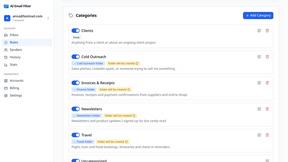
AI Email Filter
AI Email Filter sorts incoming mail into folders using plain-language prompts you write. Works with any IMAP mailbox; bring your own LLM if you want.
Egmatic
No-code 2D game editor: visual node logic, drag-and-drop scenes, live preview. Exports to Windows, macOS, Linux, Android, iOS, Web.
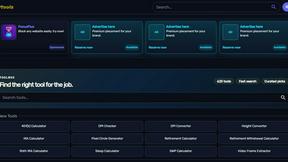
Kody Tools
Free collection of online developer utilities, code formatters, and digital converters designed to streamline your daily workflow.

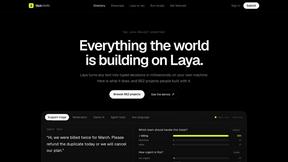
laya.tools
A free directory of 950+ projects built on Laya, the open-source decision model. Updated daily.
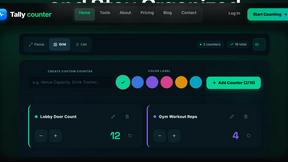
Tally Counter
Online tally counter for tracking attendance, workouts, inventory, visitors, sports scores, habits, and everyday counting tasks.

Flan
Visual financial timelines for couples and young professionals: model cash flow, life events, and shared goals.
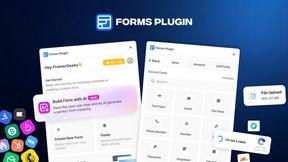
Forms Plugin
The #1 Native Form Builder Plugin for Framer - No Code, No Embeds, No External Platforms.