
DocuExtractor
DocuExtractor effortlessly transforms chaotic receipts and invoices into organized, structured data in moments.
Visit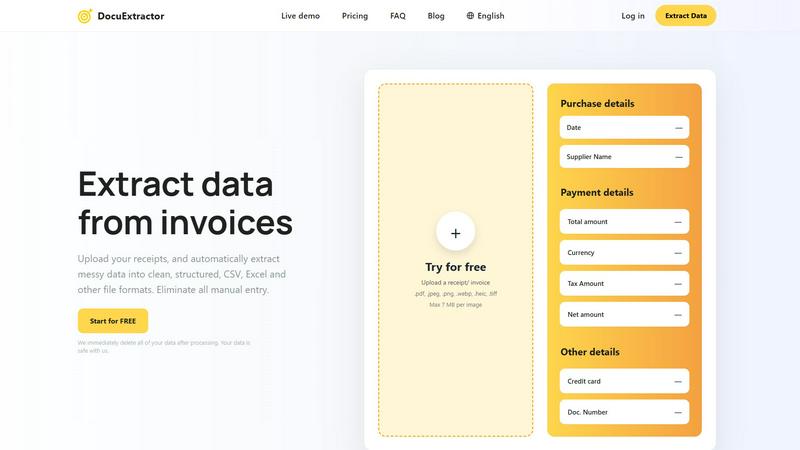
About DocuExtractor
DocuExtractor epitomizes the future of document processing, ingeniously designed to alleviate professionals from the burdensome and error-prone task of manual data entry. This state-of-the-art software utilizes a sophisticated blend of Optical Character Recognition (OCR), deep learning technologies, and large language models (AI) to convert unstructured financial documents—such as invoices, receipts, bank statements, and PDFs—into impeccably organized, structured data. Tailored to meet the precise needs of accountants, bookkeepers, and financial operations teams, DocuExtractor offers unparalleled accuracy, transforming chaotic paperwork into easily digestible CSV or Excel formats in mere seconds. The core value proposition of DocuExtractor lies not only in its extraction capabilities but also in the invaluable gift of time and precision it provides, allowing professionals to refocus their efforts on strategic analysis and higher-value activities. With enterprise-grade security, multilingual support, and a user-friendly interface, DocuExtractor emerges as an essential ally for modern practices pursuing efficiency, reliability, and an effortless transition from paper trails to digital clarity.
Features of DocuExtractor
99.6% Accuracy
DocuExtractor boasts an impressive accuracy rate of 99.6% in extracting data from financial documents. This remarkable precision ensures that users receive reliable and trustworthy data, significantly reducing the potential for human error in critical financial tasks.
Instant Conversions
With DocuExtractor, users can extract data from documents in mere seconds, dramatically accelerating workflow processes. This feature eliminates time-consuming manual entry, allowing professionals to focus on higher-level tasks that require analytical thinking and decision-making.
Fully Automated Processing
The fully automated nature of DocuExtractor combines advanced OCR, deep learning, and large language models to facilitate seamless data extraction. Users simply drag and drop their documents, making the process intuitively easy and accessible, even for those without technical expertise.
Multilingual Support
Catering to a global clientele, DocuExtractor supports over 45 languages, with automatic language detection capabilities. This feature allows users from diverse linguistic backgrounds to process documents effortlessly, broadening the software's applicability across various markets.
Use Cases of DocuExtractor
Streamlining Accounting Workflows
Accountants can utilize DocuExtractor to quickly convert a multitude of receipts and invoices into structured data formats. This functionality not only saves time but also enhances accuracy, making month-end reconciliations significantly more efficient.
Enhancing Financial Reporting
Financial operations teams can employ DocuExtractor to extract relevant data from bank statements and other financial documents, facilitating smoother reporting processes. The structured outputs in CSV or Excel formats can be seamlessly integrated into financial analysis tools.
Automating Invoice Processing
Businesses can automate their invoice processing with DocuExtractor, reducing the workload on accounts payable teams. By quickly extracting essential data from invoices, organizations can ensure timely payments and maintain strong supplier relationships.
Improving Data Accuracy in Tax Preparation
Tax professionals can leverage DocuExtractor to extract precise data from financial documents, minimizing the likelihood of errors in tax filings. The software's high accuracy rate ensures that all relevant information is accurately captured, making tax preparation a more straightforward task.
Frequently Asked Questions
How secure is my data with DocuExtractor?
DocuExtractor prioritizes data security, ensuring that all uploaded documents are immediately deleted after processing. This commitment to privacy means your data is safe and handled with the utmost care.
What types of documents can I upload?
You can upload a variety of documents, including receipts, invoices, PDFs, and JPG files. Supports formats such as .pdf, .jpeg, .png, .webp, .heic, and .tiff, with a maximum size of 7 MB per image.
Is there a limit to the number of documents I can process?
DocuExtractor allows users to upload documents in batches, enabling the processing of multiple files simultaneously. This feature enhances efficiency, particularly for businesses dealing with high volumes of paperwork.
How does the extraction process work?
The extraction process involves three simple steps: upload your documents, allow the AI to extract key information automatically, and then download the results in your desired format (CSV or Excel) for immediate use in accounting software.
Explore more in this category:
Similar to DocuExtractor

AI Email Filter
AI Email Filter sorts incoming mail into folders using plain-language prompts you write. Works with any IMAP mailbox; bring your own LLM if you want.

Egmatic
No-code 2D game editor: visual node logic, drag-and-drop scenes, live preview. Exports to Windows, macOS, Linux, Android, iOS, Web.

Kody Tools
Free collection of online developer utilities, code formatters, and digital converters designed to streamline your daily workflow.
Hishab
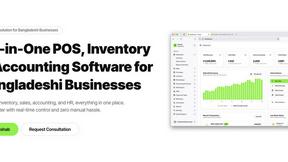
Hishab is business software for Bangladeshi shops and SMEs — POS billing, inventory, customer due, accounting, and reports in one system.

Tally Counter
Online tally counter for tracking attendance, workouts, inventory, visitors, sports scores, habits, and everyday counting tasks.

Flan
Visual financial timelines for couples and young professionals: model cash flow, life events, and shared goals.
Forms Plugin
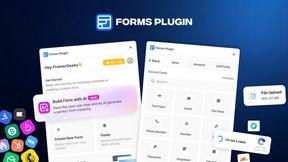
The #1 Native Form Builder Plugin for Framer - No Code, No Embeds, No External Platforms.
