FlashSlides
Effortlessly transform any topic into stunning presentations in minutes with FlashSlides' AI-driven design and content.
VisitPublished on:
January 20, 2026
Pricing:
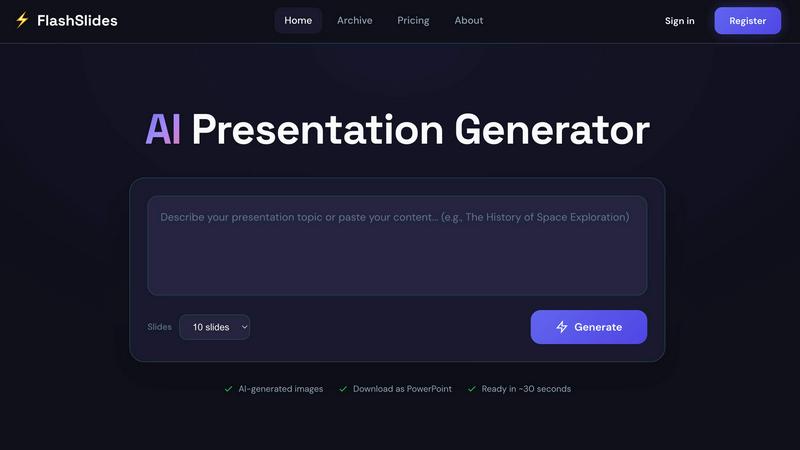
About FlashSlides
FlashSlides is a revolutionary AI-powered presentation generator meticulously crafted to transform the way individuals create and deliver presentations across a myriad of domains. Tailored for business professionals, educators, and students alike, this innovative tool enhances productivity by providing an effortless means to generate high-quality slides in mere moments. Users can simply input a topic, paste a YouTube URL, or upload documents, and within seconds, FlashSlides produces a complete presentation replete with engaging visuals and relevant text. This intuitive interface not only saves time but also ensures that the final product exudes a polished and professional appearance, allowing users to focus on delivering their message rather than grappling with the intricacies of slide design. As a result, FlashSlides serves as an invaluable resource for anyone aiming to impress their audience, communicate ideas effectively, and elevate their presentation skills to new heights.
Features of FlashSlides
AI-Powered Content Generation
FlashSlides employs advanced artificial intelligence algorithms to generate a comprehensive presentation based on user-defined topics. By simply entering a subject or uploading relevant materials, users can receive meticulously crafted slides in a matter of seconds, ensuring a seamless experience.
Customizable Presentation Length
Users have the flexibility to choose the number of slides they wish to generate, ranging from a concise one-slide overview to an expansive 50-slide presentation. This feature allows for tailored presentations that cater to the specific needs of each user, ensuring that the content is as comprehensive or succinct as desired.
Unique AI-Generated Images
Each slide in a presentation is accompanied by custom AI-generated images that are relevant to the content. This feature not only enhances the aesthetic appeal of the slides but also aids in illustrating key points, making the overall presentation more engaging and visually appealing.
Easy Export and Sharing Options
Once the presentation is generated, users can easily export their work in PowerPoint format, facilitating effortless editing and customization. Additionally, FlashSlides provides a unique shareable link for users to distribute their presentations directly, promoting accessibility and collaboration.
Use Cases of FlashSlides
Student Presentations
Students can leverage FlashSlides to quickly create impressive class presentations and project reports, drastically reducing the time spent on preparation. This tool enables them to focus on their research and delivery rather than the mechanics of slide creation.
Business Meetings
Business professionals can utilize FlashSlides to efficiently prepare meeting decks, proposals, and reports. With the ability to generate polished presentations in under a minute, users can enhance their productivity and present their ideas with confidence and professionalism.
Educational Content Creation
Teachers and educators can generate engaging lesson plans and educational materials that captivate their students' attention. This tool empowers educators to create visually appealing and informative presentations that enhance the learning experience.
Startup Pitch Decks
Entrepreneurs and startup founders can craft compelling pitch decks to attract investors and stakeholders. By using FlashSlides, they can create impactful presentations that succinctly convey their business ideas and strategies, setting them apart in a competitive landscape.
Frequently Asked Questions
How does FlashSlides work?
FlashSlides operates by allowing users to enter a topic or upload relevant content. The AI then generates a complete presentation, complete with slides that include text and AI-generated images. This entire process takes less than a minute, streamlining the presentation creation experience.
Is it really free?
Yes, FlashSlides offers every user one free presentation per day, with no credit card required. For additional presentations, users can purchase credits, making it an accessible option for those needing frequent slide generation.
What formats can I download?
Users can download their presentations in PowerPoint (.pptx) format, allowing for easy editing in software like Microsoft PowerPoint or Google Slides. Additionally, presentations can be shared via a unique URL for straightforward distribution.
Are my presentations private?
By default, presentations created on FlashSlides are public and may appear in the archive. However, users have the option to make any presentation private through their dashboard, ensuring control over their content's visibility.
Similar to FlashSlides

Foreman
See every app and what it's using in plain English, and end or slow down the one that's hogging your Mac.

Dot & Dash
Learn Morse code on a machine you can press. Write and send messages, turn Morse into text and back, and key Morse in any app on your Mac.

Uniclip
Clip pages, take full-page screenshots and batch-capture list data to Notion, Feishu, Obsidian, Markdown, CSV or JSON.

TroveKey
Search tabs, Chrome bookmarks and history, run browser commands, and save webpages and social posts locally—no account.
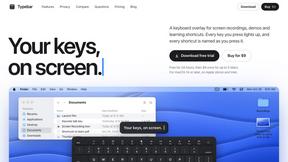
Typebar
Every key you press lights up on an on-screen keyboard, and each shortcut is named as you press it.

Bloom
An adaptive AI tutor that turns topics or your materials into courses, lessons, and answers tailored to how you learn.

Screen Issues
Free Online Screen Test Tool - Instantly diagnose dead pixels, lines, color issues, and flickering. Multiple test modes, no download needed.