
HappyHorse AI
HappyHorse AI creates browser-based video drafts from prompts and images, with model options, quick previews, and MP4 export.
Visit
About HappyHorse AI
For a team reviewing concepts, HappyHorse AI turns an idea or reference image into a clip that can be discussed. The workflow starts with a written scene or an uploaded still, then lets users choose a model and set supported options such as aspect ratio. After generation, the clip can be previewed and downloaded as MP4 for review or further editing.
The site describes use cases spanning client pitches, campaign drafts, social videos, and product motion. Generation is listed at about one to three minutes, though queues, model, and output settings affect the wait. Resolution reaches 1080p on supported models, and audio-related capabilities depend on model choice. This makes the service a practical source of visual samples, with model-dependent output worth checking before promising a specific deliverable.
Features of HappyHorse AI
- Generates video from prompts or reference images.
- Provides a multi-model workspace for creative iteration.
- Supports common aspect ratios and model-dependent controls.
- Includes preview and MP4 download.
Use Cases of HappyHorse AI
- Prepare motion concepts for client presentations.
- Compare ad scenes during campaign planning.
- Create short social drafts for review.
- Animate product imagery for a showcase concept.
Frequently Asked Questions
How quickly can a clip be generated?
The site estimates about one to three minutes, with timing varying by model, queue, and output settings.
Can I use a generated clip in a review deck?
The platform describes MP4 downloads for review, sharing, editing, or publishing.
Are audio options always available?
No. Audio support depends on the selected model workflow.
Pricing of HappyHorse AI
Subscriptions are shown at $41, $83, and $167 per month with yearly billing. One-time credit packs are listed as an alternative.
Similar to HappyHorse AI

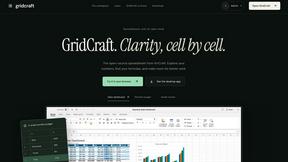
GridCraft
GridCraft is an open-source spreadsheet for editing XLSX files, exploring formulas, and working with data on desktop or in a browser.
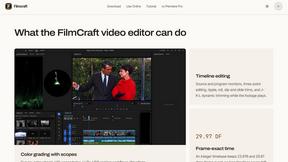

DeckCraft
DeckCraft is a free, open-source slide editor for creating presentations online or with native apps for Mac, Windows, and Linux.

CyberScore
CyberScore gives small businesses a free public-facing security check, with daily vulnerability data and plain-English findings for an IT contact.

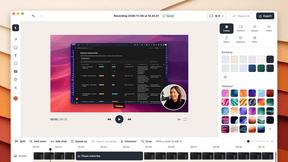
ScreenOtter
ScreenOtter is Mac screen recording software with camera layouts, face tracking and a teleprompter for presenters making demos or lessons.

VD6S.online
VD6S.online downloads publicly viewable YouTube videos as available MP4 files or extracts audio in eight formats, directly in a browser.