
MacBrightness
MacBrightness unlocks your Mac's hidden brightness potential, doubling your screen's output for effortless outdoor visibility in any app.
Visit
About MacBrightness
MacBrightness is a sophisticated utility application designed to unlock the full luminance potential of your MacBook Pro, specifically the 14-inch and 16-inch models equipped with M-series Pro or Max chips, as well as the Pro Display XDR. These devices feature advanced mini-LED panels capable of sustaining approximately 1,600 nits of brightness, yet macOS inherently restricts this range to roughly half its capacity, reserving the full output exclusively for HDR video content. MacBrightness elegantly removes this limitation, granting system-wide access to the complete brightness spectrum your display already supports. For professionals who work remotely, travel frequently, or simply prefer sunlit environments, this application transforms an otherwise unusable screen into a crisp, readable workspace. Whether you are composing emails on a sun-drenched terrace, reviewing code on a park bench, or managing projects from an airplane window seat, MacBrightness ensures your display remains clear and vibrant. The application integrates seamlessly with your existing brightness keys, requiring no new shortcuts, complex configurations, or menu-bar hunting. There is no noticeable CPU overhead and no low-level system hacks involved; it simply opens the brightness range your display already maintains for HDR content. A generous free trial offers Splitscreen Mode, illuminating half your screen to demonstrate the dramatic difference, with a one-time purchase unlocking full-screen capability. No subscriptions, no recurring fees, just an elegant solution for a common frustration.
Features of MacBrightness
System-Wide Brightness Expansion
MacBrightness unlocks the hidden brightness range your MacBook Pro or Pro Display XDR already possesses, allowing the screen to reach nearly twice its standard maximum luminance. This enhancement applies universally across every application, not just HDR video content. Your word processor, code editor, web browser, and design tools all benefit from the same elevated brightness levels. The result is a display that remains sharp, vivid, and readable in direct sunlight, on bright patios, next to sunny windows, or under harsh overhead lighting. This system-wide approach ensures consistency and eliminates the frustration of dim screens in well-lit environments.
Seamless Keyboard Integration
The application works with the brightness keys you already use daily, requiring no new shortcuts, gestures, or menu-bar interactions. Simply press the brightness up key past the old macOS limit, and the entire screen continues to brighten smoothly. This intuitive design means there is no learning curve and no disruption to your workflow. The experience feels as though your Mac has always been capable of this performance, with the extra range naturally extending from your existing controls. It is the most elegant and frictionless way to access your display's full potential.
No Performance Overhead
MacBrightness operates with negligible CPU impact, ensuring your system resources remain dedicated to your work. There are no low-level system hacks, kernel extensions, or aggressive background processes that could compromise stability or battery life. The application simply communicates with your display hardware to access the brightness range it already maintains for HDR content. This lightweight approach means you can run MacBrightness continuously without noticing any slowdown, fan noise, or thermal issues. Your MacBook Pro continues to perform exactly as expected, only now with a significantly brighter screen.
Free Splitscreen Trial
The application offers a generous and transparent free trial that immediately demonstrates its value. Upon installation, MacBrightness opens in Splitscreen Mode, where exactly half of your display jumps to full brightness while the other half remains at the standard macOS maximum. This side-by-side comparison allows you to see the dramatic difference instantly, making the decision to purchase entirely informed. The Splitscreen Mode remains free indefinitely, with no time limits or feature restrictions. When you choose to unlock the full screen, a single one-time purchase removes the split, covering your entire display with the enhanced brightness.
Use Cases of MacBrightness
Outdoor and Remote Work
Professionals who work from coffee shops, park benches, balconies, or patios frequently struggle with screen readability in direct sunlight. MacBrightness transforms this experience, allowing you to choose the best seat without compromising your ability to see your work. Whether you are a product designer reviewing mockups on a sunny terrace, a software developer coding from a park, or a founder taking calls from a deck, the enhanced brightness ensures your screen remains clear and functional. No more hunched postures or desperate searches for shade.
Travel and Commuting
Airplane window seats, train compartments, and car rides present challenging lighting conditions, with bright ambient light washing out standard displays. MacBrightness ensures your screen remains readable during flights, allowing you to work on presentations, review documents, or enjoy media without squinting. The application is particularly valuable for frequent travelers who rely on their MacBook Pro as their primary workstation, ensuring productivity remains high regardless of the lighting environment encountered during transit.
Creative and Design Work
Photographers, videographers, graphic designers, and digital artists often work in varied lighting conditions and require accurate screen visibility for color grading, image editing, and layout design. MacBrightness provides the extra luminance needed to see fine details and subtle color variations in bright environments. This capability is especially valuable during outdoor photoshoots, in brightly lit studios, or when reviewing work near large windows. The system-wide brightness means your editing software, preview panels, and reference images all benefit equally.
Indoor Environments with Challenging Lighting
Even indoors, many workspaces suffer from harsh overhead lighting, large windows, or reflective surfaces that make standard screen brightness insufficient. Conference rooms with floor-to-ceiling windows, open-plan offices with bright skylights, and home offices positioned near sunny windows all benefit from MacBrightness. The application ensures your screen remains legible and comfortable to view, reducing eye strain and improving focus. It is an essential tool for anyone who works in spaces where controlling ambient light is not an option.
Frequently Asked Questions
Which Mac models are compatible with MacBrightness?
MacBrightness is specifically designed for MacBook Pro 14-inch and 16-inch models with M-series Pro or Max chips, as well as the Pro Display XDR. These devices feature mini-LED panels that can sustain approximately 1,600 nits of brightness. Other Mac models do not possess the same hardware capabilities and are not supported. The application requires macOS 13 or later and does not require an account or any complex setup to begin using.
Does MacBrightness affect battery life or system performance?
The application is engineered to have no noticeable CPU overhead and no impact on system performance. It does not use low-level hacks or kernel extensions that could compromise stability. While using the higher brightness range will naturally consume more power from your display, the same is true of any brightness increase. The application itself is extremely lightweight and runs efficiently in the background, allowing you to enjoy the enhanced brightness without sacrificing system responsiveness or battery longevity beyond what the display itself demands.
How does the free Splitscreen Mode work?
When you first download and open MacBrightness, it automatically activates Splitscreen Mode. In this mode, exactly one half of your display jumps to the full, unlocked brightness while the other half remains at the standard macOS maximum. This side-by-side comparison allows you to see the dramatic difference immediately and for as long as you like. The Splitscreen Mode is completely free with no time limits, feature restrictions, or subscriptions. When you decide you want the full-screen experience, a one-time purchase removes the split and covers your entire display with the enhanced brightness.
Is there a subscription or recurring fee for MacBrightness?
No, MacBrightness is available through a simple one-time purchase. There are no subscriptions, recurring fees, or hidden costs. Once you purchase a license, the full-screen brightness enhancement is unlocked permanently. The free Splitscreen Mode remains available indefinitely for those who wish to continue using it without purchasing. This straightforward pricing model reflects the application's philosophy of providing a simple, elegant solution without unnecessary complexity or ongoing financial commitment.
Pricing of MacBrightness
MacBrightness is available for a one-time purchase of $5. This single payment unlocks the full-screen brightness enhancement across all applications, permanently. There are no subscriptions, no recurring fees, and no hidden costs. The free Splitscreen Mode remains available indefinitely for users who wish to evaluate the product before purchasing or prefer to use it in its free capacity. This straightforward and affordable pricing ensures that the solution is accessible to anyone who needs it, without the burden of ongoing payments.
Explore more in this category:
Similar to MacBrightness
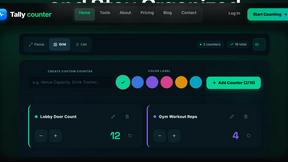
Tally Counter
Online tally counter for tracking attendance, workouts, inventory, visitors, sports scores, habits, and everyday counting tasks.
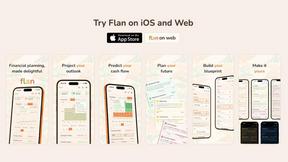
Flan
Visual financial timelines for couples and young professionals: model cash flow, life events, and shared goals.
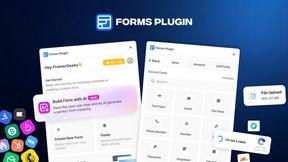
Forms Plugin
The #1 Native Form Builder Plugin for Framer - No Code, No Embeds, No External Platforms.
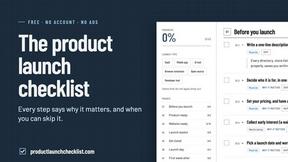
Product Launch Checklist
A free launch checklist for SaaS, apps, AI tools and more. Every step says why it matters and when you can skip it.
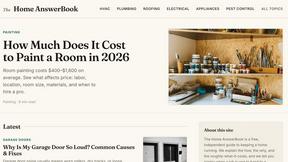
HomeAnswerBook
Practical, independent guides to home repairs, maintenance, costs, troubleshooting, and everyday fixes.
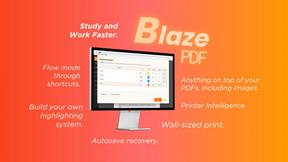
BlazePDF
Highlight faster. Study in flow with custom shortcuts and a workflow built around you. Print smarter, or turn any page into a tiled poster.
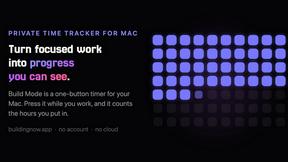
Build Mode for Mac
Build Mode is a Mac app that turns focused sessions into visible progress, so you can see the work adding up before the results arrive.
LiteralKit
Free, no-signup Unicode text tools: superscript, fancy fonts, case converter, symbols. Fast and private.