
MindMap AI
MindMap AI transforms your ideas into structured, editable mind maps with intelligent co-creation.
Visit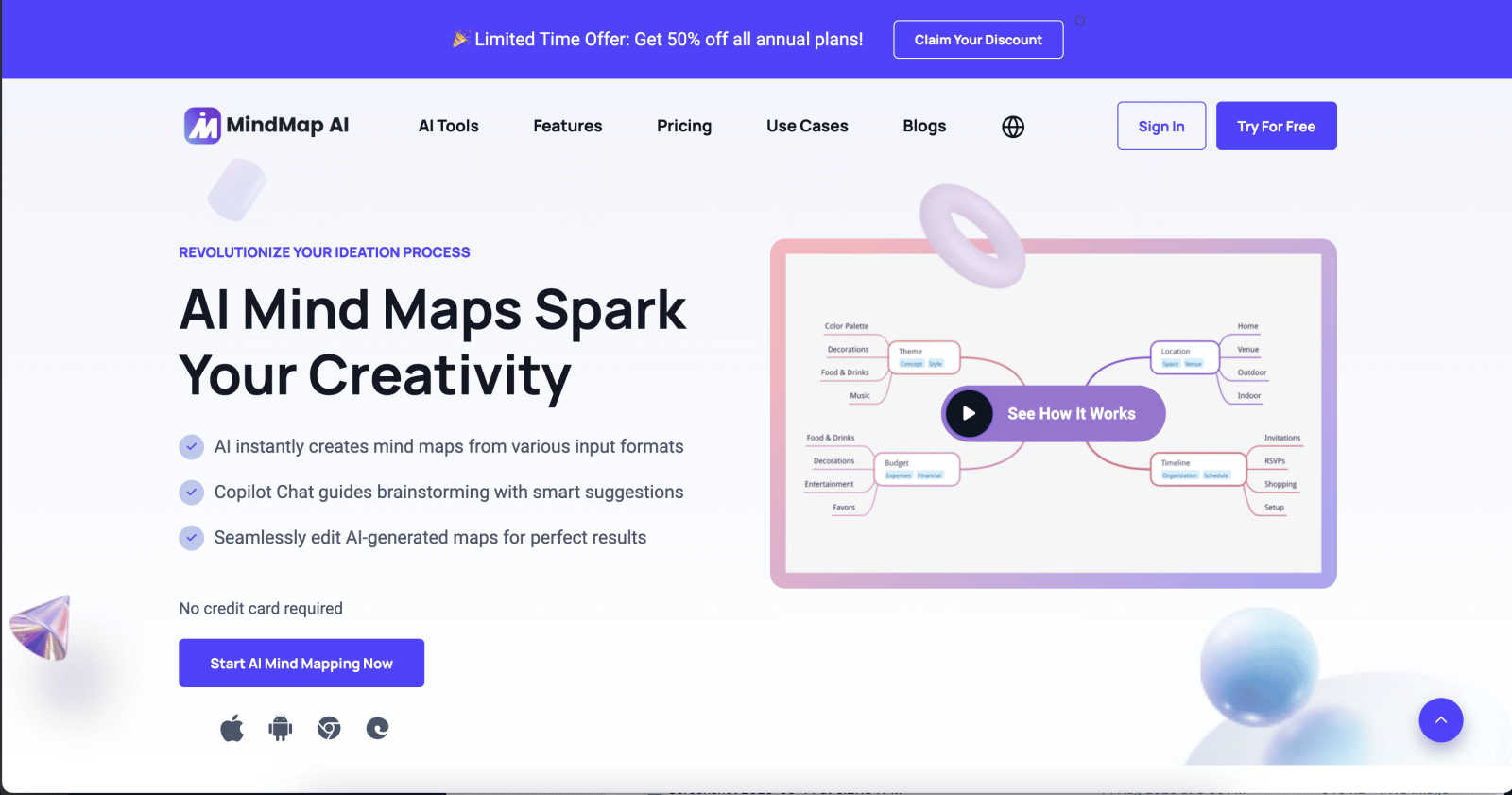
About MindMap AI
MindMap AI represents the evolution of visual thinking, a sophisticated platform where artificial intelligence converges with intuitive design to transform cognitive processes. It is engineered for professionals, educators, researchers, and teams who demand precision and elegance in structuring complex information. At its core, MindMap AI transcends traditional mind mapping by serving as an intelligent co-pilot. It seamlessly ingests diverse inputs—from raw text and dense PDFs to multimedia recordings of meetings and lectures—and distills them into coherent, dynamic visual maps. This process unlocks profound clarity, enabling users to uncover latent insights, refine strategic plans, and foster collaborative innovation. The platform's paramount value lies in its unique "MindMark Stability," ensuring AI augmentation respects and builds upon human thought without overwriting it. By offering a fluid workspace that adapts across devices and perspectives, MindMap AI empowers over a million thinkers to transition seamlessly from chaotic ideation to structured, actionable understanding, elevating both individual creativity and collective productivity.
Features of MindMap AI
The New Brain: AI Thinking Mode
This proprietary reasoning engine is the intellectual core of MindMap AI. It employs a step-by-step cognitive process to deeply analyze context, hierarchy, and relationships within your input before generating a single node. This ensures every mind map is structurally sound, meaningful, and accurate from inception, eliminating the frustration of random, disconnected branches and providing a reliable foundation for complex thought.
File-to-Map Conversion
Effortlessly transform virtually any content format into a beautifully structured mind map. The platform accepts text, PDFs, images, audio, video, Markdown, CSV, and more, automatically synthesizing the key information into a clean visual layout. This liberates users from the manual tedium of initial formatting, allowing them to immediately engage in higher-order thinking, analysis, and creative expansion of their ideas.
Continuous Editing & MindMark Stability
MindMap AI champions a truly collaborative partnership between user and machine. You maintain full manual control to expand, summarize, reorganize, and style your map. The AI co-edits alongside you, offering intelligent suggestions for expansion or summarization while rigorously preserving your manual edits, custom layouts, and personal structural choices. Your design integrity remains untouched, providing a stable canvas for iterative refinement.
Flexible Layouts & Instant Aesthetics
Visualize your project from the perfect perspective by switching effortlessly between Mind Map, Organizational Chart, and Logic Chart views. Your core structure remains perfectly aligned across all layouts. Coupled with a library of curated, presentation-ready themes and deep customization options for colors, fonts, and shapes, you can achieve professional, brand-aligned aesthetics in a single click.
Use Cases of MindMap AI
Strategic Planning & Business Development
Professionals can deconstruct complex negotiations, market analyses, or business strategies. By converting project briefs, meeting recordings, and research documents into interconnected maps, teams can visualize dependencies, identify opportunities, and craft actionable roadmaps, turning strategic chaos into a clear, executable vision.
Academic Research & Learning
Students, educators, and researchers utilize MindMap AI to synthesize vast amounts of information. Lectures, textbooks, and academic papers can be converted into concise visual summaries, facilitating deeper comprehension, connecting disparate concepts, and organizing knowledge for essays, theses, or curriculum design with remarkable efficiency.
Creative Brainstorming & Project Management
Creative teams and project managers leverage the platform to fuel ideation sessions and track project evolution. Starting from a central concept, the AI assists in expanding creative branches, while features like priority flags and due dates transform the mind map into a living, actionable project plan that maintains clarity as scope and ideas evolve.
Content Synthesis & Presentation Preparation
Consultants, trainers, and content creators use the tool to distill lengthy reports, interview transcripts, or training materials into their essential components. The resulting map provides a clear narrative structure, which can be instantly styled with professional themes to create compelling visual aids for presentations, workshops, or client reports.
Frequently Asked Questions
How does MindMap AI ensure my manual edits are not overwritten?
MindMap AI is built on a principle called "MindMark Stability." The AI is designed to function as a respectful co-editor, not an autonomous overwriter. When you make manual adjustments to text, structure, or style, the system locks those elements. Any subsequent AI-assisted expansion or summarization works around your edits, preserving your intentional design and intellectual contribution at all times.
What types of files can I convert into a mind map?
The platform supports an extensive range of input formats to streamline your workflow. You can directly transform text, PDF documents, PowerPoint slides, images, audio files (e.g., meeting recordings), video files, Markdown, CSV data, JSON, XML, and HTML into structured, editable mind maps. This versatility allows you to start mapping from virtually any digital content source.
Can I use MindMap AI in languages other than English?
Absolutely. MindMap AI offers robust multi-language support, allowing you to create, edit, and process content in over 25 languages. The AI's reasoning engine maintains consistent accuracy, structural integrity, and layout coherence across all supported languages, enabling global teams and individuals to think and plan in their native tongue.
Is there a free plan available?
Yes, MindMap AI offers a generous free tier designed for new users to experience its core capabilities. This plan includes 50 free AI credits monthly, allowing for substantial exploration of the file conversion, AI co-editing, and mapping features without requiring a credit card for initial sign-up.
Explore more in this category:
Similar to MindMap AI

Build Mode for Mac
Build Mode is a Mac app that turns focused sessions into visible progress, so you can see the work adding up before the results arrive.

Explainer Video
AI Explainer Video Generator turning topics, scripts, URLs, or PDFs into clear animated stories.
MySOP.guru
Capture any workflow in your browser and export a branded, step-by-step SOP with screenshots. €5 per document, no subscription.

PerPageFax
PerPageFax lets you send a fax online from any browser for a flat $0.50 per page — no account, no subscription, no fax machine.
Delta Report
Free, Live 3D Satellite, Space Weather & Climate Tracker in real time on an interactive globe alongside articles and insights.

The French Corner
Learn French through visual stories told by a native speaker. Words you meet come back on their own, right before you'd forget them.

