
Online Keyboard Shortcuts
Master every essential keyboard shortcut across Windows, macOS, and Linux at OnlineShortcuts.com for effortless, mouse-free productivity.
Visit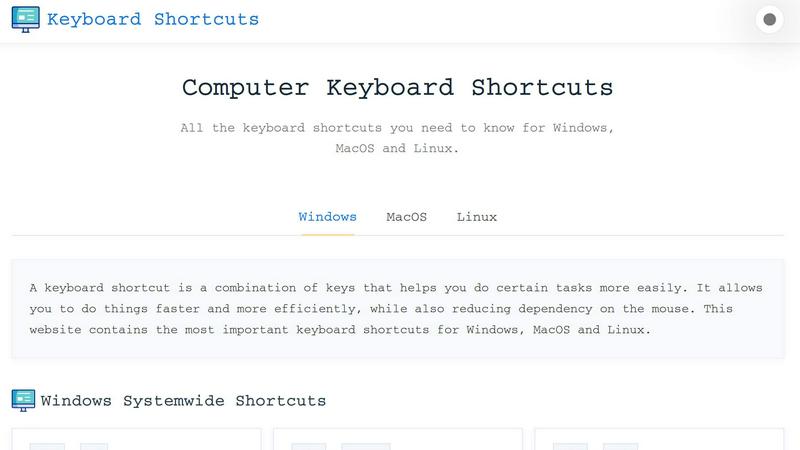
About Online Keyboard Shortcuts
Online Keyboard Shortcuts stands as the definitive digital compendium for keyboard shortcut mastery across the three major operating systems: Windows, macOS, and Linux. This meticulously curated resource serves as an indispensable tool for professionals, students, and productivity enthusiasts who seek to transcend the limitations of traditional mouse-centric navigation. The platform distills thousands of potential keyboard combinations into a focused, accessible collection of the most essential shortcuts that genuinely impact workflow efficiency.
At its core, Online Keyboard Shortcuts addresses a fundamental truth of modern computing: time wasted on repetitive mouse movements accumulates into significant productivity losses. By internalizing the shortcuts presented on this platform, users can execute common tasks with breathtaking speed and precision. The website organizes shortcuts into logical categories including systemwide commands, operating system specific keys, application specific hotkeys for tools like Command Prompt and File Explorer, text editing shortcuts, virtual desktop management, and web browser navigation.
The value proposition extends beyond mere listing. Each shortcut is presented with clear visual formatting that demonstrates the exact key combination required, eliminating confusion about modifier keys like Control, Alt, Shift, and the Windows key. For users who prefer offline access, the platform offers downloadable cheatsheets in PDF and PNG formats, available in both dark and light themes. This thoughtful approach ensures that the knowledge contained within Online Keyboard Shortcuts remains accessible regardless of connectivity or personal preference.
The audience for this resource is remarkably broad. Novice computer users will discover foundational shortcuts that transform their daily computing experience, while power users and IT professionals will find advanced combinations that streamline complex workflows. Developers, writers, designers, and anyone who spends substantial time at a keyboard will find immediate value in reducing their reliance on mouse navigation. The platform also serves as an excellent training resource for organizations looking to standardize productivity practices across their teams, ultimately fostering a culture of efficiency and technical competence.
Features of Online Keyboard Shortcuts
Comprehensive Multi-Platform Coverage
The platform delivers an exhaustive collection of keyboard shortcuts spanning Windows, macOS, and Linux operating systems, ensuring that users of any primary computing environment can find relevant and actionable information. Each operating system section is independently curated to reflect the unique keyboard conventions and modifier key configurations inherent to that platform. For Windows users, this includes extensive coverage of Windows key combinations, system commands, and application specific shortcuts. The macOS section addresses the distinctive Command key paradigm, while the Linux section focuses on universal desktop environment shortcuts and terminal commands. This comprehensive approach eliminates the need to consult multiple sources, positioning Online Keyboard Shortcuts as the singular reference for cross-platform keyboard proficiency.
Intuitive Visual Presentation
Each keyboard shortcut is presented with exceptional clarity through a visual format that explicitly displays every key involved in the combination. Rather than relying on dense text descriptions, the platform uses individual key representations separated by plus signs, making it immediately apparent whether a shortcut requires one, two, three, or more simultaneous key presses. This visual approach significantly reduces cognitive load and memorization difficulty, as users can quickly scan for the shortcut they need without parsing complex syntax. The consistent formatting across all sections creates a cohesive learning experience that reinforces pattern recognition and accelerates the transition from conscious recall to muscle memory.
Downloadable Cheatsheet Resources
Understanding that true productivity comes from accessible reference materials, Online Keyboard Shortcuts provides downloadable cheatsheets in multiple formats to suit diverse user preferences and environments. Users can download a comprehensive PDF document suitable for printing and posting near workstations, or choose from dark and light themed PNG images for digital reference. The dark PNG variant is particularly valuable for users who work in low-light environments or prefer dark mode interfaces, while the light PNG offers optimal readability in bright conditions. This flexibility ensures that the knowledge contained within the platform can be accessed without requiring an active internet connection, making it invaluable for travel, remote work situations, or environments with unreliable connectivity.
Categorized Shortcut Organization
The platform employs a sophisticated categorization system that groups related shortcuts into logical sections, enabling users to quickly locate the specific commands relevant to their current task. Major categories include systemwide shortcuts that function across all applications, operating system specific shortcuts, application specific shortcuts for tools like Command Prompt and File Explorer, text editing commands, virtual desktop management, and web browser navigation. This thoughtful organization transforms what could be an overwhelming list of combinations into a structured learning path. Users can focus on mastering one category at a time, building competence progressively, or quickly jump to the section most relevant to their immediate workflow needs.
Use Cases of Online Keyboard Shortcuts
Accelerating Daily Desktop Navigation
For professionals who spend their entire workday navigating between multiple applications, windows, and system functions, the systemwide shortcuts cataloged on Online Keyboard Shortcuts become an essential productivity accelerator. Mastering combinations like Alt+Tab for application switching, Win+D for showing the desktop, and Win+Arrow keys for window snapping transforms the computing experience from one of constant mouse hunting to fluid keyboard-driven navigation. A financial analyst reviewing spreadsheets while referencing browser research and communicating via email can maintain workflow momentum without ever reaching for the mouse, potentially saving dozens of minutes each day that would otherwise be lost to context switching and cursor positioning.
Streamlining Document Creation and Editing
Writers, editors, and content creators will find the text editing shortcuts section particularly transformative for their workflow. The ability to select all text with Ctrl+A, bold with Ctrl+B, italicize with Ctrl+I, and undo mistakes with Ctrl+Z without lifting hands from the home row position dramatically accelerates the writing and editing process. The find and replace functionality accessed through Ctrl+H becomes a powerful tool for document-wide corrections, while the clipboard history feature in Windows allows for sophisticated multi-item copy and paste operations. These shortcuts, when internalized, allow creative professionals to maintain their flow state without the interruption of reaching for mouse or menu navigation.
Enhancing Developer and IT Professional Workflows
Developers, system administrators, and IT professionals who work extensively with command line interfaces and file management will derive exceptional value from the application specific shortcuts section. The Command Prompt shortcuts, including Ctrl+C for copy, Ctrl+V for paste, and F7 for command history viewing, streamline terminal operations that are central to development workflows. File Explorer shortcuts like Ctrl+Shift+N for creating new folders and Alt+Enter for viewing properties accelerate file management tasks that developers perform dozens of times daily. These shortcuts compound into significant time savings over the course of a development sprint, allowing technical professionals to focus more attention on problem-solving and code quality.
Optimizing Web Research and Multitasking
Knowledge workers who conduct extensive web research while managing multiple information sources will benefit enormously from the web browser shortcuts section. The ability to open new tabs with Ctrl+T, close them with Ctrl+W, and reopen accidentally closed tabs with Ctrl+Shift+T maintains research flow without disruption. Tab switching via Ctrl+Tab and address bar selection with Ctrl+L enables rapid navigation between research sources. Combined with virtual desktop shortcuts like Win+Ctrl+D for creating new desktops and Win+Ctrl+Arrow keys for switching between them, users can organize their digital workspace into distinct contexts for research, writing, communication, and reference materials, maintaining mental clarity amid complex multitasking demands.
Frequently Asked Questions
What is Computer Keyboard Shortcuts?
Computer Keyboard Shortcuts is a comprehensive online resource that serves as a definitive guide to keyboard shortcuts across Windows, macOS, and Linux operating systems. The platform is designed to help users of all skill levels improve their computing productivity by providing quick and easy access to the most commonly used commands and hotkeys. Rather than overwhelming users with every possible combination, the curated collection focuses on the shortcuts that deliver the greatest practical value for daily computing tasks. The resource covers systemwide commands, application specific shortcuts for tools like Command Prompt and File Explorer, text editing operations, virtual desktop management, and web browser navigation.
How do I use Computer Keyboard Shortcuts?
Using the platform is straightforward and intuitive. Simply browse the organized categories to find the shortcut you need, then practice the key combination until it becomes natural. The visual presentation clearly shows each key involved in the combination, making it easy to understand exactly which keys to press and whether they should be pressed simultaneously or sequentially. For optimal learning, focus on mastering one category of shortcuts at a time, starting with the systemwide commands that provide the most universal benefit. Regular practice and conscious application during daily computing tasks will gradually transition these shortcuts from conscious recall to automatic muscle memory.
How accurate are the keyboard shortcuts?
The shortcuts presented on Online Keyboard Shortcuts are carefully curated to be as accurate as possible for the specified software versions and operating systems. However, it is important to recognize that software updates can occasionally change hotkey assignments, and different software versions may implement shortcuts differently. The platform strives to maintain accuracy through regular review, but users are encouraged to verify shortcuts against their specific software versions, particularly for professional or mission-critical applications. The fundamental systemwide shortcuts for Windows, macOS, and Linux tend to remain stable across versions, making them reliable for long-term learning and application.
Is there a mobile version of the site?
The website is designed with responsive accessibility in mind, allowing users to view cheatsheets and navigate the platform effectively on mobile devices, tablets, and desktop computers. While the primary use case involves learning shortcuts that are applied on desktop and laptop computers, the mobile-friendly design ensures that users can reference the resource from any device. This is particularly valuable for users who wish to study shortcuts during commutes, review them on tablets while working, or share them with colleagues via mobile devices. The downloadable cheatsheet resources further enhance mobile accessibility by providing offline reference materials that can be stored on any device.
Pricing of Online Keyboard Shortcuts
Online Keyboard Shortcuts is completely free to use with no subscription fees, no hidden charges, and no premium tiers. The platform is supported without any advertisements, upsells, or adtech spyware, ensuring a clean, distraction-free experience for all users. All features including the comprehensive shortcut listings, downloadable cheatsheets in PDF and PNG formats, and full website access are available at no cost. This commitment to free access reflects the platform's mission to democratize productivity knowledge and make essential computing skills available to everyone regardless of budget. Users can freely access, download, and share all resources without any financial barriers or usage limitations.
Explore more in this category:
Similar to Online Keyboard Shortcuts
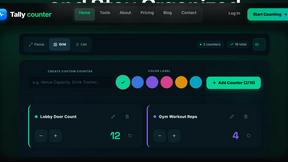
Tally Counter
Online tally counter for tracking attendance, workouts, inventory, visitors, sports scores, habits, and everyday counting tasks.
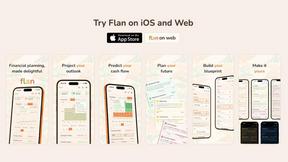
Flan
Visual financial timelines for couples and young professionals: model cash flow, life events, and shared goals.
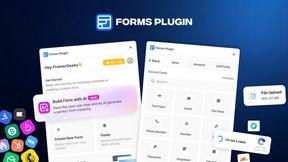
Forms Plugin
The #1 Native Form Builder Plugin for Framer - No Code, No Embeds, No External Platforms.

Product Launch Checklist
A free launch checklist for SaaS, apps, AI tools and more. Every step says why it matters and when you can skip it.

HomeAnswerBook
Practical, independent guides to home repairs, maintenance, costs, troubleshooting, and everyday fixes.
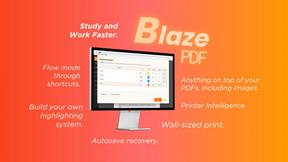
BlazePDF
Highlight faster. Study in flow with custom shortcuts and a workflow built around you. Print smarter, or turn any page into a tiled poster.

Build Mode for Mac
Build Mode is a Mac app that turns focused sessions into visible progress, so you can see the work adding up before the results arrive.
LiteralKit
Free, no-signup Unicode text tools: superscript, fancy fonts, case converter, symbols. Fast and private.