
QUVIAI
QUVIAI empowers creators to effortlessly generate stunning architectural visuals, videos, and music, transforming ideas into breathtaking realities.
Visit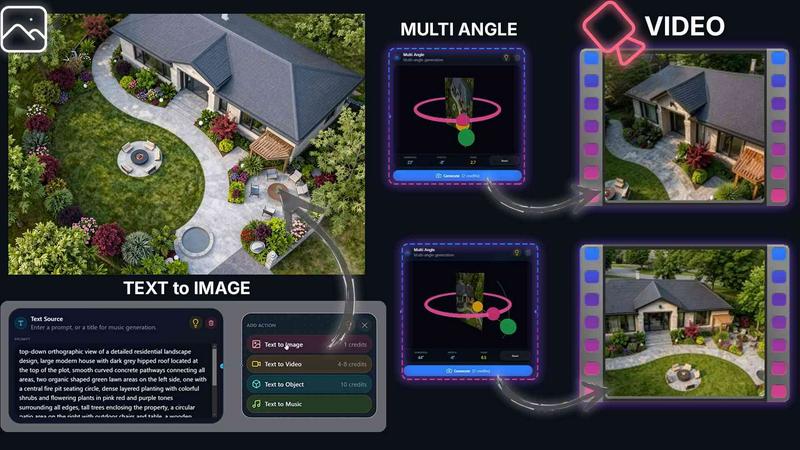
About QUVIAI
QUVIAI is a revolutionary all-in-one AI-powered creative platform tailored for architects, designers, and creative professionals seeking to bring their visions to life with unparalleled precision and elegance. This innovative tool facilitates the seamless transformation of sketches, images, or 3D models into stunning photorealistic renders, dynamic cinematic videos, multi-angle presentations, and more—all within a single user-friendly interface. With QUVIAI, users can effortlessly upload their creative inputs and engage with an extensive suite of features designed to enhance productivity and creativity. The platform's built-in 3D workspace enables users to model, render, and iterate their designs without the need to toggle between various tools, thereby streamlining the creative process. Whether you are generating original music to accompany your visual projects or staging intricate scenes with generated furniture and objects, QUVIAI stands as a comprehensive solution for creators who aspire to elevate their work to new heights.
Features of QUVIAI
AI Image Generation
QUVIAI's AI Image Generation feature allows users to convert any text prompt or reference into breathtaking photorealistic architectural renders within seconds. This rapid transformation empowers architects and designers to visualize concepts and present ideas more effectively, thereby enhancing the overall design workflow.
AI Video Creation
With the AI Video Creation tool, users can animate still images, generate immersive walkthroughs, or create cinematic sequences from a single prompt. This feature enriches presentations and allows for a more engaging storytelling approach, perfect for showcasing architectural projects in a compelling manner.
Multi Angle Camera
The Multi Angle Camera feature enables users to create multiple architectural viewpoints from a single source image, offering richer and more diverse presentation-ready perspective sets. This capability is particularly valuable for architects aiming to provide comprehensive visual narratives of their designs.
Object Staging
QUVIAI's Object Staging feature allows users to seamlessly integrate generated 3D objects into scene backgrounds, crafting polished compositions with consistent lighting. This tool not only enhances the aesthetics of the visuals but also ensures that the staged elements harmonize with the overall design theme.
Use Cases of QUVIAI
Architectural Presentations
Architects can leverage QUVIAI to produce stunning visual presentations for client meetings or design reviews. The ability to generate photorealistic renders and cinematic videos in a short timeframe allows for quick iterations and refined presentations, making a powerful impact on stakeholders.
Interior Design Visualization
Interior designers can utilize QUVIAI to visualize spaces with real-time modifications. By staging furniture and decorative elements within their designs, they can provide clients with an immersive experience that showcases potential layouts and aesthetics.
Concept Development
For designers and creators, QUVIAI serves as an invaluable tool in the concept development phase. Whether sketching new ideas or refining existing ones, the platform's AI capabilities help transform initial concepts into vivid visual representations, facilitating deeper exploration of design possibilities.
Marketing and Promotion
Real estate developers and marketers can use QUVIAI to create visually striking promotional materials. From high-quality renders to engaging videos, the platform enables the production of eye-catching content that captures the essence of properties and designs, enhancing marketing efforts.
Frequently Asked Questions
What types of files can I upload to QUVIAI?
Users can upload sketches, images, and 3D models to QUVIAI, allowing for a versatile range of creative inputs that can be transformed into professional-grade outputs.
Is QUVIAI available on multiple platforms?
Yes, QUVIAI is accessible on web, iOS, and Android, ensuring that users can engage with their creative projects anytime and anywhere, with the same robust functionality across all devices.
How does the AI generate music for my projects?
QUVIAI incorporates advanced AI algorithms that analyze the visual elements of your project and generate original music compositions tailored to enhance the overall atmosphere and narrative of your work.
Can I try QUVIAI for free?
Absolutely! QUVIAI offers free credits upon sign-up, allowing new users to explore its features and generate their first render without any financial commitment. This makes it easy to experience the platform's capabilities firsthand.
Similar to QUVIAI
Promptclay
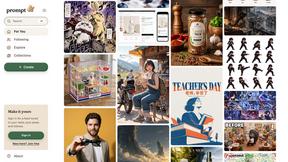
Promptclay is an AI image generation app with a library of ready-to-use prompts.
nanobanana 2.1
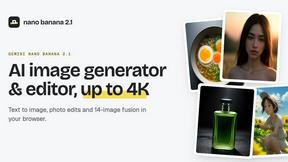
Fast AI image generation and editing model for realistic visuals, consistent characters, readable text, and precise creative control.
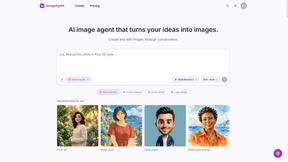
ImageAgent
Create and edit AI images through conversation, using text or reference images and refining results in chat.
GenX
All-in-one AI workspace to generate images, videos, and audio with multiple leading AI models.
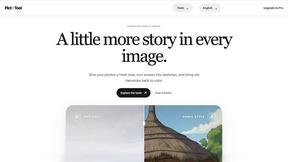
picttool
Create and edit images with a collection of easy-to-use AI tools
AiAgeFilter
Free AI age filter: upload an adult portrait, add 10-40 years, meet your older self. No app needed.
AppIconGenerator
Generate iOS and Android app icons from any image and export all platform sizes for free.