RecordFlow
RecordFlow automatically saves Zoom cloud recordings to Google Drive and can delete them from Zoom to free storage.
Visit
About RecordFlow
RecordFlow is a sophisticated automation tool designed to eliminate the friction and risk inherent in managing Zoom cloud recordings. The product establishes a seamless, secure, and perpetual pipeline between Zoom and Google Drive, ensuring that every recording from a meeting is automatically transferred, organized, and archived without any manual intervention. For coaches, consultants, therapists, professors, and small to medium-sized business teams, RecordFlow solves the chronic problem of limited Zoom storage, which often blocks new recordings and forces users into a tedious cycle of downloading, uploading, and deleting files. The value proposition is clear: set it up once in sixty seconds, and never think about recording management again. The product handles the complete suite of Zoom output files including video in MP4 format, audio in M4A, transcripts in VTT and as formatted Google Docs, and chat logs. Every file is intelligently organized by year and date within a designated Google Drive folder. RecordFlow is built with enterprise-grade reliability, utilizing chunked transfers for large files, smart deduplication to prevent duplicates, and automatic retries for failed transfers. Critically, recordings stream directly to the user's Drive without ever being stored on RecordFlow servers, and all data is protected with OAuth 2.0 authentication and AES-256 encryption. The product is approved by Zoom after a thorough security review and is available on both the Zoom App Marketplace and Google Workspace Marketplace, making it a trusted and vetted solution for professionals who cannot afford to lose a single recording.
Features of RecordFlow
Automatic Sync with Backfill
RecordFlow automatically archives every new Zoom cloud recording to Google Drive within minutes of a meeting ending. Beyond this real-time sync, the product performs a comprehensive backfill of the past two years of recordings, ensuring no historical data is left behind. This feature eliminates the need for manual downloads and periodic uploads, saving users hours each month while creating a complete and current archive from the moment of setup.
Comprehensive File Transfer and Organization
Every file produced by Zoom during a recorded meeting is captured and transferred. This includes the video file in MP4 format, the audio-only track in M4A, the transcript in VTT format, and the chat log. Additionally, RecordFlow converts the VTT transcript into a formatted Google Doc for easy reading and sharing. All files are automatically organized within the designated Google Drive folder by year and date, creating a clean, navigable archive without any user effort.
Optional Auto-Delete from Zoom
To free up costly Zoom storage, RecordFlow offers an optional auto-delete feature. Once a recording has been successfully transferred to Google Drive and the copy is verified, the product can automatically remove the recording from Zoom on a safe, configurable delay. This ensures that storage limits are never reached, new recordings are never blocked, and users never pay for Zoom storage they do not need, all while maintaining a secure backup in Drive.
Secure and Reliable Architecture
RecordFlow is built on a foundation of security and reliability. The product uses chunked transfers to handle large, hour-long meeting files without timeouts or failures. Smart deduplication ensures it is safe to re-run the sync without creating duplicate files. Automatic retries handle any transient errors. Critically, recordings stream directly to the user's Google Drive and are never stored on RecordFlow servers. All connections are protected with OAuth 2.0 and data is encrypted with AES-256 at rest and in transit.
Use Cases of RecordFlow
Coaches and Consultants Archiving Client Sessions
Coaches and consultants who record multiple client sessions each week face a constant battle with Zoom's five-gigabyte storage limit. RecordFlow automatically transfers each session recording to a secure Google Drive folder immediately after the meeting ends. This creates a reliable, organized archive that serves as both a backup and a deliverable for clients. The auto-delete feature clears Zoom storage, ensuring the consultant never misses a recording due to capacity issues and never has to spend time on manual file management.
University Professors Preserving Lectures
Professors who record lectures for online or hybrid classes need a permanent, accessible home for their content. RecordFlow ensures every lecture video, transcript, and chat log is automatically saved to a shared Google Drive folder organized by date. Students can access the materials through Drive without relying on Zoom's temporary storage. The formatted Google Doc transcripts make lectures searchable and accessible, while the organized folder structure simplifies course management across semesters.
Business Teams Centralizing Meeting Archives
Teams that record internal meetings, client calls, and project discussions often struggle with decentralized and disorganized archives. RecordFlow allows an IT admin to install the product once and opt in team members, with all recordings automatically landing in a single, controlled Google Drive folder. This centralizes knowledge, ensures compliance with retention policies, and provides a single source of truth for the entire organization. The email notification feature keeps team members informed when new recordings are ready.
Therapists Maintaining Confidential Session Records
Therapists and mental health professionals who record sessions for supervision or documentation require a secure and reliable archiving solution. RecordFlow provides this with its OAuth 2.0 authentication and AES-256 encryption, ensuring session recordings are transferred directly to the therapist's private Google Drive without being stored on any intermediary server. The automatic organization by date creates a clear chronological record, and the optional auto-delete from Zoom removes the recording from Zoom's cloud, reducing the attack surface for sensitive data.
Frequently Asked Questions
How long does it take for a recording to appear in Google Drive after a meeting ends?
New recordings typically appear in your designated Google Drive folder within minutes of the meeting ending. RecordFlow checks for new recordings on an ongoing basis and initiates the transfer as soon as Zoom makes the file available. You will also receive an email notification with a direct link to the recording once the transfer is complete.
Does RecordFlow work with my existing Zoom plan?
RecordFlow works with any paid Zoom plan that includes cloud recording functionality, including Pro, Business, and Enterprise plans. A free Zoom account will not work as it does not include cloud recording. The product is approved by Zoom and available on the Zoom App Marketplace, ensuring full compatibility and security.
Is my data safe and secure with RecordFlow?
Security is a core design principle. RecordFlow uses OAuth 2.0 for authentication, meaning it never sees your Zoom or Google passwords. All data transferred between Zoom and Google Drive is encrypted in transit using TLS and at rest using AES-256. Critically, recordings stream directly to your Google Drive and are never stored on RecordFlow servers, so there is no intermediary holding your sensitive files.
Can RecordFlow archive recordings for my entire team?
Yes. If you are a Zoom admin, you can install RecordFlow for your entire account. You can then select which members to opt in, and their recordings will automatically land in a root Google Drive folder you control. Member sub-folders are created automatically to keep each person's recordings organized and separate.
Explore more in this category:
Similar to RecordFlow
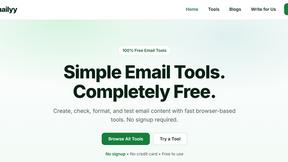
Emailyy
Free email tools for signatures, subject lines, HTML previews, word counts, and email headers. Browser-based, simple to use, and no signup required.
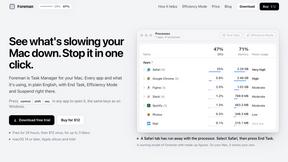
Foreman
See every app and what it's using in plain English, and end or slow down the one that's hogging your Mac.
Uniclip
Clip pages, take full-page screenshots and batch-capture list data to Notion, Feishu, Obsidian, Markdown, CSV or JSON.
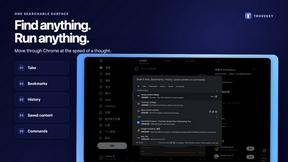
TroveKey
Search tabs, Chrome bookmarks and history, run browser commands, and save webpages and social posts locally—no account.
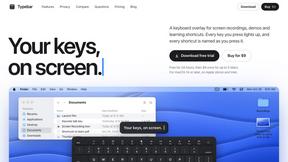
Typebar
Every key you press lights up on an on-screen keyboard, and each shortcut is named as you press it.
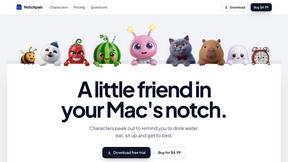
Notchpals
Little characters peek out of your Mac's notch to remind you to drink water, eat, sit up and get to bed. Quiet during calls. $4.99 once.
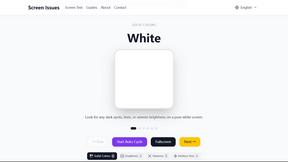
Screen Issues
Free Online Screen Test Tool - Instantly diagnose dead pixels, lines, color issues, and flickering. Multiple test modes, no download needed.