
Refbox
Refbox elevates your workflow by providing instant access to images, videos, and notes, seamlessly floating above your.
Visit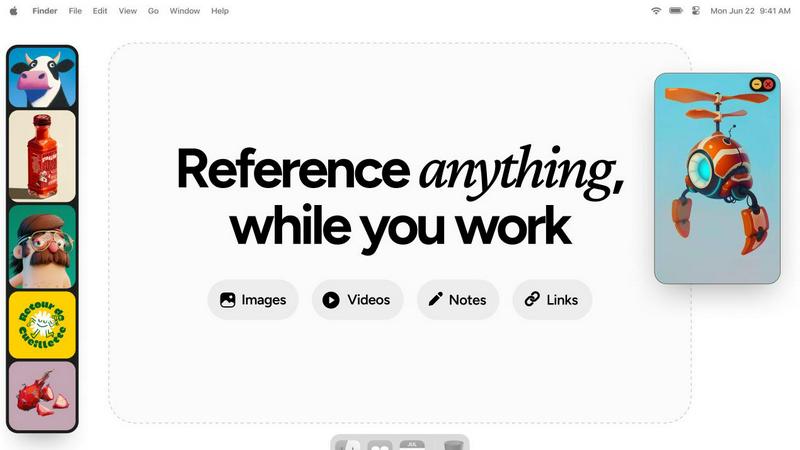
About Refbox
Refbox is the quintessential floating reference application designed for the contemporary creative professional. It addresses a common yet frequently ignored workflow impediment: the disruptive nature of toggling between multiple windows and tabs to access source materials. Tailored for artists, designers, animators, and illustrators, Refbox metamorphoses your desktop into an organized and dynamic canvas for inspiration. With its innovative capability to pin images, videos, GIFs, and notes into resizable, always-on-top frames, Refbox ensures that your references float effortlessly above your primary creative applications. This revolutionary approach guarantees that your inspirations remain perpetually visible, effectively eradicating the distractions associated with alt-tabbing. By fostering an immersive state of flow, Refbox not only simplifies access to visual references but also enhances the creative process. Its comprehensive ecosystem allows for sophisticated organization through features like Masonry Mode galleries, desktop-scattered frames, and full-screen presentations. By unifying visual references, markdown notes, and live media playback into a seamless interface, Refbox becomes an indispensable tool, ensuring that inspiration is merely a glance away and that your focus remains uninterrupted.
Features of Refbox
Floating Frames
Refbox's floating frames allow users to pin images, videos, GIFs, and notes in resizable panels that hover above other applications. This feature ensures that your references are always accessible, enhancing workflow and minimizing distractions.
Masonry Mode Gallery
The Masonry Mode gallery presents your references in an organized, visually appealing format. This layout is ideal for artists and designers, as it provides an infinite canvas where multiple items can be viewed simultaneously, facilitating quick comparisons and easy access.
Instant Media Access
With Refbox, users can instantly access their media without rummaging through folders or tabs. The application allows for easy swapping of floating references using arrow keys, minimizing interruption and promoting a seamless creative flow.
Advanced Note-Taking
Refbox features sophisticated note-taking capabilities, allowing users to create styled text notes and checklists. This enables creatives to jot down ideas or reminders while keeping their references at hand, enhancing organization and focus.
Use Cases of Refbox
Graphic Design Projects
Graphic designers can utilize Refbox to keep essential reference images and design inspirations readily visible. This constant access allows them to maintain their creative vision without losing momentum during the design process.
Animation Workflow
Animators benefit from Refbox by pinning storyboard references and animation guides, enabling them to work more efficiently. With all resources in one place, they can transition smoothly between different scenes and assets.
UI/UX Development
For UI/UX developers, having immediate access to design mockups, color palettes, and typography references is crucial. Refbox provides a streamlined solution that allows for quick comparisons and design iterations without the hassle of switching apps.
Mood Boarding
Refbox simplifies the mood boarding process for photographers and visual artists by enabling them to pin multiple sources of inspiration together. This feature allows creatives to visualize their ideas cohesively, fostering a more productive brainstorming session.
Frequently Asked Questions
What types of media can I pin in Refbox?
Refbox allows users to pin a variety of media types, including images, videos, GIFs, and text notes. This versatility ensures that you can access all your reference materials in one place.
Can I customize the size of the floating frames?
Yes, Refbox offers resizable frames that you can adjust according to your preferences. This feature allows you to create a workspace that fits comfortably alongside your primary creative applications.
Is Refbox suitable for all creative professionals?
Absolutely. Refbox is designed for a wide range of creative professionals, including graphic designers, animators, illustrators, and photographers. Its features cater to the needs of anyone who requires constant access to reference materials.
How does Refbox enhance productivity?
By providing seamless access to references without the need for constant window-switching, Refbox minimizes distractions and allows creatives to maintain their flow. This streamlined approach significantly enhances overall productivity and efficiency.
Explore more in this category:
Similar to Refbox
AI Email Filter
AI Email Filter sorts incoming mail into folders using plain-language prompts you write. Works with any IMAP mailbox; bring your own LLM if you want.

Egmatic
No-code 2D game editor: visual node logic, drag-and-drop scenes, live preview. Exports to Windows, macOS, Linux, Android, iOS, Web.
Kody Tools
Free collection of online developer utilities, code formatters, and digital converters designed to streamline your daily workflow.
Tally Counter
Online tally counter for tracking attendance, workouts, inventory, visitors, sports scores, habits, and everyday counting tasks.
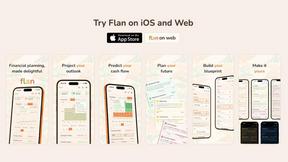
Flan
Visual financial timelines for couples and young professionals: model cash flow, life events, and shared goals.
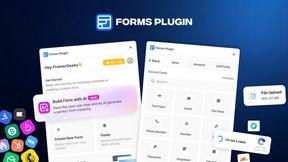
Forms Plugin
The #1 Native Form Builder Plugin for Framer - No Code, No Embeds, No External Platforms.
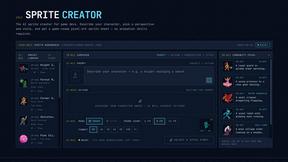
Sprite Sheet Maker
Create pixel-art sprite sheets from text with AI, preview animations, and export PNG assets for game prototypes.

Product Launch Checklist
A free launch checklist for SaaS, apps, AI tools and more. Every step says why it matters and when you can skip it.