
SparkPix
Transform your photos effortlessly with SparkPix, the AI-powered online editor that enhances, restores, and styles images with simple text commands.
Visit
About SparkPix
SparkPix is an innovative AI-driven photo editing tool designed for users of all skill levels, from novices to professionals. With its intuitive interface, users can effortlessly edit their images simply by typing commands such as "remove background" or "enhance this photo." This sophisticated technology eliminates the need for advanced Photoshop skills, allowing anyone to transform their images with remarkable ease. Whether you are a casual user looking to enhance personal photos or a seasoned professional needing to streamline your workflow, SparkPix offers a robust solution. The platform is web-based, meaning it is accessible on various devices, including desktops, iPhones, and Android devices, allowing flexibility and convenience. The main value proposition of SparkPix lies in its ability to deliver professional-grade edits in seconds, making photo editing an accessible and enjoyable experience for all.
Features of SparkPix
AI Photo Editor
The AI Photo Editor feature allows users to make complex edits by simply typing their instructions. With responsive AI technology, SparkPix processes commands like "restore this old photo" or "remove background" and applies the desired changes in under 30 seconds, saving users time and effort.
Background Remover
SparkPix's Background Remover offers a seamless solution for eliminating backgrounds with just one click. This feature is perfect for various applications, including portraits, product photography, and intricate scenes, ensuring that the subject stands out with a clean and professional appearance.
Unblur Image
The Unblur Image functionality addresses common photography issues such as motion blur and out-of-focus shots. By utilizing advanced AI deblurring techniques, SparkPix can restore clarity to images, removing compression artifacts and enhancing overall quality, making it an essential tool for photographers.
Photo Restoration
With its Photo Restoration capability, SparkPix breathes new life into old, faded, scratched, or damaged photographs. This feature is particularly valuable for those looking to preserve family archives or historical images, as it can meticulously repair and restore the original aesthetic of cherished memories.
Use Cases of SparkPix
Personal Photo Editing
Individuals can use SparkPix to enhance their personal photo collections effortlessly. By typing simple commands, users can improve the quality of vacation photos, create stunning social media posts, or restore family photos from generations past, all with minimal effort.
E-commerce Product Photography
E-commerce businesses can benefit immensely from SparkPix's features, particularly the Background Remover and AI Product Photography capabilities. Users can create high-quality images of their products by removing distracting backgrounds and generating professional mockups, which can significantly improve online sales.
Creative Art Transformations
Artists and designers can leverage the Style Transfer feature to transform their photos into various artistic styles, such as oil paintings or watercolors. This functionality allows for creative expression and unique visual outputs, ideal for projects requiring a distinctive touch.
Professional Headshots
SparkPix simplifies the process of creating professional headshots, making it ideal for business professionals and job seekers. With the Passport Photo Maker, users can generate high-quality images suitable for LinkedIn profiles, resumes, and other professional uses without the need for a photographer.
Frequently Asked Questions
What types of edits can I perform with SparkPix?
With SparkPix, you can perform a wide range of edits, including background removal, photo restoration, enhancement, and artistic transformations. The AI responds to simple text commands, making the editing process intuitive.
Is SparkPix suitable for beginners?
Absolutely! SparkPix is designed for users of all skill levels. Its user-friendly interface and straightforward text commands enable beginners to achieve professional-quality edits without needing extensive photographic knowledge.
Do I need to download any software to use SparkPix?
No, SparkPix is a web-based platform, meaning you can access it directly from your browser on any device, including desktops, iPhones, and Android devices. There are no downloads or installations required.
Is there a free trial available for SparkPix?
Yes, SparkPix offers a free plan that includes 5 credits to get started. Users can explore various editing features without a credit card, allowing them to experience the platform before committing to a paid plan.
Similar to SparkPix

ImageGenerator
Create and edit AI images online with multiple models, text-to-image, image-to-image, background removal, and upscaling.
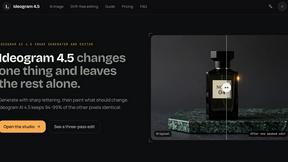
ideogram-45
AI image generation and editing with sharp typography, native 2K output, and localized edits that preserve the rest of your image.

AI Object Remover
Remove unwanted people, objects, text and watermarks from photos with AI


Image to Layers AI
Turn any image into editable transparent PNG/PSD layers with AI

Qwen Image Edit
Edit and generate visuals online with Qwen Image Edit using natural-language prompts for backgrounds, text, product images, posters, outpainting, and

Seedream 5.0
Seedream 5.0 Pro and Lite for production-ready AI image generation and editing.

Try This Skill
One-click AI photo stylization for e-commerce & portraits