SVG to 3D
Effortlessly transform your SVG files into stunning 3D models with advanced controls and high-quality output.
Visit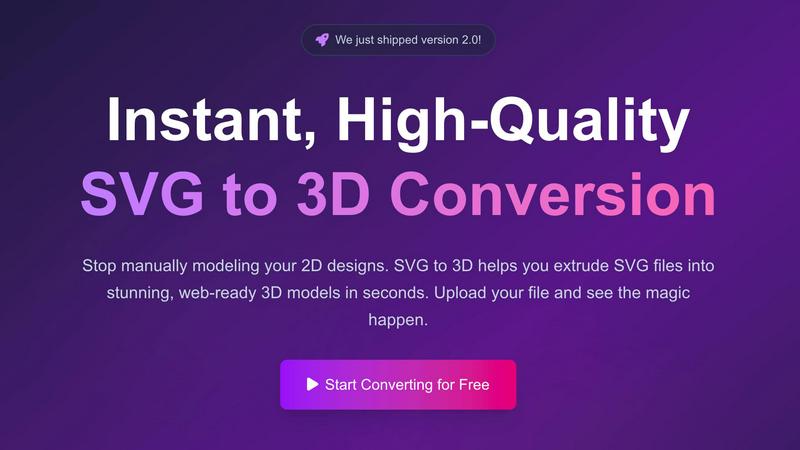
About SVG to 3D
SVG to 3D is a revolutionary web-based tool designed to transform your 2D SVG vector graphics into high-quality 3D models with unparalleled ease and speed. Whether you are a web developer, designer, or a 3D printing enthusiast, this tool is tailored to meet your needs. With SVG to 3D, you can effortlessly convert your intricate designs into stunning three-dimensional representations without the cumbersome process of using heavyweight software like Blender or Cinema 4D. The platform emphasizes simplicity, allowing users to upload an SVG file and instantly witness the magic of conversion. The main value proposition lies in its ability to provide quick, reliable, and professional-grade outputs, making it an indispensable asset for anyone looking to enhance their digital creations with 3D elements.
Features of SVG to 3D
One-Click to GLB for the Web
SVG to 3D excels in generating web-optimized GLB files with just a single click. These lightweight, high-performance files are specifically designed for seamless integration into Three.js or React Three Fiber projects, enabling developers to elevate their web applications with immersive 3D elements effortlessly.
3D-Print Ready STL Exports
The tool supports clean STL exports, providing users with models that are ready for immediate 3D printing. This feature is particularly beneficial for designers and engineers who want to bring their 2D concepts into the physical realm without the need for complex CAD software, ensuring a smooth transition from digital design to tangible object.
Real-Time 3D Modeling in Your Browser
With SVG to 3D, users are empowered to go beyond mere extrusion. The tool allows for fine-tuning of essential aspects such as thickness, bevels, and advanced PBR materials, all while providing a real-time preview of the adjustments. This ensures that users can achieve their desired aesthetic and functional outcomes with precision and ease.
Advanced Material System
The platform boasts a sophisticated material system that enables users to apply realistic PBR materials, custom textures, and professional lighting effects. This feature enhances the visual quality of the 3D models significantly, setting them apart from basic conversion tools that lack such depth and detail.
Use Cases of SVG to 3D
Creating Interactive 3D Logos and Icons
SVG to 3D is ideal for web developers looking to create interactive 3D logos and icons that enhance user engagement. By converting simple SVG designs into dynamic 3D models, developers can breathe life into their websites and applications, making them more visually appealing and memorable.
3D Printing Custom Designs
Artists and makers can utilize SVG to 3D to convert their digital artwork into 3D printable models effortlessly. The clean STL exports ensure that the integrity of the design is maintained, allowing for high-quality physical reproductions of logos, art pieces, and custom parts.
Enhancing UI/UX Designs
Designers can leverage this tool to add depth and realism to their UI/UX projects. By integrating 3D elements into mockups, they can provide stakeholders with a more compelling presentation, showcasing how designs will appear in a real-world context and improving overall client satisfaction.
Rapid Prototyping for Developers
Developers can use SVG to 3D for rapid prototyping of 3D models, allowing for quick iterations and testing of concepts before implementation. This capability streamlines the development process, saving time and resources while ensuring that the final product matches the initial design vision.
Frequently Asked Questions
How does SVG to 3D work?
SVG to 3D works by allowing users to upload their SVG files directly to the platform. The tool then processes the file and converts it into a high-quality 3D model, which can be customized and exported in various formats.
What file formats can I export my 3D models in?
Users can export their 3D models in multiple formats, including GLB, GLTF, OBJ, and STL. This flexibility ensures compatibility with various 3D frameworks and applications, making it easy to integrate the models into different projects.
Is SVG to 3D free to use?
Yes, SVG to 3D offers a free version of its tool that allows users to convert SVG files into 3D models without any registration or hidden fees. Users can take advantage of its powerful features without any financial commitment.
Are my files secure when using SVG to 3D?
Absolutely. SVG to 3D prioritizes user privacy and security by processing files locally in the browser whenever possible. This means that your designs remain confidential and are not uploaded to external servers, ensuring your creative work is always protected.
Similar to SVG to 3D
Speechyou
AI transcription for voice notes, meetings, and audio files in 1,700 languages, with AI summaries and subtitle export and unlimited chat ai usage.
ProspectHalo
AI sales agent that finds qualified leads, runs outreach, follows up automatically, creates content, and helps book more meetings.

benchmark.directory
AI tools written up by the people who paid for them. Pricing, integrations, data policy and the limit we hit in a week of use.

Explainer Video
AI Explainer Video Generator turning topics, scripts, URLs, or PDFs into clear animated stories.
saasgrow.ai
saasgrow.ai is a curated directory of SaaS growth tools. Every tool is screened before it appears, so the list stays short and the quality stays high.


Built2Win AI Indexing
Custom PHP websites, AI Indexing Pack ($599 one‑time), and WebAgentScan SaaS ($9/mo). MCP, A2A, llms.txt, full ownership.