
Todowing
Chrome extension that nests Todoist sub-tasks inline in Today, Upcoming, Filters and Labels. Free tier, $19.99 one-time unlock.
VisitPublished on:
October 25, 2026
Pricing:
About Todowing
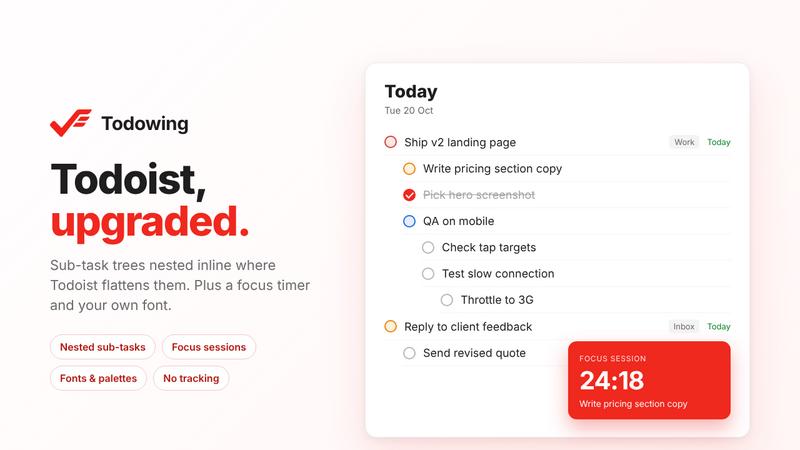
Todowing is an unofficial Chrome extension for the Todoist web app. Todoist shows sub-tasks as flat rows in Today, Upcoming, Boards, Filters and Labels, which separates a sub-task from its parent. Todowing nests them under the parent inline, up to four levels deep. Each sub-task row keeps its own due date, priority and labels, and you can check off or reopen sub-tasks in the list.
It is for Todoist users who break work into sub-tasks and want to see the hierarchy in date and filter views. It works with any Todoist plan, including the free one.
Free: inline nesting with up to 5 sub-task rows per top-level task, seven color palettes, and a text-size slider from 85% to 200%. No account needed.
Lifetime unlock, $19.99 once, no subscription, 14-day refund: unlimited sub-task rows, adding, renaming and reordering sub-tasks from the list, focus sessions, time estimates, a hide-done toggle, filing a task under a parent in another project, a font picker with about fifty Google Fonts, a notes pad above Today, read-only Apple Calendar events on Today, and all future upgrades.
Privacy: your Todoist API token stays in your browser and goes only to the official Todoist API. Tasks do not pass through Todowing's servers. No analytics or tracking.
Limits: Chrome only, and it does not run inside the Todoist desktop app. Not affiliated with or endorsed by Doist.
Similar to Todowing
Screen Issues
Free Online Screen Test Tool - Instantly diagnose dead pixels, lines, color issues, and flickering. Multiple test modes, no download needed.

TypeFire
Free text expander, Markdown notes app and clipboard manager for Mac and Chrome
LivePoll
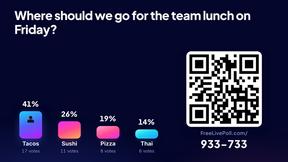
Create a free live poll, share a QR code, and watch the votes come in live.

subtitle.im
Chrome extension for existing YouTube captions. Local OCR helps handle duplicates by your settings. Free 10-video trial; optional Pro.
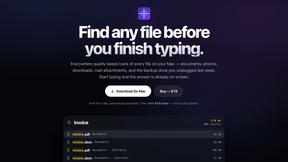
Everywhere
Fast file search for the Mac. Results as you type, files inside Mail and Photos, works with Wi-Fi off. $19 once.
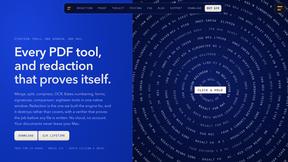
Basalt
Eighteen PDF tools in one native Mac window: merge, split, compress, OCR, Bates numbering, forms, signing and redaction. Offline. $29 once.

Voice Keyboard Pro
Hold a key, say what you mean, let go. Clean, punctuated text lands at the cursor in any app on your Mac or iPhone.