
Vowen
Vowen seamlessly converts your voice into text and actions, empowering intelligent automation for effortless.
Visit
About Vowen
Vowen is the quintessential voice-first productivity interface, meticulously crafted to elevate your spoken communication into immediate and actionable outcomes across both macOS and Windows platforms. This innovative tool transcends the conventional boundaries of dictation, positioning itself as an intelligent, ambient layer that seamlessly integrates into your digital workspace. With its advanced speech processing capabilities executed entirely on your device, Vowen guarantees ultra-fast and private transcription in over 99 languages, ensuring that your sensitive data remains securely under your control. This core functionality serves as a gateway to a robust suite of features, including context-aware artificial intelligence that generates personalized content and automated meeting transcription that transforms dialogues into organized notes. Tailored for discerning professionals such as developers, writers, students, and creators, Vowen empowers users to bypass the constraints of traditional keyboards, offering intuitive voice control over applications, workflows, and complex AI utilities. It embodies the harmonious blend of privacy, precision, and power, designed for those who aspire to work at the natural speed of thought.
Features of Vowen
Voice-First Dictation
Vowen offers an exceptional voice-first dictation feature that allows users to convert spoken words into text with remarkable accuracy. This feature supports a diverse range of languages, ensuring that users from various linguistic backgrounds can take advantage of its capabilities without compromising privacy.
Automated Meeting Transcription
With Vowen's automated meeting transcription, users can capture and organize conversations effortlessly. This feature distills valuable discussions into structured notes, enhancing productivity and ensuring that no critical information is overlooked during meetings or collaborative sessions.
Context-Aware AI Content Generation
Vowen leverages advanced context-aware AI to generate tailored content based on user input. This intelligent feature adapts to the specific needs of the user, providing suggestions and text completions that align with their ongoing tasks, thereby streamlining the creative process.
Custom Vocabulary Management
The custom vocabulary management feature allows users to input specialized terms, names, and abbreviations, which Vowen remembers for future use. This ensures that users can maintain consistency in their communication, especially when dealing with technical jargon or unique terminologies related to their field.
Use Cases of Vowen
Enhancing Productivity for Writers
Writers can significantly boost their productivity by utilizing Vowen to dictate thoughts and ideas quickly. This allows them to focus on creativity without the distraction of typing, resulting in a more fluid writing process.
Streamlining Project Management
Project managers can harness Vowen to automate meeting notes and track project updates seamlessly. By transforming spoken updates into structured notes, teams can maintain clarity and alignment on project goals and milestones.
Facilitating Learning for Students
Students can benefit from Vowen by dictating lecture notes or summarizing study materials. This voice-first approach enables them to engage more actively during lectures, enhancing retention and understanding of complex subjects.
Supporting Developers in Code Documentation
Developers can utilize Vowen to document their code and processes verbally. This not only saves time but also allows for more natural expression of complex ideas, making documentation more accessible and easier to understand.
Frequently Asked Questions
Is Vowen available for both macOS and Windows?
Yes, Vowen is designed to be compatible with both macOS and Windows platforms, ensuring that users can enjoy its powerful features regardless of their operating system.
How does Vowen ensure the privacy of my data?
Vowen processes speech entirely on your device, which means that your data never leaves your control. This local processing guarantees that sensitive information remains secure and private.
Can Vowen integrate with other productivity tools?
Absolutely. Vowen is built to work seamlessly with a variety of applications, including Notion, Slack, Google Docs, and many others, allowing for a comprehensive voice control experience across your digital ecosystem.
What languages does Vowen support?
Vowen supports transcription in over 99 languages and dialects, making it a versatile tool for users around the globe. Additionally, it can translate these languages to English in real-time.
Explore more in this category:
Similar to Vowen
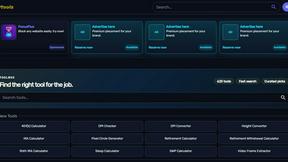
Kody Tools
Free collection of online developer utilities, code formatters, and digital converters designed to streamline your daily workflow.
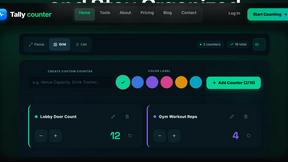
Tally Counter
Online tally counter for tracking attendance, workouts, inventory, visitors, sports scores, habits, and everyday counting tasks.
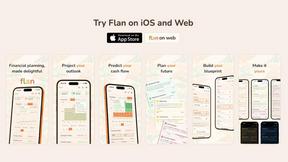
Flan
Visual financial timelines for couples and young professionals: model cash flow, life events, and shared goals.
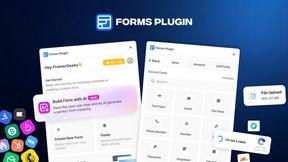
Forms Plugin
The #1 Native Form Builder Plugin for Framer - No Code, No Embeds, No External Platforms.
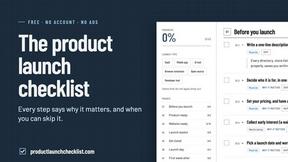
Product Launch Checklist
A free launch checklist for SaaS, apps, AI tools and more. Every step says why it matters and when you can skip it.

HomeAnswerBook
Practical, independent guides to home repairs, maintenance, costs, troubleshooting, and everyday fixes.
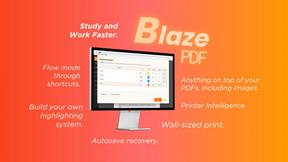
BlazePDF
Highlight faster. Study in flow with custom shortcuts and a workflow built around you. Print smarter, or turn any page into a tiled poster.
