

Alternatives to ButterKit
ButterKit is a sophisticated design tool that streamlines the creation of stunning, localized App Store screenshots to elevate your app's global.
20 alternatives found

layahost
Moderation, routing, intent and scoring for any text over one Jev-compatible API, hosted in the EU.
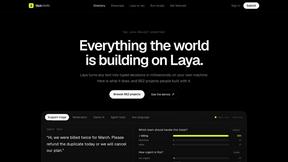
laya.tools
A free directory of 950+ projects built on Laya, the open-source decision model. Updated daily.
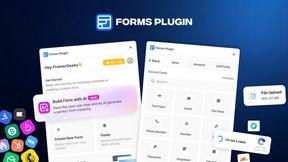
Forms Plugin
The #1 Native Form Builder Plugin for Framer - No Code, No Embeds, No External Platforms.
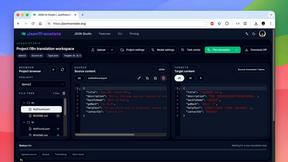
JsonTranslate
Translate JSON, Markdown, and TXT files while preserving keys, nested paths, and project structure.

Flux Lora
Explore Flux LoRA online workflows and the roadmap for models, generation, and training



AkraLabs
Where modern software products get discovered, launched, and distributed. Explore verified AI tools, SaaS startups, and developer software.
LiteralKit
Free, no-signup Unicode text tools: superscript, fancy fonts, case converter, symbols. Fast and private.



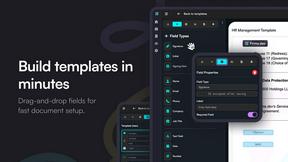
Firma.dev
Pay-as-you-go e-signature API and no-code sending. €0.049 per envelope, no monthly minimums, legally valid in 55+ countries.

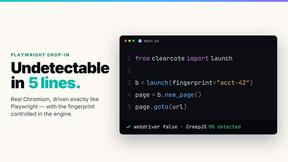
Ornold
Ornold MCP lets AI agents control Chromium and antidetect browsers: click, type, read screens, record workflows, replay profiles without scripts.
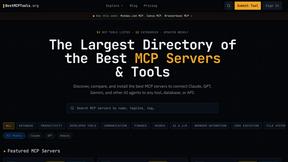

AIQualityHQ
AIQualityHQ delivers instant, deterministic prompt quality analysis across six dimensions to ensure structure, safety, and privacy.
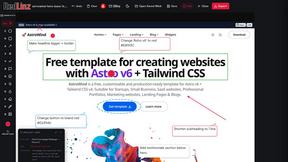
RedLinz
RedLinz turns screenshots into AI prompts by letting you circle and annotate exactly what you want an LLM to change.

Locai
Locai lets you run powerful AI models on your own hardware, keeping data private and cutting cloud costs.

Best Face Swap
Best Face Swap delivers precise, frame-consistent AI face replacement for both photos and videos.
About ButterKit Alternatives
In the competitive landscape of Apple development, ButterKit has carved a niche as a dedicated macOS utility that streamlines the creation of App Store screenshots and automates metadata localization. It belongs to the Dev Tools category, specifically addressing the often tedious workflow of preparing visual assets and multilingual text for app submission. Users frequently seek alternatives for a variety of reasons, including budget constraints, a preference for cross-platform compatibility, or the need for more granular control over design elements that a single-purpose tool may not offer. Some developers also look for solutions that integrate more deeply with their existing design software or provide different AI translation models for specific language pairs. When evaluating an alternative, the discerning developer should prioritize tools that offer seamless integration with existing CI/CD pipelines and Fastlane workflows, as ButterKit excels in this area. The ideal replacement must balance automation with creative flexibility, ensuring that the generation of photorealistic device frames and the management of multiple language metadata remain efficient without sacrificing quality. Consideration should also be given to the tool’s support for the latest Xcode Simulator versions and its compliance with App Store Connect API updates. Ultimately, the best choice will depend on whether the user values a native macOS experience, a subscription-based pricing model, or a one-time purchase that aligns with their long-term development budget.
FAQs about ButterKit Alternatives
What is ButterKit?
ButterKit is a native macOS application designed to simplify and automate the App Store publishing workflow for Apple developers. It allows users to capture screenshots directly from the Xcode Simulator and place them into photorealistic 3D device frames. The tool also uses advanced AI models to translate app metadata into all 50 App Store Connect languages, streamlining the localization process.
Who is ButterKit for?
ButterKit is specifically tailored for Apple developers who create and manage mobile applications. It is ideal for indie developers, small studios, and larger teams who need to produce polished App Store screenshots and manage metadata across multiple languages. The tool is built by a solo developer for developers, making it particularly suited for those who value efficiency and a streamlined publishing pipeline.
Is ButterKit free?
Based on the provided product description, ButterKit is a commercial application developed by a solo developer, and it is not described as free. It is positioned as a premium tool for professionals, offering features such as AI-driven translation and CI/CD pipeline integration. Users should consult the official ButterKit website for specific pricing tiers and licensing details.
What are the main features of ButterKit?
ButterKit's main features include the ability to capture screenshots directly from the Xcode Simulator and insert them into photorealistic 3D device frames. It offers AI-powered translation of app metadata into all 50 App Store Connect languages and integrates with the App Store Connect API for one-click uploads. Additionally, it supports professional templates, folder-linked input and output for CI/CD pipelines, and seamless compatibility with Fastlane workflows.