

Alternatives to Easymotion - AI Motion Graphic Generator
Easymotion transforms static images, data, and ideas into professional motion graphics and map animations in minutes through conversational AI.
20 alternatives found

Hotel Lobby AI
Hotel Lobby AI transforms two separate portraits into a stylish duet video inside an orange recording booth. Choose each performer's side, framing, an
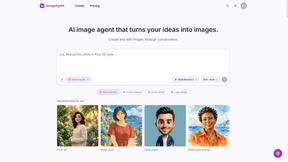
ImageAgent
Create and edit AI images through conversation, using text or reference images and refining results in chat.
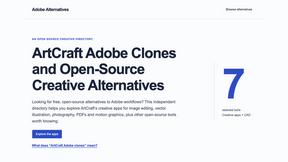
Adobe Alternatives
Explore open-source creative software by workflow, platform and development stage, with comparisons and official project links.

GenX
All-in-one AI workspace to generate images, videos, and audio with multiple leading AI models.
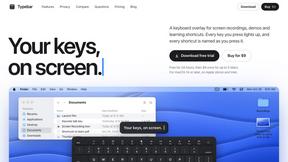
Typebar
Every key you press lights up on an on-screen keyboard, and each shortcut is named as you press it.

Bloom
An adaptive AI tutor that turns topics or your materials into courses, lessons, and answers tailored to how you learn.

AppIconGenerator
Generate iOS and Android app icons from any image and export all platform sizes for free.
FreeCreate
Free AI image and video studio with no sign-up: generate images from text or photos, turn prompts into short videos, plus editing and upscaling.


Nano AI
Create and edit AI images, generate videos, and compare models in one creative workbench.

Tesla Roadster AI
Tesla Roadster AI makes a 15-second Roadster ramp-flip video from one photo of a car, toy, or object. No watermark.

RoadsterVideo
RoadsterVideo turns a photo of your car into a 15-second Tesla Roadster ramp-flip AI video. No app, no prompt.
Play Jean Phil
Play Jean Phil turns one photo into a Jean Phil AI video: bowl cut, moustache and suit, eight scenes. 9:16 MP4, no prompt.

Gas Station Dance AI Generator
Browser-based AI generator that recreates the viral gas station dance video from 1-3 photos. 15s MP4 for TikTok, Reels and Shorts.

Unforgettable Car AI
Unforgettable Car AI makes the 15-second 24 UNO car-reveal trend from one selfie. 9:16 or 16:9 MP4, no watermark.

Ozil Goal AI
Ozil Goal AI turns one photo into an AI remake of Mesut Özil's famous 2016 chip-and-dribble goal against Ludogorets.
ogimagegenerator.dev
Paste a URL and AI designs on-brand Open Graph images from your page's colours, fonts and logo. Free, no sign-up.
Budgetpixel AI
Create and edit AI images, videos, music, and designs in one workspace, with multiple models, reusable characters, and API access.

Tip Toe AI
Upload a Dancer photo and a Partner photo and get your own AI Tip Toe barn-dance video. Free 5s preview, 12s HD from $4.90. No subscription.
About Easymotion - AI Motion Graphic Generator Alternatives
In the rapidly expanding landscape of digital content creation, Easymotion stands as a sophisticated AI motion graphic generator designed to transform static ideas into polished animated videos without the need for complex timeline editing. It occupies a unique niche at the intersection of AI Assistants, Content Creation, Design Tools, and Video production, offering a browser-based solution for crafting everything from SaaS product promos and animated flowcharts to geographic map animations and UI explainers. While its approach to generating motion graphics through conversational prompts and image-to-animation workflows is elegant, discerning users often seek alternatives due to specific constraints such as pricing structures that may not align with high-volume output, a desire for more granular control over keyframe animation, or the need for deeper integration with existing enterprise-level design ecosystems. Others may find their requirements shift toward platforms offering more robust 3D capabilities, real-time collaboration features, or specialized export formats for broadcast-grade production. When evaluating a suitable alternative to Easymotion, one must first assess the core necessity of the workflow: is the priority speed and ease of use, or is it the depth of creative control? A premium alternative should offer a seamless balance between AI-driven automation and manual refinement, allowing users to adjust pacing, color palettes, and typography without sacrificing the fluidity of the creative process. Look for platforms that provide a rich library of motion templates akin to Easymotion’s premium collection, but also consider those that offer native support for data-driven animations, such as live chart updates or dynamic map layers. Additionally, the export ecosystem is paramount; the ideal alternative will support a full spectrum of aspect ratios from 16:9 to 9:16 and 4:5, while also providing transparent background renders for compositing in professional editing suites. Ultimately, the most refined choice will be one that respects your brand’s visual language while elevating your storytelling through intuitive, AI-powered motion design.
FAQs about Easymotion - AI Motion Graphic Generator Alternatives
What is Easymotion - AI Motion Graphic Generator?
Easymotion is a browser-based AI motion graphics generator and map animation platform designed for content creators, editors, founders, and marketers. It enables users to transform ideas, static visuals, files, and spreadsheets into polished animated videos without requiring complex timeline editing. The platform supports a variety of motion graphics including SaaS product promos, flowcharts, animated charts, UI explainers, and geographic map animations with flight routes and location pins.
Who is Easymotion - AI Motion Graphic Generator for?
Easymotion is built for content creators, video editors, startup founders, and marketing professionals who need to produce professional motion graphics and map animations quickly. It is particularly valuable for those who may lack advanced animation skills but still require high-quality video assets for social media, presentations, product marketing, and client deliverables. The platform’s chat-based editing and template library make it accessible to both beginners and experienced designers seeking a faster workflow.
What are the main features of Easymotion - AI Motion Graphic Generator?
Key features include AI-powered generation from text prompts, image conversion, and spreadsheet or PDF import to create animation-ready scenes. Users can edit animations by chatting with AI to adjust colors, pacing, labels, layout, and visual style. The platform offers a premium template library for starting from proven layouts, and supports export in MP4 and MOV formats, including videos with transparent backgrounds for editing workflows. It also supports multiple aspect ratios: 16:9, 9:16, 1:1, and 4:5.
Is Easymotion - AI Motion Graphic Generator secure?
As a browser-based platform designed for professional and commercial use, Easymotion employs standard security protocols to protect user data and project files during processing and storage. While specific security certifications are not detailed in the provided content, the platform is built for content creators and marketers who require reliable handling of proprietary business assets. Users should review the platform’s privacy policy and terms of service for detailed information on data encryption and retention practices.