

Alternatives to Very Good Calendar Sync
Effortlessly sync your calendars while safeguarding your privacy, keeping your schedule organized and up-to-date without compromise.
20 alternatives found
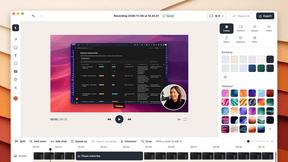
ScreenOtter
A Mac app for screen recordings and screenshots. A zoom on every click, captions made on your Mac, and eight camera layouts. Free to use, pay once.


GigUp
GigUp helps freelancers discover relevant Upwork jobs through AI matching, automated monitoring, and instant alerts.

Safe Outreach
AI-powered platform that evaluates the safety of LinkedIn automation tools and helps reduce the risk of account restrictions.
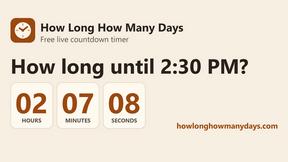
How Long How Many Tool
Timers and hourly checks to figure how out long until a certain time or how many days away.

Memorable Contact
AI-powered personal CRM that remembers where you met people and what you talked about. Save, scan, and recall contacts instantly.

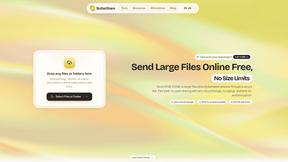
ButterShare
Send files straight between two browsers with a 6-digit key. No signup, no install, nothing stored on a server.
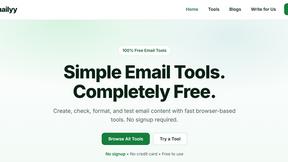
Emailyy
Free email tools for signatures, subject lines, HTML previews, word counts, and email headers. Browser-based, simple to use, and no signup required.
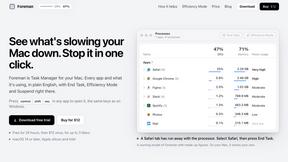
Foreman
See every app and what it's using in plain English, and end or slow down the one that's hogging your Mac.

Uniclip
Clip pages, take full-page screenshots and batch-capture list data to Notion, Feishu, Obsidian, Markdown, CSV or JSON.
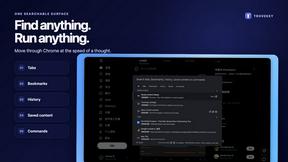
TroveKey
Search tabs, Chrome bookmarks and history, run browser commands, and save webpages and social posts locally—no account.
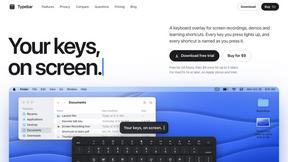
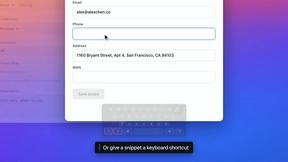
Typebar
Every key you press lights up on an on-screen keyboard, and each shortcut is named as you press it.
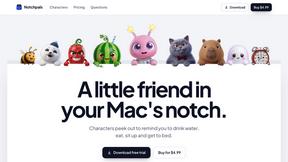
Notchpals
Little characters peek out of your Mac's notch to remind you to drink water, eat, sit up and get to bed. Quiet during calls. $4.99 once.
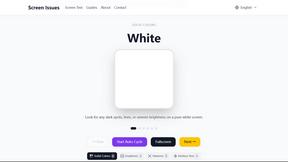
Screen Issues
Free Online Screen Test Tool - Instantly diagnose dead pixels, lines, color issues, and flickering. Multiple test modes, no download needed.

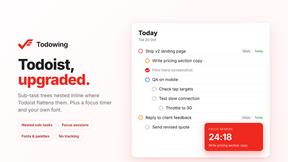
Todowing
Chrome extension that nests Todoist sub-tasks inline in Today, Upcoming, Filters and Labels. Free tier, $19.99 one-time unlock.
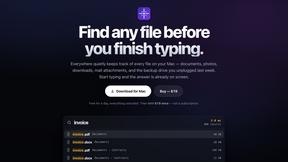
Everywhere
Fast file search for the Mac. Results as you type, files inside Mail and Photos, works with Wi-Fi off. $19 once.
About Very Good Calendar Sync Alternatives
Very Good Calendar Sync is a sophisticated application designed to seamlessly synchronize calendars, ensuring that users no longer have to engage in the tedious task of multiple checks. Falling within the realm of productivity and management tools, it provides a streamlined solution for individuals seeking to harmonize their professional and personal schedules effortlessly. The app operates quietly in the background, maintaining an impeccable alignment of calendar events and appointments without the need for constant intervention. However, users often seek alternatives for various reasons, including pricing structures, feature sets, and compatibility with different platforms. When searching for an alternative, it is essential to consider specific functionalities that meet one’s unique needs, such as granular control over synchronization settings, privacy measures, and the ability to integrate with existing calendar applications. Evaluating these factors can lead to a more tailored experience that enhances productivity and minimizes calendar chaos.
FAQs about Very Good Calendar Sync Alternatives
What is Very Good Calendar Sync?
Very Good Calendar Sync is an innovative application designed to automatically synchronize calendars on macOS, ensuring that both work and personal schedules are perfectly aligned. By operating quietly in the background, it effectively eliminates the need for users to manually check multiple calendars for updates, providing a seamless and efficient solution for calendar management.
Who is Very Good Calendar Sync for?
Very Good Calendar Sync is ideal for a diverse range of users, including consultants managing client appointments, employees balancing work and personal commitments, freelancers juggling various projects, and anyone seeking to streamline their calendar organization. Its intuitive design and robust functionalities cater to those who wish to minimize the chaos of overlapping schedules.
Is Very Good Calendar Sync free?
Very Good Calendar Sync is a premium application that typically requires a purchase for full access to its features. However, users are encouraged to check the official website for any promotional offers or trial versions that may be available to experience the app before committing to a purchase.
What are the main features of Very Good Calendar Sync?
The primary features of Very Good Calendar Sync include the ability to sync any calendar available in the macOS Calendar.app, customizable synchronization settings such as specific weekdays and daily hours, and robust privacy measures that ensure calendar data remains solely on the user's Mac. Users can also choose the level of detail shared, from full event information to simply indicating when they are busy.