
Caesura
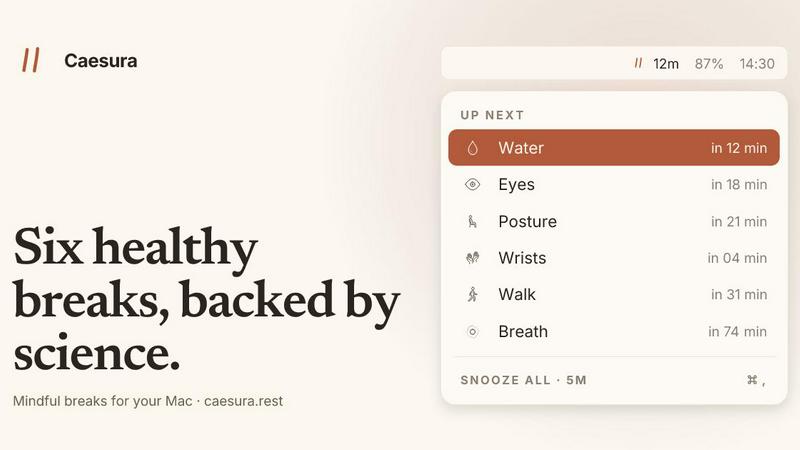
Caesura is a sophisticated macOS menu-bar app that reminds you to drink water, stretch, rest your eyes, and breathe on scientifically optimized.
VisitPublished on:
June 26, 2026
Pricing:
About Caesura
Caesura is a meticulously crafted macOS menu-bar application designed for professionals who spend extended hours at their desks and seek to maintain their physical well-being without sacrificing productivity. It functions as an intelligent, evidence-based break manager that reminds users to perform six essential health actions: drinking water, walking, stretching wrists, resting eyes, checking posture, and breathing. Each reminder operates on its own independent schedule, derived from peer-reviewed scientific studies rather than arbitrary intervals. What distinguishes Caesura from conventional break timers is its sophisticated coalescing system: when two reminders fall within close proximity, they merge into a single, gentle prompt, ensuring users are never interrupted twice in succession. The application demonstrates profound respect for workflow by automatically pausing during video calls, screen sharing sessions, fullscreen applications, and calendar events, resuming precisely where it left off. Caesura requires no account creation, stores no personal data, and eschews telemetry, offering a clean, clutter-free experience that prioritizes user privacy and focus. It is available as a one-time purchase with a 14-day free trial, embodying a philosophy of sustainable health practices integrated seamlessly into the digital workspace.
Features of Caesura
Six Evidence-Based Breaks
Caesura provides six distinct, independently configurable break types, each calibrated to intervals supported by scientific research. The water break prompts hydration every 45 minutes based on hydration studies, the walk break encourages movement every 60 minutes to counteract sedentary behavior, the wrist break reminds users to stretch every 30 minutes to prevent repetitive strain, the eye break recommends looking at a distance every 20 minutes to reduce digital eye strain, the posture break suggests shifting position every 30 minutes to maintain spinal health, and the breathing break guides paced respiration every 90 minutes to manage stress. Each break includes links to its underlying research, empowering users to understand the science behind their health routines.
Intelligent Coalescing and Flow Respect
Caesura features a sophisticated coalescing engine that merges multiple reminders falling within a one-minute window into a single, unified break prompt, preventing disruptive back-to-back interruptions. The application actively monitors system activity including camera usage, screen sharing, calendar events, fullscreen applications, Do Not Disturb mode, and game windows. When any of these conditions are detected, all timers freeze automatically and resume precisely from where they paused once the activity concludes. This ensures users maintain 12 minutes until their next water break even after a lengthy call, preserving both health routines and professional focus.
Customizable Break Presentation Styles
Users can select from three distinct presentation styles for each break type, allowing personalized control over interruption intensity. The Overlay style presents a full-screen prompt that demands acknowledgment, ideal for breaks users might otherwise ignore such as hydration. The Banner style slides in discreetly from beneath the menu bar and auto-dismisses after 30 seconds, suitable for gentler reminders like breathing exercises. The Notification style delivers a standard macOS notification, providing the lightest possible touch for breaks like posture checks. Each style can be assigned per break, enabling water to appear as an overlay while eyes remain a simple banner.
Detailed Guided Break Experiences
Beyond simple reminders, Caesura offers immersive guided experiences for select breaks. The breathing break features a soft, expanding orb with a progress bar that paces users through a four-second inhale, a held breath, and a six-second exhale across three cycles. The eye break presents a small pill-shaped indicator that follows the cursor, displaying a 20-second countdown ring that empties as users look at a distance. The wrist break includes four illustrated stretch diagrams displayed within the overlay, guiding users through optional ten-second movements. These thoughtful details transform routine reminders into engaging, scientifically-informed health practices.
Use Cases of Caesura
Remote Software Developers
Software engineers working on complex codebases often lose track of time for hours, neglecting basic physical needs. Caesura serves as a gentle, persistent guardian for developers who regularly enter deep focus states. The application's automatic pausing during screen sharing and fullscreen coding sessions ensures developers are never interrupted during critical debugging or code review sessions, while the coalescing feature prevents multiple health reminders from disrupting flow states. The evidence-based intervals, particularly the 20-minute eye break, help prevent the digital eye strain common among those staring at monitors for extended periods, and the wrist stretches mitigate the risk of repetitive strain injuries from continuous typing.
Creative Professionals and Designers
Graphic designers, video editors, and 3D artists frequently work through long, immersive creative sessions where time perception becomes distorted. Caesura's customizable presentation styles allow these professionals to assign subtle banner notifications for posture and breathing breaks while reserving full-screen overlays for hydration and movement reminders that might otherwise be ignored. The application's ability to pause during fullscreen previews and video playback ensures creative reviews remain uninterrupted. The evidence-based walking break every 60 minutes encourages creative professionals to step away from their workstations, which research shows can enhance creative thinking and problem-solving capabilities upon return.
Remote Managers and Executives
Professionals who spend their days in back-to-back video calls and meetings face unique challenges in maintaining physical health. Caesura's intelligent call detection automatically pauses all timers during active video conferences, calendar events, and screen sharing sessions, then resumes precisely where it left off. This ensures executives never receive a health reminder while presenting to stakeholders or leading team meetings. The coalescing feature is particularly valuable for managers, as multiple breaks that accumulate during a long meeting block are presented as a single, comprehensive prompt during the first available pause, allowing for efficient recovery without compounding interruptions.
Health-Conscious Freelancers and Solopreneurs
Independent professionals who lack the structured schedules and ergonomic support of traditional office environments benefit significantly from Caesura's autonomous health management. Without HR departments or wellness programs, freelancers must self-regulate their physical habits, a task for which Caesura provides reliable, scientific structure. The one-time purchase model and absence of account requirements align perfectly with the privacy-conscious, cost-aware mindset of solopreneurs. The ability to customize intervals and turn off individual breaks allows freelancers to tailor the application to their specific health priorities, whether managing chronic back pain, preventing eye fatigue from multiple monitors, or maintaining hydration during intense project sprints.
Frequently Asked Questions
How does Caesura know when I am on a call or busy?
Caesura monitors several system-level signals to detect busy periods. It watches for active camera usage, screen sharing sessions, fullscreen applications, Do Not Disturb mode, FaceTime in the foreground, and calendar events. When any of these conditions are detected, all break timers automatically freeze and resume precisely from where they paused once the activity concludes. This ensures you maintain the exact interval remaining before your next break, preserving the scientific cadence of your health routines.
Can I customize which breaks I receive and how often?
Yes, each of the six breaks is independently configurable. You can turn off any break entirely if it does not suit your needs, adjust the interval to your preference, and choose from three distinct presentation styles per break: Overlay for full-screen attention, Banner for a gentle menu-bar slide-in, or Notification for a standard macOS alert. This granular control allows you to tailor Caesura to your specific health priorities and tolerance for interruptions.
Is Caesura a subscription or a one-time purchase?
Caesura is a one-time purchase for $15. There are no subscriptions, no recurring fees, and no account requirements. The application does not collect telemetry or personal data. A 14-day free trial is available without requiring a credit card, allowing you to evaluate the full feature set before committing to purchase. The license is valid for macOS 14 and later versions.
What happens if two breaks are due at the same time?
Caesura features an intelligent coalescing system that merges multiple reminders falling within a one-minute window into a single, unified break prompt. For example, if your water break and posture break are both due within seconds of each other, you will receive one combined notification rather than two separate interruptions. This design philosophy ensures you are never interrupted twice in succession, preserving your focus and workflow while still addressing all your health needs.
Similar to Caesura
Tally Counter
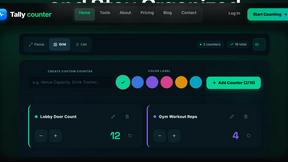
Online tally counter for tracking attendance, workouts, inventory, visitors, sports scores, habits, and everyday counting tasks.
Flan
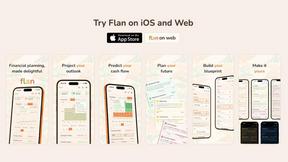
Visual financial timelines for couples and young professionals: model cash flow, life events, and shared goals.
Forms Plugin
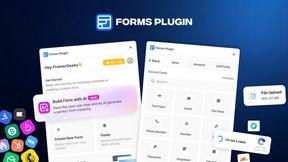
The #1 Native Form Builder Plugin for Framer - No Code, No Embeds, No External Platforms.
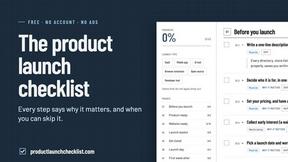
Product Launch Checklist
A free launch checklist for SaaS, apps, AI tools and more. Every step says why it matters and when you can skip it.
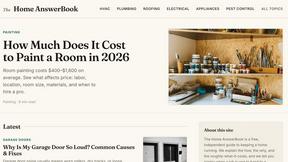
HomeAnswerBook
Practical, independent guides to home repairs, maintenance, costs, troubleshooting, and everyday fixes.

AIdorable
Adopt a virtual baby who grows, learns, and remembers you.
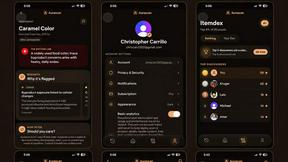
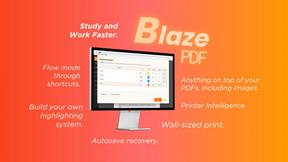
BlazePDF
Highlight faster. Study in flow with custom shortcuts and a workflow built around you. Print smarter, or turn any page into a tiled poster.