
Nani
Nani streamlines AI image generation with reusable prompt sets, ensuring effortless creativity and organized workflows.
Visit
About Nani
Nani is a groundbreaking workflow tool meticulously crafted to elevate the experience of AI image generation, particularly tailored for professionals and creatives engaged in regular and repetitive projects. While many existing AI image tools focus on singular creations, Nani redefines the process by streamlining the workflow, thereby enabling users to sidestep the monotony of rewriting prompts and navigating through extensive image feeds. Powered by Google's avant-garde Nano Banana Pro (Gemini) technology, Nani serves as a holistic solution for artists, designers, and content creators aiming to amplify their creative capabilities. The platform boasts a user-centric interface that facilitates swift image generation, allowing users to concentrate on their artistry rather than administrative burdens. With features such as reusable prompt sets and organized folders, Nani fosters an environment of consistency and efficiency, empowering users to unleash their creativity like never before. It is not just a tool; it is a partner in your creative journey, designed to help you bring your visions to life with ease and precision.
Features of Nani
Intuitive Interface
Nani's interface is designed with simplicity in mind, offering an intuitive experience that requires no steep learning curve. Users can easily navigate the platform, enabling them to focus on creativity rather than technical hurdles, streamlining the entire image generation process.
Reusable Prompt Sets
With the innovative reusable prompt sets feature, users can group images and save prompts for future use. This functionality allows for the maintenance of consistent characters and styles across multiple creations, ensuring a cohesive aesthetic in every project.
Organized Folders
Nani empowers users to keep their creative libraries well-structured with organized folders. Users can filter by favorites, bulk-select images, and maintain a tidy workspace, which is crucial for managing extensive collections of generated images.
Seamless Workflow Integration
The platform supports a seamless workflow by allowing drag-and-drop functionalities for referencing images and sharing creations through public links. This feature not only enhances collaboration but also invites others to recreate works in their own accounts, fostering a community of creativity.
Use Cases of Nani
Professional Artists
Professional artists can utilize Nani to generate a series of images that adhere to their specific styles and themes. With features like reusable prompts and organized folders, they can efficiently create and manage their artworks.
Graphic Designers
Graphic designers can benefit from Nani’s ability to produce high-quality images quickly. The customizable aspect ratios and resolutions allow them to tailor graphics for various platforms and projects without sacrificing quality.
Content Creators
Content creators across platforms can leverage Nani to enhance their visual storytelling. By generating consistent imagery for blogs, social media, or videos, they can maintain a unified brand aesthetic that resonates with their audience.
Marketing Professionals
Marketing professionals can use Nani to create compelling visuals for campaigns. The quick image generation capability allows them to rapidly prototype ideas and iterate based on feedback, ensuring timely delivery of marketing materials.
Frequently Asked Questions
How does Nani differ from other AI image generation tools?
Nani sets itself apart by focusing on streamlining repetitive workflows rather than one-off creations. Its features, such as reusable prompt sets and organized folders, are designed to enhance efficiency and consistency for users who regularly generate images.
Do I need to pay to get started with Nani?
No, Nani offers five free credits to new users to begin their creative journey, allowing them to explore the platform without the need for a credit card or initial investment.
Is there a subscription model for using Nani?
Nani employs a credit-based billing system where users pay only for what they generate. There are no subscriptions or long-term commitments, making it a flexible option for creators.
Can I share my creations with others?
Absolutely! Nani allows users to share their generated images through public links, enabling collaboration and allowing others to recreate your work in their own accounts seamlessly.
Explore more in this category:
Similar to Nani
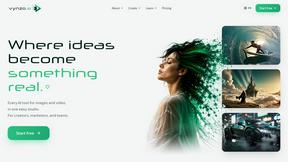
Vynzo
AI image and video studio. Generate from a prompt, animate stills, swap faces, restyle clips and edit — one credit pool, no subscription.
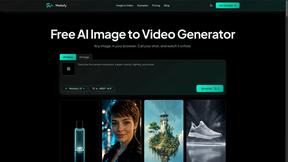
Motiofy
Motiofy is an AI creative workspace that helps creators and teams turn ideas into polished visual stories.
Speechyou
AI transcription for voice notes, meetings, and audio files in 1,700 languages, with AI summaries and subtitle export and unlimited chat ai usage.
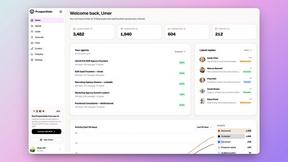
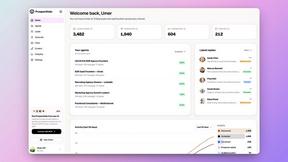
ProspectHalo
AI sales agent that finds qualified leads, runs outreach, follows up automatically, creates content, and helps book more meetings.
benchmark.directory
AI tools written up by the people who paid for them. Pricing, integrations, data policy and the limit we hit in a week of use.
Explainer Video
AI Explainer Video Generator turning topics, scripts, URLs, or PDFs into clear animated stories.
saasgrow.ai
saasgrow.ai is a curated directory of SaaS growth tools. Every tool is screened before it appears, so the list stays short and the quality stays high.
