
Opal Recall
Opal Recall is a visual note and project workspace for freelancers, solopreneurs, and small teams who want work kept in view.
Visit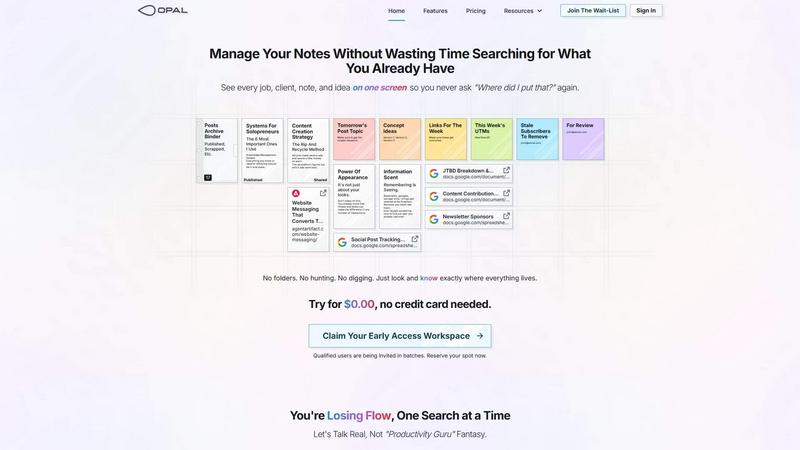
About Opal Recall
Opal Recall is built around a simple premise: work is easier to revisit when it remains visible. Its workspace is a large grid where people can position notes, documents, links, binders, files, and Google Docs or Sheets. Arrange related material together, open several items at once, and zoom out to review the whole project desk.
The layout is intended for users who recall where they put something, not just what it was called. Search remains available, but the spatial organization is central. Opal also includes a Markdown enabled editor for notes and documents, links between items, and shared binders or fences that can be edited together. Embedded Google Docs and Sheets can be edited in the app, and PDFs can be read there.
Scope the workspace before committing
People with many concurrent projects should look at the plan limits on workspaces and items. The official FAQ recommends easing in with active jobs, clients, or initiatives rather than switching an entire business at once. That gives users a chance to see whether a visual desk matches how they naturally group information.
Features of Opal Recall
- Place notes, docs, links, binders, and files on an expansive grid.
- View multiple open items together and zoom out across a workspace.
- Write formatted notes and connect related documents with links.
- Share items and containers, with real-time collaborative editing.
Use Cases of Opal Recall
- Maintain a visible desk for active freelance client projects.
- Keep a small team's reference materials in shared binders or fences.
- Group live Google documents and spreadsheets with project notes.
- Revisit older ideas by location and surrounding context.
Frequently Asked Questions
Who is Opal Recall aimed at?
The official description names freelancers, solopreneurs, small teams, and people managing projects.
Does Opal replace Google Docs and Sheets?
The page describes embedding and editing Google Docs and Sheets inside Opal, placing them alongside other project material.
What happens after the introductory period?
The selected monthly or yearly plan is charged after seven days unless you cancel. The official pricing text says the initial $1 is not refundable.
Pricing of Opal Recall
Paid plans start at $9 per month or $84 billed yearly. Each plan starts with 7 days for $1.
Explore more in this category:
Similar to Opal Recall

Greatooly
Greatooly is an iPhone app directory with category and tag discovery, plus listing details that help readers assess everyday apps.

SmartCV
Build resumes with AI writing help, editable templates, PDF or Word imports, and application tracking for job seekers.
GridCraft
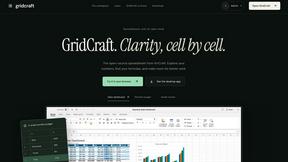
GridCraft is an open-source spreadsheet for editing XLSX files, exploring formulas, and working with data on desktop or in a browser.
DeckCraft
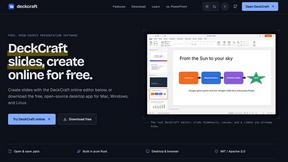
DeckCraft is a free, open-source slide editor for creating presentations online or with native apps for Mac, Windows, and Linux.

ACA
ACA connects lead sourcing, multichannel outreach, lead capture, and content workflows for businesses acquiring clients.

Infograph
Infograph turns source material into visual stories, helping educators, researchers, and teams share information in readable formats.
ScreenOtter
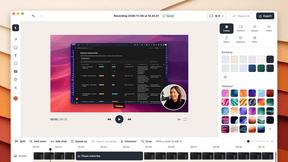
ScreenOtter is Mac screen recording software with camera layouts, face tracking and a teleprompter for presenters making demos or lessons.

Leadmatically
Leadmatically finds sales leads from social posts and email opportunities, with account safeguards and approval settings for cautious outreach.