

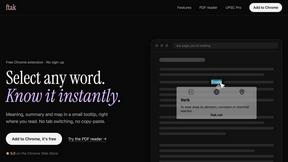
ftak
Select a word on any web page to get its definition, a Wikipedia summary and a map, right where you read.

Panzoe
Panzoe is an all-in-one AI platform for personal productivity, business automation, AI assistants, content creation, and custom AI solutions.
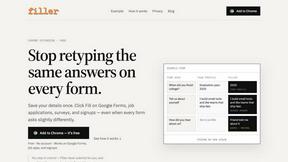
Filler
Free Chrome extension: save your details once, then fill Google Forms, job applications, surveys and signups in one click.
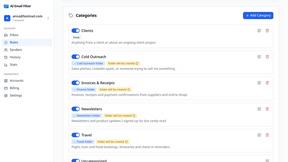
AI Email Filter
AI Email Filter sorts incoming mail into folders using plain-language prompts you write. Works with any IMAP mailbox; bring your own LLM if you want.
Egmatic
No-code 2D game editor: visual node logic, drag-and-drop scenes, live preview. Exports to Windows, macOS, Linux, Android, iOS, Web.
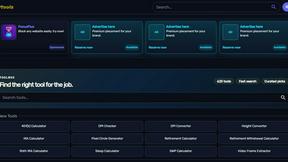
Kody Tools
Free collection of online developer utilities, code formatters, and digital converters designed to streamline your daily workflow.
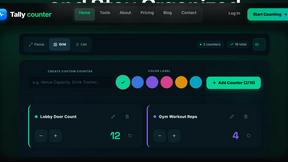
Tally Counter
Online tally counter for tracking attendance, workouts, inventory, visitors, sports scores, habits, and everyday counting tasks.
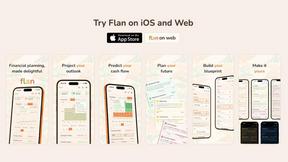
Flan
Visual financial timelines for couples and young professionals: model cash flow, life events, and shared goals.
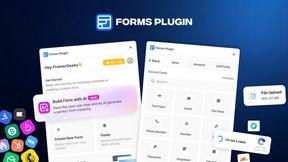
Forms Plugin
The #1 Native Form Builder Plugin for Framer - No Code, No Embeds, No External Platforms.
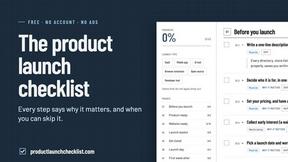
Product Launch Checklist
A free launch checklist for SaaS, apps, AI tools and more. Every step says why it matters and when you can skip it.

HomeAnswerBook
Practical, independent guides to home repairs, maintenance, costs, troubleshooting, and everyday fixes.
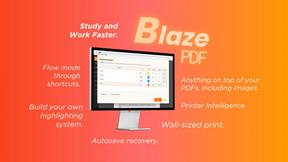
BlazePDF
Highlight faster. Study in flow with custom shortcuts and a workflow built around you. Print smarter, or turn any page into a tiled poster.

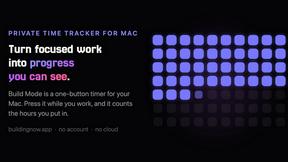
Build Mode for Mac
Build Mode is a Mac app that turns focused sessions into visible progress, so you can see the work adding up before the results arrive.
LiteralKit
Free, no-signup Unicode text tools: superscript, fancy fonts, case converter, symbols. Fast and private.



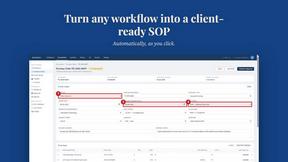
MySOP.guru
Capture any workflow in your browser and export a branded, step-by-step SOP with screenshots. €5 per document, no subscription.

PerPageFax
PerPageFax lets you send a fax online from any browser for a flat $0.50 per page — no account, no subscription, no fax machine.
About Opal Alternatives
Opal is a sophisticated visual workspace that redefines project management and note-taking for individuals who prioritize spatial organization. As a tool designed for solopreneurs, consultants, agency owners, and creatives, it enables users to seamlessly combine their projects and notes onto an infinite digital canvas. This innovative approach to knowledge management allows users to retrieve information based on its spatial location rather than mere labels, enhancing creativity and productivity. Users often seek alternatives to Opal for a variety of reasons, including budget constraints, specific feature requirements, or compatibility with existing platforms. When exploring alternatives, it is essential to consider factors such as user interface intuitiveness, integration capabilities with other tools, and overall usability. A suitable alternative should not only meet functional needs but also resonate with the user's preferred style of organization and workflow, ensuring a smooth transition and continued productivity.
FAQs about Opal Alternatives
What is Opal?
Opal is a visual knowledge and project management workspace designed to help users organize their notes and projects intuitively. It provides an infinite digital canvas that allows for the drag-and-drop arrangement of documents, files, and links, making retrieval effortless and efficient. Opal is specifically tailored for individuals who think spatially, promoting a unique method of organizing information.
Who is Opal for?
Opal caters to a diverse range of professionals, including solopreneurs, consultants, agency owners, and writers. It is particularly beneficial for those whose work relies heavily on managing conversations, details, and creative ideas. By providing a visual and organized workspace, Opal helps users keep their projects and client information readily accessible.
Is Opal free?
Opal offers various pricing tiers to accommodate different user needs, including options that may cater to budget-conscious individuals. While there may be a free trial period available, users should check Opal's official website for the most accurate and up-to-date information regarding pricing and subscription plans.
What are the main features of Opal?
Opal's main features include an infinite digital canvas where users can visually organize notes and projects, drag-and-drop functionality for easy arrangement of files and links, and a spatial memory approach that enhances information retrieval. Additionally, it is designed to keep all active projects and client details visible, ensuring that users remain focused and productive.