
QuickTextTools
QuickTextTools provides over 76 free online utilities designed to elevate writing efficiency and streamline text optimization for creators.
Visit
About QuickTextTools
QuickTextTools is an exceptional online platform designed to cater to the diverse needs of writers, marketers, developers, students, SEO professionals, and content creators. With over 76 free, browser-based tools, it provides a comprehensive suite of utilities that enhance productivity and streamline workflows. This innovative toolkit features a variety of functionalities, including text formatting tools, SEO analysis utilities, writing assistants, and keyword management tools, all aimed at simplifying the tasks essential for content creation and digital marketing. QuickTextTools excels in providing user-friendly and privacy-focused solutions that operate directly within your browser, ensuring that users can access powerful functionalities without the hassle of complicated setups or software installations. By enabling quick processing of text, analysis of SEO metrics, and conversion of text formats, QuickTextTools empowers users to work more efficiently and effectively, all while prioritizing a secure and user-friendly experience.
Features of QuickTextTools
Word Counter
The Word Counter tool is an invaluable resource for writers and content creators, allowing users to instantly count the number of words, characters, and sentences in their text. This feature is essential for meeting specific content requirements and ensuring that copy adheres to guidelines for various platforms, such as blogs, articles, and academic papers.
Keyword Density Checker
The Keyword Density Checker is designed for SEO professionals and content marketers, enabling them to analyze the frequency and distribution of keywords within their text. By providing insights into keyword usage, this tool helps users optimize their content for search engines, ensuring that it ranks well and attracts the intended audience.
Text Formatter
The Text Formatter tool simplifies the process of cleaning and organizing text, allowing users to remove unwanted formatting, extra spaces, and hidden characters. This feature is particularly useful for those handling large volumes of text, ensuring that the final output is polished and ready for publication.
Meta Tag Analyzer
The Meta Tag Analyzer offers users the ability to preview and analyze SEO meta tags, which are critical for improving search engine visibility. By examining the effectiveness of meta titles and descriptions, users can make informed adjustments to their web content, enhancing its appeal and relevance to search engines.
Use Cases of QuickTextTools
Content Creation
Writers can leverage QuickTextTools to streamline their content creation process. By utilizing the Word Counter and Text Formatter, they can ensure their writing is concise and free from distracting errors, improving overall quality and readability.
SEO Optimization
SEO professionals can utilize tools like the Keyword Density Checker and Meta Tag Analyzer to enhance the visibility of their web content. By analyzing keyword effectiveness and optimizing meta tags, they can elevate their search engine rankings and drive more organic traffic.
Academic and Student Use
Students can find immense value in QuickTextTools for their academic writing projects. The Word Counter and Reading Time Calculator are particularly beneficial for ensuring that assignments meet required lengths and are presented in an easily digestible format.
Social Media Management
Content creators focused on social media can employ QuickTextTools to generate engaging posts. Using the Character Counter and Text Formatter, they can craft messages that fit platform-specific guidelines while maintaining clarity and impact.
Frequently Asked Questions
Is QuickTextTools really free to use?
Yes, QuickTextTools is completely free to use, with no hidden fees or charges. Users can access all tools without the need for sign-up or subscriptions.
Do I need to download any software to use QuickTextTools?
No, all tools are browser-based and can be accessed directly through your web browser. This eliminates the need for any software downloads or installations.
Can I use QuickTextTools on my mobile device?
Absolutely! QuickTextTools is designed to be responsive and user-friendly across various devices, including smartphones and tablets, making it convenient for users on the go.
How secure is my data while using QuickTextTools?
QuickTextTools prioritizes user privacy and data security. All processing occurs within your browser, ensuring that your text and information remain confidential and are not stored on external servers.
Explore more in this category:
Similar to QuickTextTools
Novastart
Apps and files on an infinite canvas where people and AI agents work together.


ftak
Select a word on any web page to get its definition, a Wikipedia summary and a map, right where you read.

Panzoe
Panzoe is an all-in-one AI platform for personal productivity, business automation, AI assistants, content creation, and custom AI solutions.
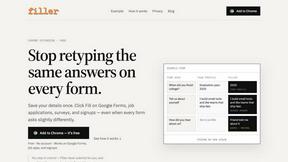
Filler
Free Chrome extension: save your details once, then fill Google Forms, job applications, surveys and signups in one click.
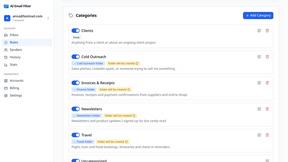
AI Email Filter
AI Email Filter sorts incoming mail into folders using plain-language prompts you write. Works with any IMAP mailbox; bring your own LLM if you want.

Egmatic
No-code 2D game editor: visual node logic, drag-and-drop scenes, live preview. Exports to Windows, macOS, Linux, Android, iOS, Web.

Kody Tools
Free collection of online developer utilities, code formatters, and digital converters designed to streamline your daily workflow.