Tagada
Tagada parses Gmail into clickable sentences for local highlighting and tagging, keeping your data private without AI or cloud reliance.
Visit
About Tagada
Tagada is a thoughtfully designed browser extension that fundamentally transforms the way you interact with email within Gmail, offering a sophisticated alternative to the conventional practice of embedding replies in colored text within the original message. At its core, Tagada parses incoming emails into discrete, clickable sentences, empowering you to highlight, tag, and organize information by category with a single click. This intelligent system then generates a clean, structured reply template built around the points that truly matter, allowing you to respond with greater speed and clarity. The product is engineered for professionals, support teams, freelancers, consultants, and anyone who manages lengthy email threads, as it significantly cuts response time while structuring your replies for maximum impact. A defining characteristic of Tagada is its unwavering commitment to privacy: all processing occurs entirely on your local device, without any reliance on artificial intelligence, cloud servers, or third-party data transmission. This ensures that your sensitive email content never leaves the safety of your computer, providing a secure and private email management experience that integrates seamlessly into your existing Gmail workflow without requiring you to learn a new tool.
Features of Tagada
Instant Email Parsing into Selectable Sentences
Tagada elegantly deconstructs complex email threads into a series of individual, clickable sentences. This feature eliminates the need to manually sift through large blocks of text, allowing you to quickly identify and isolate the most critical pieces of information. By breaking down emails into manageable units, you can focus on each point independently, ensuring that no important detail is overlooked during your review process.
One-Click Highlighting and Tagging by Category
With a single click, you can highlight any sentence within an email and assign it to a predefined category. This functionality allows you to organize key phrases, action items, questions, or important data points directly within the email interface. By tagging sections, you create a personalized structure for each message, making it effortless to retrieve and reference specific information when crafting your response.
Auto-Generated Reply Templates from Selections
After you have highlighted and tagged the relevant sentences, Tagada intelligently compiles these selections into a clean and coherent reply template. This feature eliminates the tedious process of manually copying and pasting text, providing you with a structured draft that is built around the points you have identified as important. The result is a faster, more focused, and more professional response that addresses every key element of the original message.
100% Local and Private Processing
Tagada operates entirely on your local device, ensuring that your emails and data never leave the confines of your computer. There is no artificial intelligence, no cloud upload, and no third-party server involved in the processing. This architecture guarantees the highest level of data privacy and security, giving you complete control over your sensitive information while still benefiting from the extension's powerful organizational capabilities.
Use Cases of Tagada
Streamlining Customer Support Responses
Support teams managing high volumes of inquiries can use Tagada to parse customer emails, highlight specific issues or requests, and tag them by urgency or topic. The auto-generated reply template allows agents to quickly construct comprehensive responses that address every point raised by the customer, reducing response times and improving the quality and consistency of support interactions.
Enhancing Consultant and Freelancer Communication
Consultants and freelancers who frequently receive detailed project briefs, client feedback, or complex instructions can leverage Tagada to organize this information efficiently. By tagging action items, deadlines, and specific requests, they can ensure that no critical detail is lost in translation. The structured reply template helps them craft clear, professional responses that demonstrate attention to detail and thorough understanding.
Improving Executive Email Management
Executives who manage long email threads with multiple stakeholders can use Tagada to quickly extract and categorize key decisions, action items, and questions. This capability allows them to maintain a clear overview of ongoing discussions without getting bogged down in lengthy correspondence. The resulting reply templates enable them to communicate concisely and effectively, saving valuable time while maintaining a high standard of professionalism.
Simplifying Team Collaboration and Follow-Up
Team members collaborating on projects can use Tagada to parse emails containing meeting notes, project updates, or shared documents. By highlighting and tagging relevant sections, they can easily track who is responsible for what and identify any outstanding tasks. The auto-generated reply template facilitates clear and concise follow-up communications, ensuring that everyone remains aligned and informed.
Frequently Asked Questions
Is Tagada free?
Tagada can be used without a paid license, but you will be limited in terms of functionality. For a more comprehensive and enhanced experience, we recommend purchasing a license. The free version allows you to explore the core features, while the paid version unlocks the full potential of the tool.
What data do you collect?
We only collect essential data to enhance your experience, including your first name, email address, and language preference. We respect your privacy and do not collect any unnecessary information. Your email content and all related data remain on your device and are never transmitted to our servers.
Do you send our emails to your servers?
No, your emails are never sent to our servers. Everything remains local on your device. At Tagada, we ensure that your data stays private and under your complete control. The processing of your emails happens entirely within your browser, with no external data transfer.
Some emails get broken, how can I fix it?
If your emails appear to be corrupted or disorganized, the best solution is to disable the extension, reply to your emails, and then re-enable it. This issue may occur with emails that have a specific structure the extension is unable to parse. Disabling and re-enabling the extension typically resolves the problem without any data loss.
Pricing of Tagada
Tagada offers a free tier with limited functionality, allowing you to explore its core capabilities. For a more comprehensive experience with full access to all features, a paid license is available. Specific pricing plans and tiers can be found on the official Tagada website. The paid license is designed for professionals and teams who require the complete suite of organizational and efficiency tools.
Explore more in this category:
Similar to Tagada
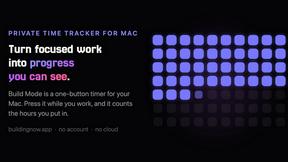
Build Mode for Mac
Build Mode is a Mac app that turns focused sessions into visible progress, so you can see the work adding up before the results arrive.
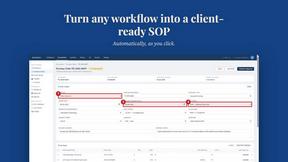
MySOP.guru
Capture any workflow in your browser and export a branded, step-by-step SOP with screenshots. €5 per document, no subscription.

PerPageFax
PerPageFax lets you send a fax online from any browser for a flat $0.50 per page — no account, no subscription, no fax machine.



Glanced
Follow news, blogs, newsletters, and podcasts in a free RSS reader, with AI summaries, top stories, full-text search, saved searches, and a catalog.