

Alternatives to Tagada
Tagada parses Gmail into clickable sentences for local highlighting and tagging, keeping your data private without AI or cloud reliance.
20 alternatives found
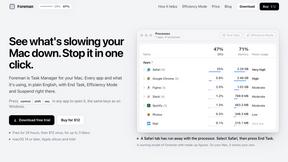
Foreman
See every app and what it's using in plain English, and end or slow down the one that's hogging your Mac.

Uniclip
Clip pages, take full-page screenshots and batch-capture list data to Notion, Feishu, Obsidian, Markdown, CSV or JSON.

TroveKey
Search tabs, Chrome bookmarks and history, run browser commands, and save webpages and social posts locally—no account.

Typebar
Every key you press lights up on an on-screen keyboard, and each shortcut is named as you press it.
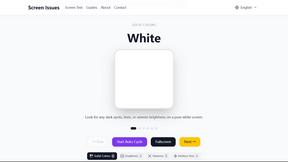
Screen Issues
Free Online Screen Test Tool - Instantly diagnose dead pixels, lines, color issues, and flickering. Multiple test modes, no download needed.

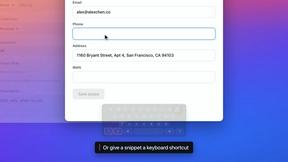


Todowing
Chrome extension that nests Todoist sub-tasks inline in Today, Upcoming, Filters and Labels. Free tier, $19.99 one-time unlock.

Everywhere
Fast file search for the Mac. Results as you type, files inside Mail and Photos, works with Wi-Fi off. $19 once.

Basalt
Eighteen PDF tools in one native Mac window: merge, split, compress, OCR, Bates numbering, forms, signing and redaction. Offline. $29 once.

Voice Keyboard Pro
Hold a key, say what you mean, let go. Clean, punctuated text lands at the cursor in any app on your Mac or iPhone.

Mainspring
Mainspring turns the settings macOS hides into 90+ one-click, fully reversible power-ups for Finder, Dock, screenshots and more. $29 once.
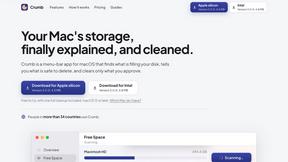
Crumb
A Mac menu bar app for a full disk. See what is using your space, read whether it comes back on its own, and remove only what you tick.

Inkling
Catch a thought without leaving what you are doing. Notes, checklists and a little companion in your Mac's notch. $12 once.

Manatee
A Mac app that opens damaged video, PDFs, archives and documents and writes out everything it can still read. $9 once, no uploads.

Context Board
Context Board brings your numbers, docs, clients, content and day into one workspace that Claude and Codex can read and update.

HookAds
Free ad creative hub: 1,750+ prompts behind viral AI ads, 118 hook frameworks, teardowns, swipe files and 27 free AI tools.
Vim.is
Vim.is is a simple online tool that helps you learn and practice Vim keyboard shortcuts quickly.

@fuck.it - email with attitude
Private email. Pure. Secure. Exclusive. No ads, no tracking, no data selling. GDPR compliant, EU-hosted.
About Tagada Alternatives
Tagada occupies a distinguished position within the productivity and management category, offering a uniquely private solution for email triage directly within Gmail. It distinguishes itself by parsing incoming messages into discrete, clickable sentences, enabling users to highlight, tag, and categorize critical information locally—with no data ever leaving the device. Users often seek alternatives for a variety of reasons, including a desire for different pricing models, the need for more advanced collaborative features across teams, or a preference for a platform that integrates with additional email clients beyond Gmail. When evaluating a replacement for this type of tool, one must consider the sanctity of data privacy versus the convenience of cloud-based intelligence. A worthy alternative should offer a similarly frictionless workflow that reduces cognitive load, ideally providing automated parsing and structured reply generation without compromising speed. The most critical factor remains the balance between feature richness and local processing; a solution that sends data to third-party servers may offer more complex categorization but at the cost of the absolute confidentiality that discerning professionals require. Ultimately, the best choice will seamlessly integrate into your existing email ecosystem while preserving the refined, focused experience of responding to what truly matters.
FAQs about Tagada Alternatives
What is Tagada?
Tagada is a sophisticated browser extension designed to transform how you read and reply to emails directly within Gmail. It parses incoming emails into clickable sentences, allowing you to highlight, tag, and organize key information by category with a single click. Unlike conventional tools, it processes all data locally on your device, ensuring no information is ever sent to the cloud or third-party servers.
Who is Tagada for?
Tagada is ideally suited for professionals, support teams, freelancers, and consultants who manage lengthy email threads and require a structured, efficient response process. It is particularly valuable for anyone who values data privacy and wants to reduce the time spent deciphering complex email conversations. By automating the organization of key points, it serves those who need to respond faster and with greater clarity.
What are the main features of Tagada?
The core features include instant parsing of emails into selectable sentences, one-click highlighting and tagging by category, and auto-generated reply templates built from your selections. All processing is performed 100% locally, meaning no AI, cloud services, or third-party servers are involved. The tool works seamlessly inside Gmail, requiring no new software or learning curve.
Is Tagada secure and private?
Yes, Tagada is built with a foundational commitment to privacy and security. It processes all email data entirely on your local machine, ensuring that no information is ever transmitted to the cloud or any external servers. This local-only architecture means your sensitive communications remain completely confidential, with no reliance on third-party data handling or AI models.