
Unifyca
Unifyca is the unified platform that centralizes WordPress site documentation, maintenance, and backups for seamless agency management.
Visit
About Unifyca
Unifyca is a sophisticated WordPress website management platform meticulously designed for agencies, freelancers, and IT professionals who oversee multiple client websites. Rather than navigating the fragmented experience of logging into dozens of individual WordPress dashboards, Unifyca provides a singular, centralized workspace from which every operational aspect of your client portfolio can be managed with precision and efficiency. The platform elegantly bridges the gap between website maintenance and comprehensive documentation, creating a unified ecosystem where technical details, credentials, and maintenance workflows coexist harmoniously.
At its core, Unifyca empowers users to connect their websites and execute thorough WordPress audits, identifying outdated plugins, themes, and core versions that require attention. The platform facilitates the application of maintenance fixes, enables the creation of both manual and scheduled backups, monitors uptime reliability, and generates polished white-label maintenance reports that demonstrate tangible value to clients. Beyond these maintenance capabilities, Unifyca serves as the definitive repository for all website documentation, including hosting accounts, domains, FTP and SSH access credentials, email settings, SSL certificates, brand assets, project notes, and other critical technical information. The result is a complete operational infrastructure that reduces manual effort, enhances consistency, documents every client engagement thoroughly, and enables agencies to deliver professional maintenance services at scale with confidence and clarity.
Features of Unifyca
Centralized Website Documentation
Unifyca establishes itself as the single source of truth for every client website, eliminating the need to search through scattered emails, spreadsheets, and chat messages. This feature centralizes website documentation, credentials, maintenance history, and every operational detail, ensuring that your entire team always works with the complete context of each client website. Credentials for WordPress, FTP, SSH, hosting, domains, databases, email accounts, plugins, themes, and APIs are stored securely and linked to the correct client and website, while comprehensive technical documentation covers domains, DNS configurations, SSL certificates, server details, plugins, themes, premium licenses, scripts, custom code, integrations, and important website files.
Automated WordPress Audits and Maintenance
The platform replaces reactive maintenance with a proactive, predictable workflow by automatically scanning every connected WordPress site for outdated plugins, themes, and core versions, as well as security risks, configuration issues, uptime problems, and SEO warnings. Unifyca provides a centralized Fix Center where users can review and apply WordPress updates and safe maintenance actions in bulk across multiple sites without ever entering a single wp-admin dashboard. Every update, fix, and check is automatically logged per site, creating a clear maintenance history that eliminates manual journaling and provides complete transparency into what was done, when, and on which client website.
Reliable Backup Management
Unifyca offers robust backup capabilities that allow users to run manual or scheduled backups for client WordPress sites with confidence. The platform maintains a clear backup history, enabling users to know precisely which sites are protected before applying updates or fixes. This feature provides peace of mind by ensuring that every maintenance action is backed by reliable data protection, and the backup history serves as an additional layer of documentation that reinforces professional service delivery.
White-Label Client Reporting
Every update applied, issue fixed, and uptime check performed is automatically compiled into clean, client-friendly reports that feature your own branding. These white-label reports display your logo and colors with zero Unifyca branding, transforming technical maintenance logs into professional documents that clients can easily understand and appreciate. This capability provides the most effective way to justify recurring maintenance fees and secure annual renewals by demonstrating the tangible value of your ongoing work.
Use Cases of Unifyca
Agency Portfolio Management
Digital agencies managing dozens of client WordPress sites can use Unifyca to eliminate the chaos of multiple dashboards, scattered credentials, and inconsistent maintenance practices. The platform enables agencies to group every WordPress site by client and project, with contacts, notes, and context attached to each engagement. Teams can collaborate from the same reliable information, ensuring that no credentials, technical notes, or project knowledge remain hidden in emails, WhatsApp conversations, or personal files, resulting in improved consistency and professional service delivery across the entire client portfolio.
Freelancer Efficiency Optimization
Independent WordPress professionals who maintain multiple client websites can leverage Unifyca to replace reactive maintenance with a streamlined, predictable workflow. Instead of juggling 30 browser tabs, scattered spreadsheets, and screenshot folders, freelancers can connect all their sites, run automated audits, apply fixes remotely, and generate branded reports from a single workspace. This efficiency gain allows freelancers to serve more clients without increasing their workload, while the centralized documentation ensures they always have immediate access to every technical detail required for each engagement.
IT Professional Technical Oversight
IT professionals responsible for maintaining WordPress infrastructure across multiple clients or departments can use Unifyca to gain complete operational visibility. The platform provides a secure credentials vault for hosting, FTP, SSH, WordPress users, registrars, and APIs, all linked to the correct client and website. Renewals and SSL alerts track domain, hosting, and SSL certificate expiration dates in one calendar, with notifications before something expires and potentially takes a client offline, enabling proactive management of critical technical assets.
Team Collaboration and Knowledge Sharing
Organizations with multiple team members working on client websites can use Unifyca to ensure everyone operates from the same reliable information. The platform eliminates the common problem of credentials, technical notes, and project knowledge being siloed in individual emails, chat messages, or personal files. By centralizing all documentation and maintenance history, Unifyca enables seamless team collaboration, reduces onboarding time for new team members, and ensures continuity of service even when team members change roles or leave the organization.
Frequently Asked Questions
How does Unifyca connect to my client WordPress sites?
Unifyca uses a lightweight Audit Connector plugin that you install on each WordPress site you want to manage. The installation process is straightforward and bulk-friendly for agencies onboarding many sites at once. Once installed and linked to your Unifyca account, the connector enables automated audits, remote fixes, backups, and uptime monitoring without requiring you to log into each individual WordPress dashboard.
Is my clients sensitive data secure within Unifyca?
Yes, Unifyca prioritizes security for all stored credentials and sensitive information. The platform provides a secure credentials vault where hosting accounts, FTP and SSH access, WordPress user credentials, registrar information, and API keys are stored and linked to the correct client and website. All data is protected with industry-standard encryption practices, ensuring that your clients sensitive information remains confidential and accessible only to authorized team members.
Can I customize the white-label reports with my own branding?
Absolutely. Unifyca allows you to generate maintenance reports that feature your own logo, colors, and branding with zero Unifyca branding visible. Every update applied, issue fixed, and uptime check is automatically compiled into a clean, professional document that your clients can easily understand. This white-label capability is designed to help you justify recurring maintenance fees and demonstrate the tangible value of your services to clients.
What happens if a clients website goes down or an SSL certificate expires?
Unifyca provides proactive monitoring and alerting capabilities to help you stay ahead of potential issues. The platform monitors uptime across all connected client sites and provides alerts for domain, hosting, and SSL certificate renewals. You can track all renewal dates in a single calendar and receive notifications before something expires, allowing you to take preventive action before a client experiences downtime or service disruption.
Similar to Unifyca

Built2Win AI Indexing
Custom PHP websites, AI Indexing Pack ($599 one‑time), and WebAgentScan SaaS ($9/mo). MCP, A2A, llms.txt, full ownership.

Pages that Print
Stop copying pages that make nothing; access a library of SaaS landing pages with verified revenue data from Stripe and LemonSqueezy.
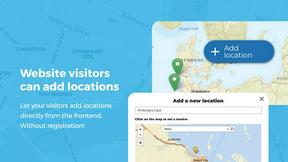
Open User Map
Open User Map transforms your WordPress site into a collaborative, interactive map with effortless frontend submissions and approval workflows.

Shadcn Examples
Shadcn Examples offers elegant React and Tailwind UI kits with reusable components for creating stunning web applications effortlessly.
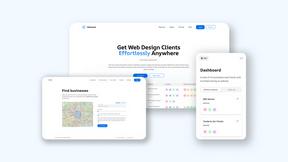
Webleadr
Webleadr instantly discovers and contacts businesses without websites, delivering premium web design leads directly to you.
SiteMd
SiteMd offers instant website health reports, identifying SEO issues, security gaps, and performance problems for effortless online optimization.

Idearium
Idearium crafts exceptional websites and marketing strategies that captivate audiences and drive meaningful business.
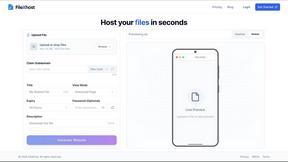
FilexHost
Effortlessly host and share your files with instant URLs and secure access, all through a simple drag and drop.