

Alternatives to EditTextImage
EditTextImage lets you replace text in any image online, keeping the original font, color, and perspective perfectly intact.
20 alternatives found
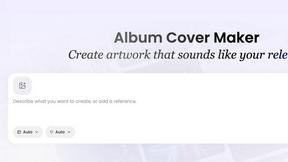
AI Album Cover Maker
Create release-ready album covers from a prompt or photo. Generate, refine, and export art for singles, EPs, mixtapes, and playlists.
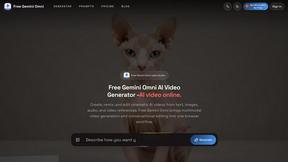
Free Gemini Omni
Create, remix, and edit cinematic AI videos online with Free Gemini Omni using text, image, audio, and video prompts.
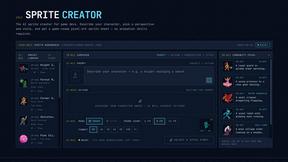
Sprite Sheet Maker
Create pixel-art sprite sheets from text with AI, preview animations, and export PNG assets for game prototypes.

Flux Lora
Explore Flux LoRA online workflows and the roadmap for models, generation, and training

Qwen Image Edit
Edit and generate visuals online with Qwen Image Edit using natural-language prompts for backgrounds, text, product images, posters, outpainting, and


Ideogram Studio
Ideogram 4 AI workflows for creating text-rich images, logos, posters, ads, and packaging.

Wan Video
Create videos from text, images, references, or clips with Wan 2.7 workflows, task history, cost estimates, and API access.

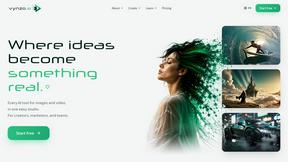
Vynzo
AI image and video studio. Generate from a prompt, animate stills, swap faces, restyle clips and edit — one credit pool, no subscription.

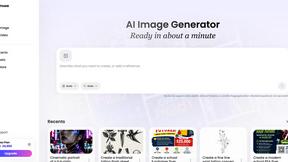
Vismuse
Create polished AI images and videos from prompts or references for social posts, ads, flyers, album covers, and campaigns.

GPT Image 2 API
Generate and edit production-ready images with GPT Image 2 API, detailed prompts, reference images, and clear text rendering.
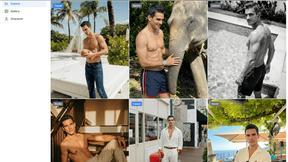
Trushot AI
TruShot creates ultra-realistic AI dating photos from just 4 selfies. Generate natural-looking, verification-friendly profile pictures for Tinder, Hin
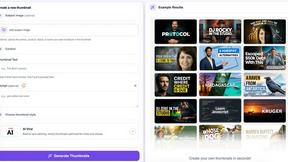
StopScroll
StopScroll is an AI thumbnail maker that generates, compares, and helps creators pick stronger cover images before publishing.

HubVanta
HubVanta is a free AI creative toolkit for generating images, videos, voices, and visual edits from one browser workspace.

Headshot.ltd AI Headshot Generator
Turn a few phone selfies into professional headshots in ~5 minutes. 200+ backgrounds, one-time payment starting from $8.

IsThisAIImage
Ask is this AI image? Free online checker: upload a photo for AI-generated and deepfake scores plus a clear verdict band.
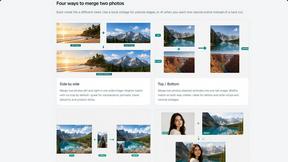
Merge Two Photos
Merge two photos free in browser: side by side, stacked, overlay, or AI fusion. Private local modes; download clean PNG, no watermark.

About EditTextImage Alternatives
EditTextImage occupies a unique niche within the expansive category of image generation and editing tools, specifically designed for the precise and seamless modification of existing text within rasterized images. Unlike general-purpose design suites that require source files and installed fonts, this tool leverages artificial intelligence to analyze pixel data, reconstructing typography with remarkable fidelity to the original font, color, shadow, and perspective. Users commonly seek alternatives due to the tool’s specific pricing structure, which offers a limited number of edits for a one-time fee, or because they require a platform that integrates with broader workflows, offers unlimited revisions, or provides a native desktop application rather than a web-based interface. When evaluating potential alternatives, one should prioritize the core capability of accurate text replacement without degrading the surrounding image quality. The ideal solution must demonstrate a sophisticated understanding of typographic nuances, including kerning, tracking, and the subtle imperfections of hand-lettering. Additionally, consider the volume of edits you anticipate needing; a subscription model may be more economical for heavy users, while a pay-per-edit structure suits infrequent tasks. Look for tools that offer high-resolution output, robust privacy protocols for uploaded images, and a user interface that balances simplicity with the depth required for complex adjustments, ensuring that the elegance of the final result matches the effort invested.
FAQs about EditTextImage Alternatives
What is EditTextImage?
EditTextImage is a sophisticated online tool designed for editing text within images without the need for traditional design software like Photoshop or Canva. It utilizes artificial intelligence to sample the typeface, color, drop shadow, and perspective directly from the image pixels, allowing users to replace text seamlessly while preserving the original aesthetic. The process is remarkably efficient, typically taking around ten seconds to complete, and outputs images at a high 2K resolution.
Who is EditTextImage for?
EditTextImage is ideally suited for marketing professionals, content creators, designers, and anyone who frequently works with finished image assets but lacks the original source files. It is particularly valuable for those who need to quickly fix a typo on a poster, swap a date on a product photo, or A/B test a headline on a screenshot without the overhead of complex software. The tool is also perfect for individuals who use paid fonts or hand-lettering in their designs, as the AI can replicate these elements from the pixel data alone.
Is EditTextImage free?
EditTextImage offers a generous free trial that allows users to perform their first edit without requiring a credit card, providing a risk-free opportunity to evaluate the tool's capabilities. Following the initial free edit, the service operates on a straightforward one-time payment model of $9.90 for a pack of 30 edits. This eliminates the need for recurring subscriptions, making it a cost-effective solution for users with occasional text replacement needs.
What are the main features of EditTextImage?
The primary feature of EditTextImage is its AI-driven text replacement, which samples the typeface, color, and layout from the image's existing pixels to ensure a pixel-perfect match. This includes the ability to replicate complex elements such as drop shadows and perspective, even for paid fonts that are not installed on the user's system. The tool operates entirely online, requires no software downloads, and delivers high-resolution 2K output, with each edit typically completed in about ten seconds.